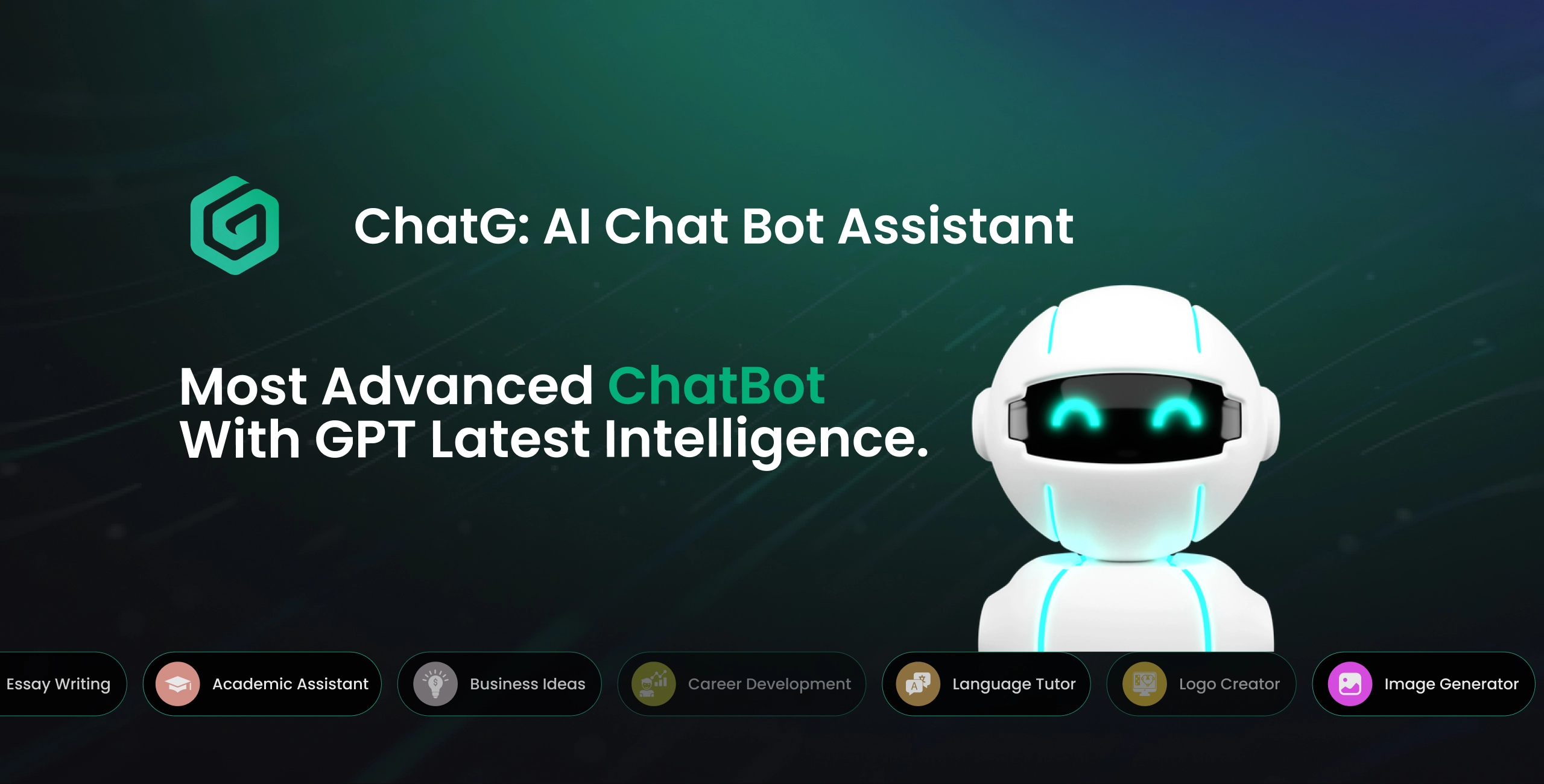
ChatG: AI Chat Bot Assistant
ChatG is an AI chat app for Android and iOS, built by Pixelz360 and released on 1 July 2024. It has chat, ready-made tasks, voice chat and photo-to-text. It is free to start and earns money through ads and a PRO subscription. I was the only designer. I did the research, user flows, the full app design, and the branding and logo.
Product
ChatG, an AI chat app with ready-made tasks, voice chat and photo-to-text, on Android and iOS, built once in Flutter. ChatG is a Pixelz360 product.
My Role
Product designer. I ran the research, mapped the user flows, designed the full app UI, and created the branding and logo.
Team
Product manager, app developer, API developer, and me as the only designer.
Platforms
Google Play and App Store
Context, problem and my role
ChatG puts a GPT chat on your phone and removes the blank-page problem with ready-made tasks. Users pick GPT Turbo or GPT-5, then either type, speak, or start from a task in one of 8 categories: Work, Writing, Creativity, Business, Health, Social, Language Tool and Education.
The problem: people open an AI chat and do not know what to ask, and a free app also has to make money without blocking people too early. The screens show how I answered both: task cards for the first, and a freemium model (3 free prompts every day for logged-in users) with clear limits and a PRO subscription (yearly $60, weekly $6) for the second.
My role: I was the product designer on the app. I did the research, mapped the user flows, created the branding and logo, and designed every screen, from splash and sign-up to chat, history, favorites and settings. I worked with the product manager, the Android developer and the API developer, who built the connection to the AI models.
How the AI side works: the app uses more than one AI provider. Free answers run on Gemini, which has a generous free quota, and paid users get OpenAI models such as GPT Turbo and GPT-5. This shaped the design, because the plan a user is on decides which model answers and how many answers they can ask for.
User flows
I mapped the whole app as 7 flows in FigJam, one per job a user does. Each flow below shows the path and where the app stops the user (limits, locks, paywall).
| Flow | What it covers | What it solves |
|---|---|---|
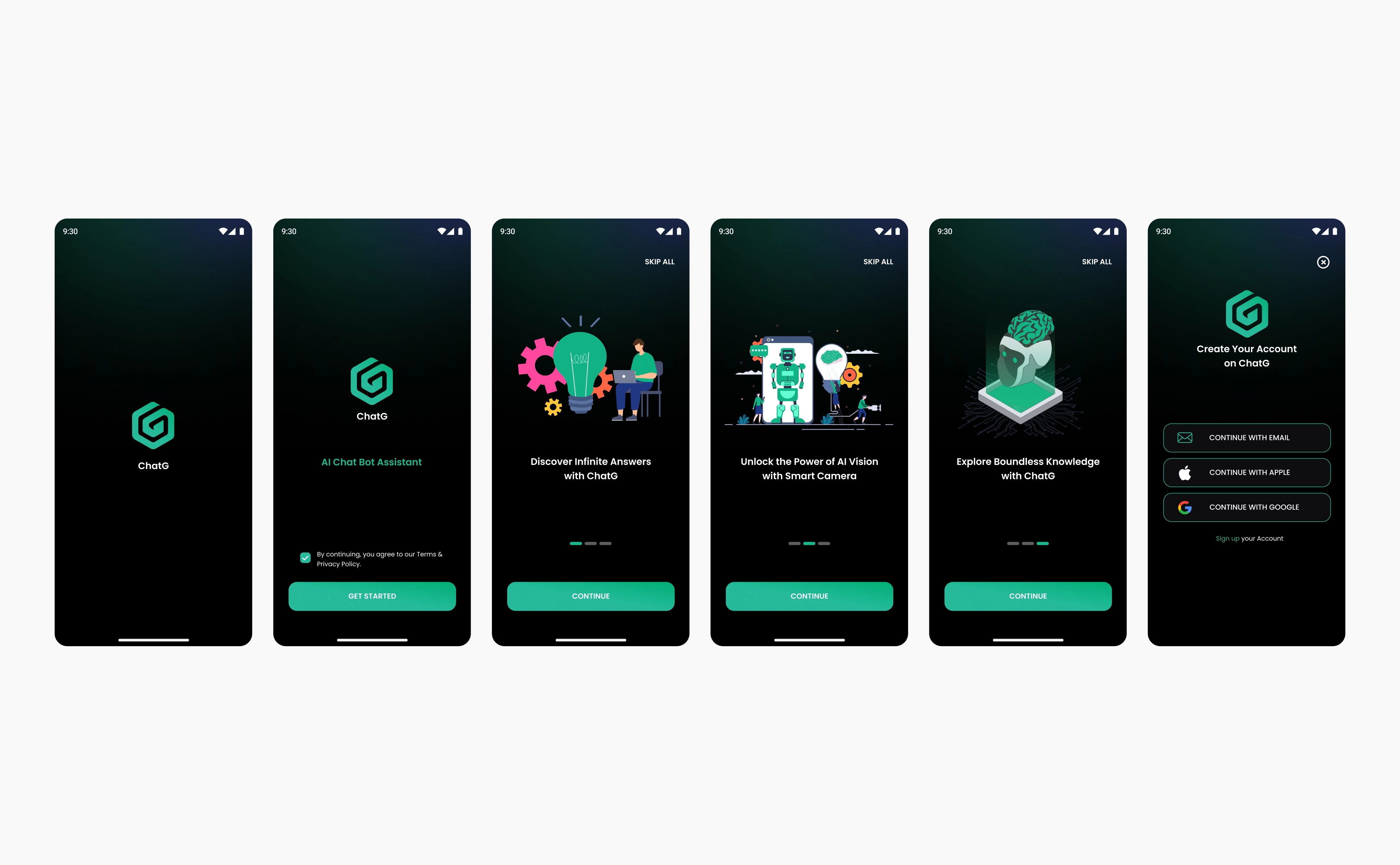
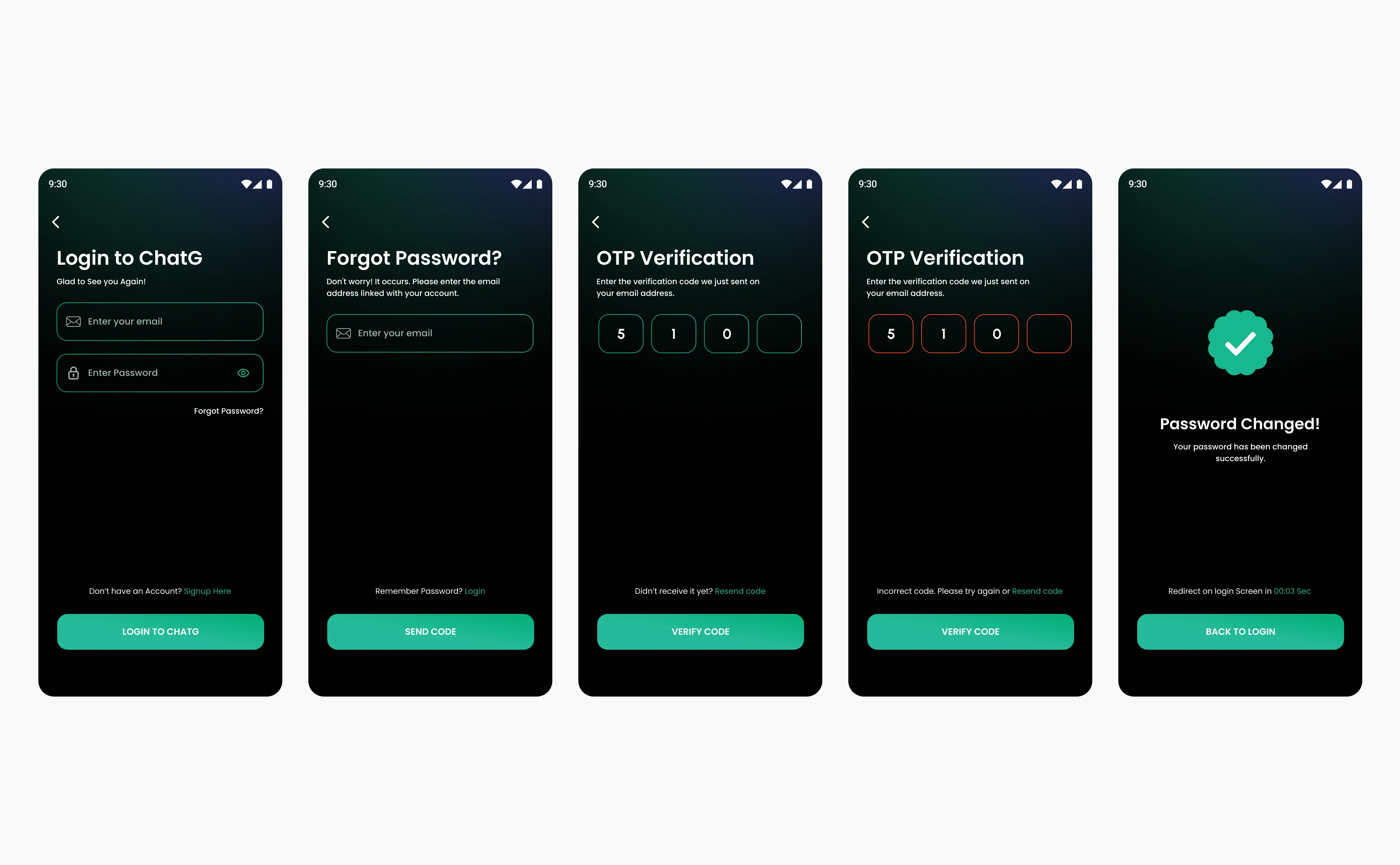
| 1a Onboarding and sign-up | Splash, Welcome with Terms, 3 onboarding slides, sign-up choice, PRO paywall, Home. Guest route included. | Gets a new user into the app fast, and lets them skip sign-up |
| 1b Login and password reset | Login, Forgot password, OTP, new password, confirmation | A returning user can recover access without support |
| 2 Home and finding a task | Home task cards, locked (premium) cards, Tasks tab, search | A user can start from a task instead of a blank chat |
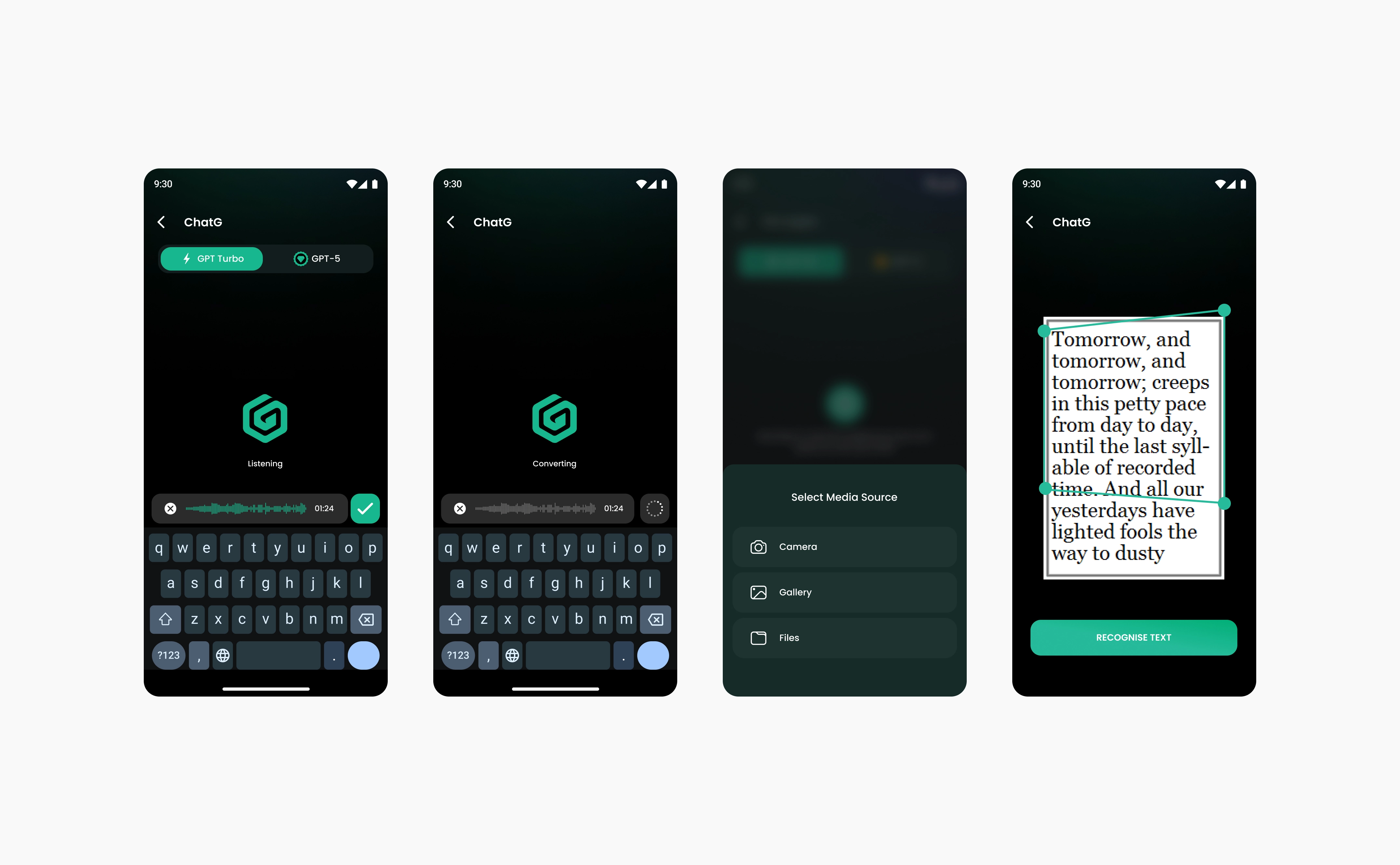
| 3 Chatting | Model toggle, tone sheet, typing, voice, camera or gallery, text recognition, generating, answer actions, rating | One chat screen handles text, voice and photos |
| 4 Free limit and upgrade | Free prompts check, guest sheet, daily limit sheet, subscribe, watch an ad | Limits are explained, and the user always has a next step |
| 5 History and Favorites | Guest lock, empty state, history list, Favorites | Past chats and saved tasks are easy to return to |
| 6 Settings and dialogs | Profile, subscription, voice, language, rate us, privacy, share, update required | Account and app controls in one place |
Flow board: ChatG FigJam
Key decisions
1. Start from a task, and show which tasks are premium.
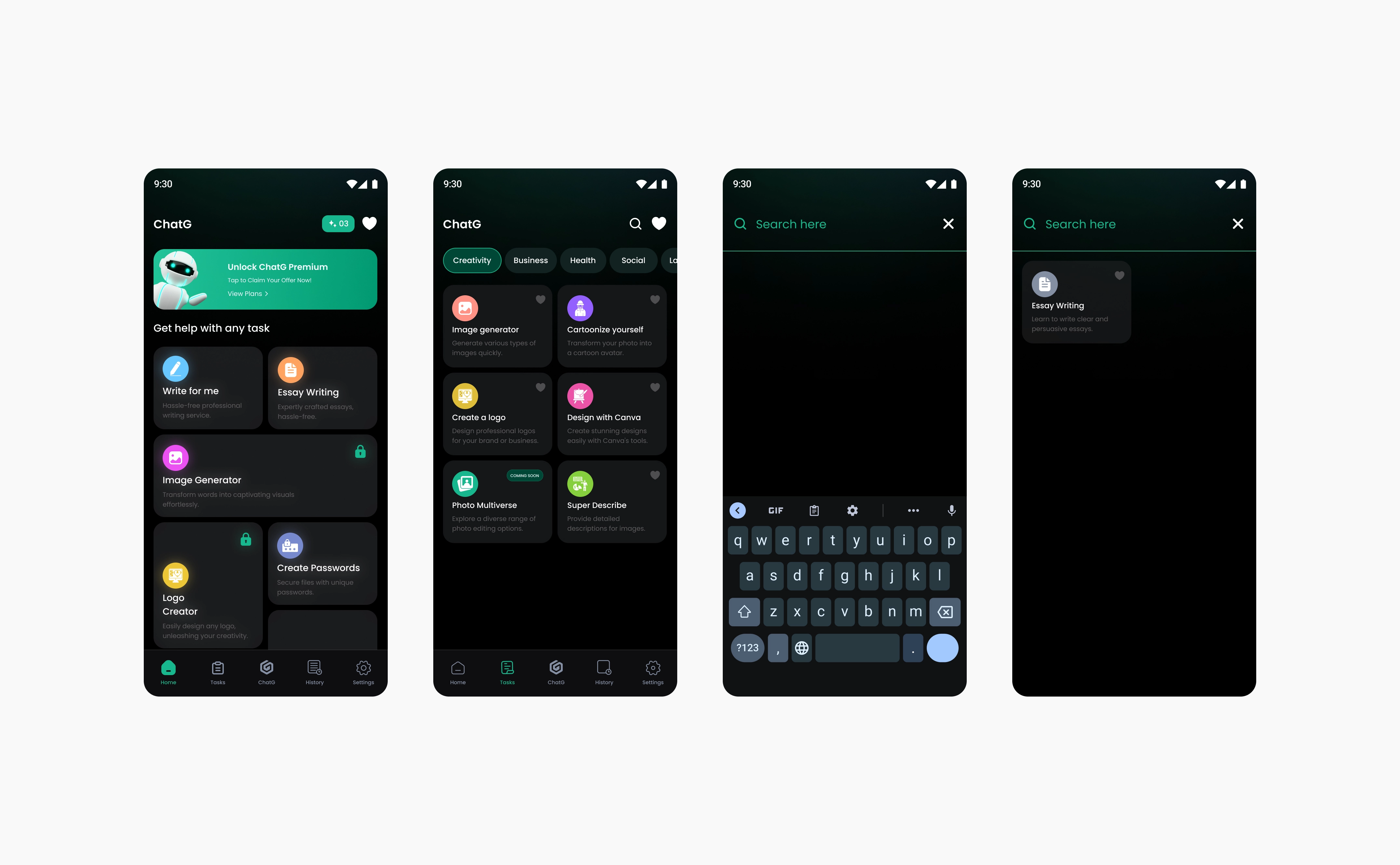
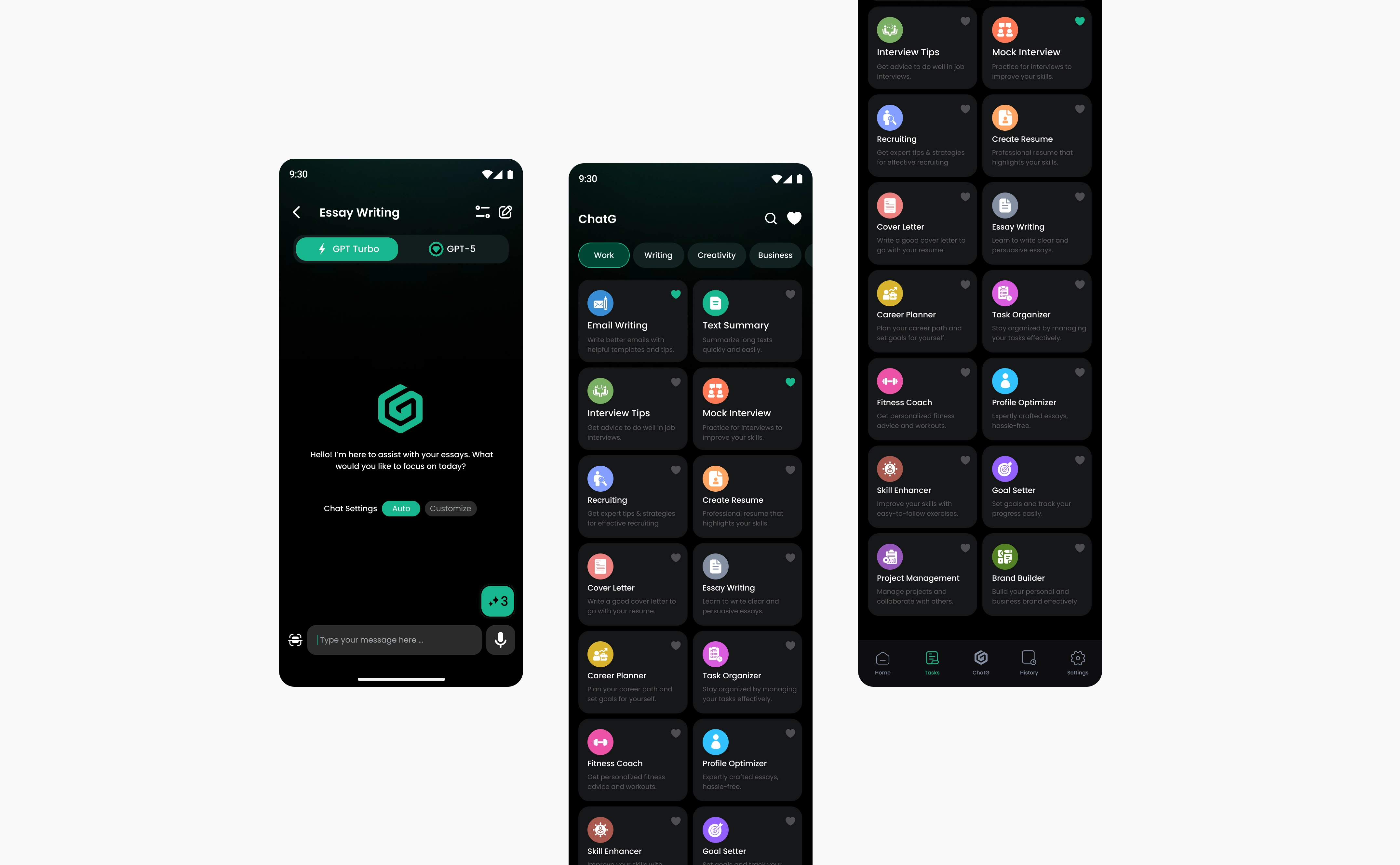
Home shows task cards, and the Tasks tab groups them into 8 categories with search. A lock icon on a card tells the user that this prompt is premium, and the locked cards are placed by importance, so the most valuable tasks are the easiest to see. Why: we did market and competitor analysis and looked at what people need when they are complete beginners with no AI experience. When ChatG launched, AI on phones was still new for everyday users, so ready-made tasks gave them a place to start instead of an empty chat.
1 / 2
2. Free first, with limits that explain themselves.
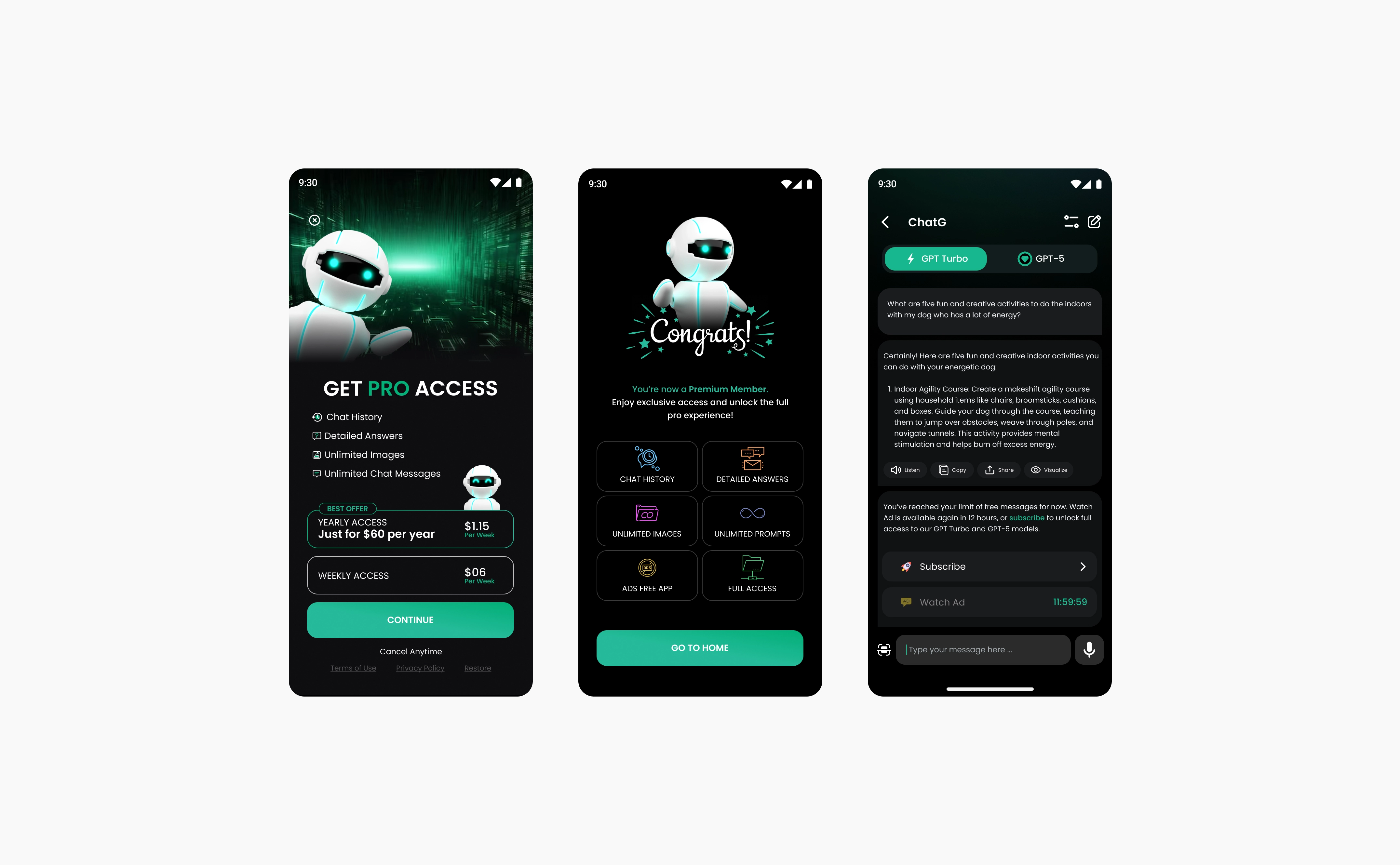
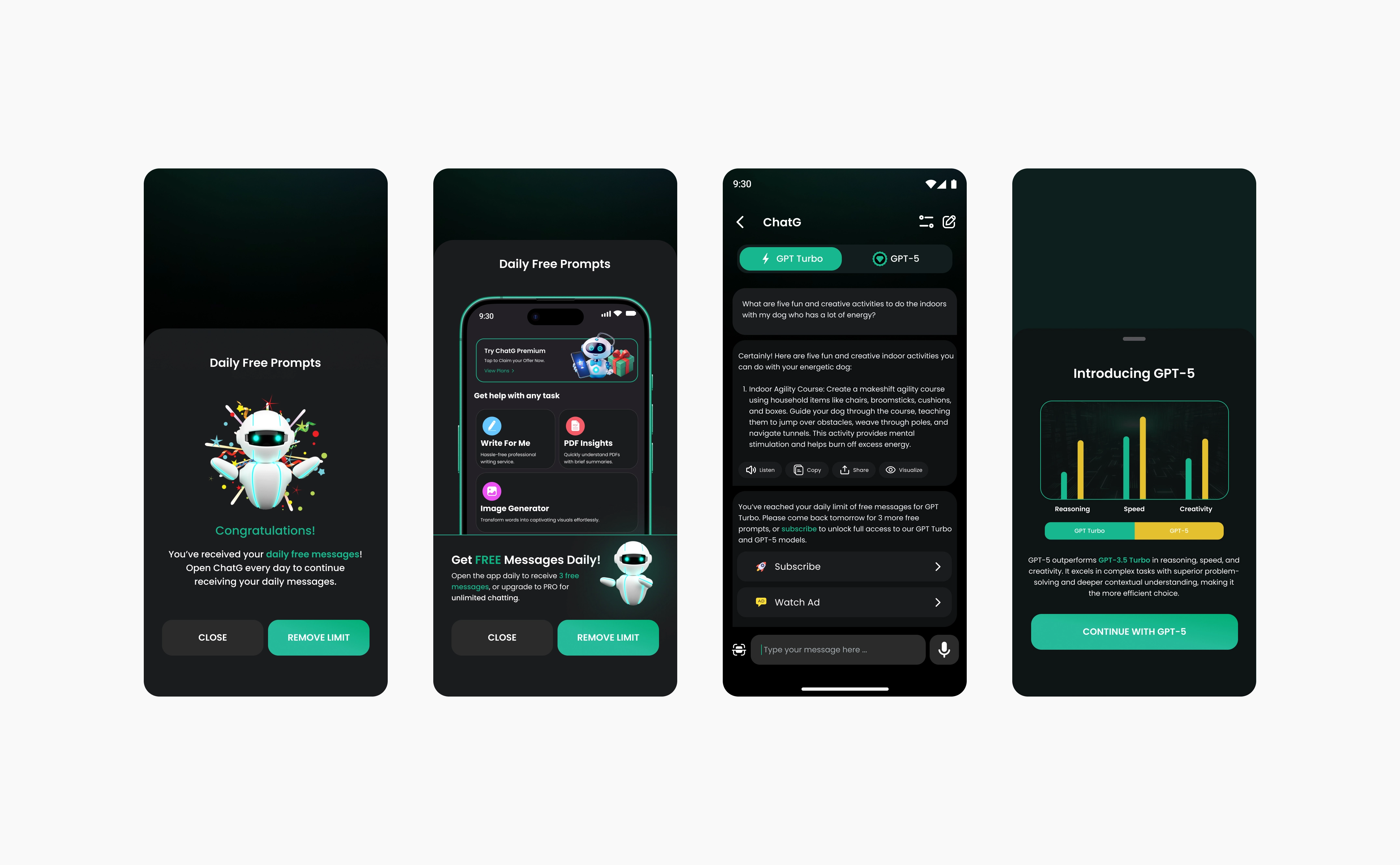
Users who log in each day get 3 free prompts, which gives them a reason to come back daily. When the 3 are used, a sheet says so and offers two ways forward: subscribe to PRO, or watch an ad to unlock one more prompt, up to 3 times. After that the user waits 12 hours, because Google Ads limits how many ads a user can be shown in that time, and the design had to stay inside those policies. Why: ChatG earns money from subscriptions, so the free limit has to lead to the upgrade without feeling like a wall.
1 / 2
3. Guest mode that lets people look before they sign up.
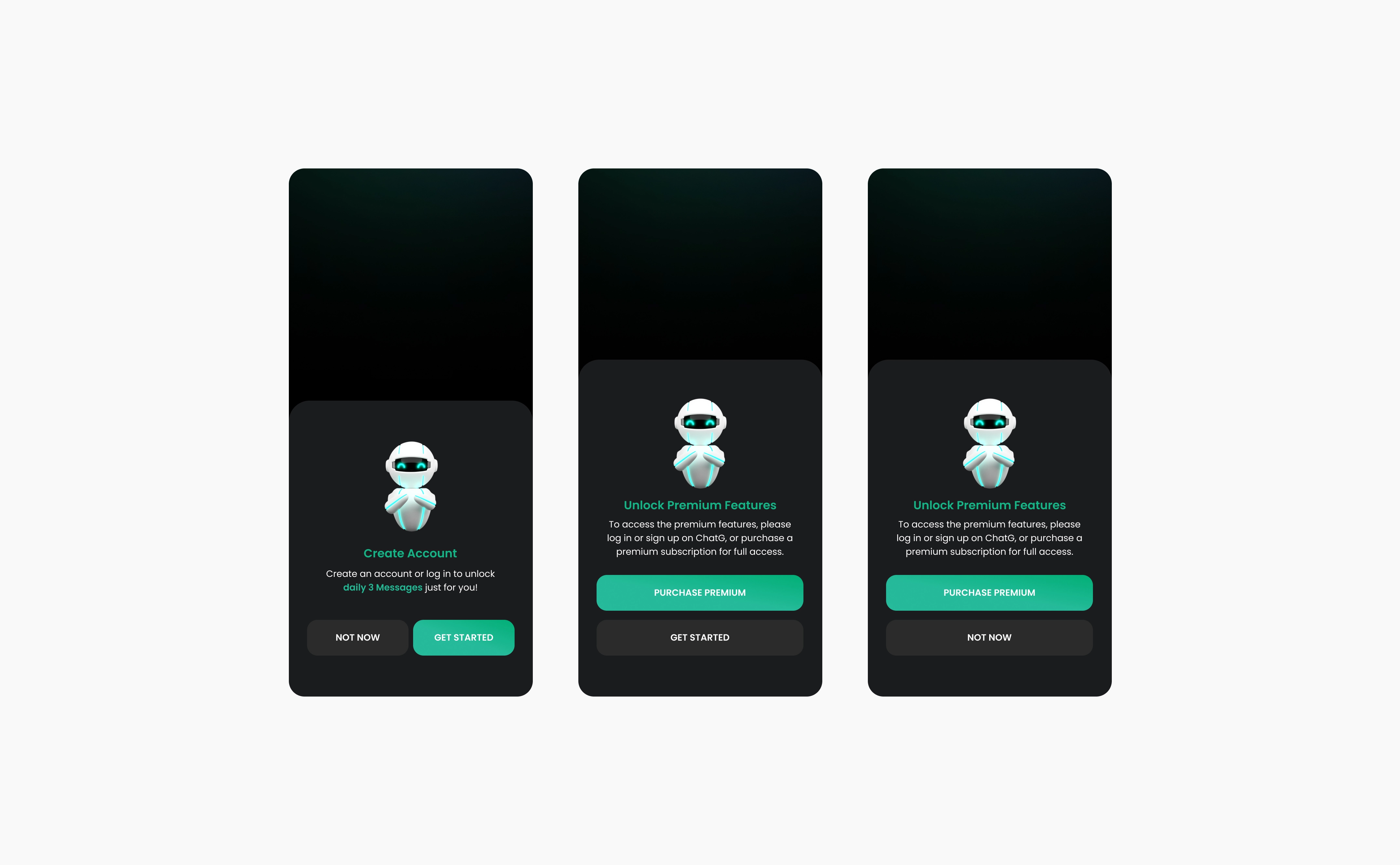
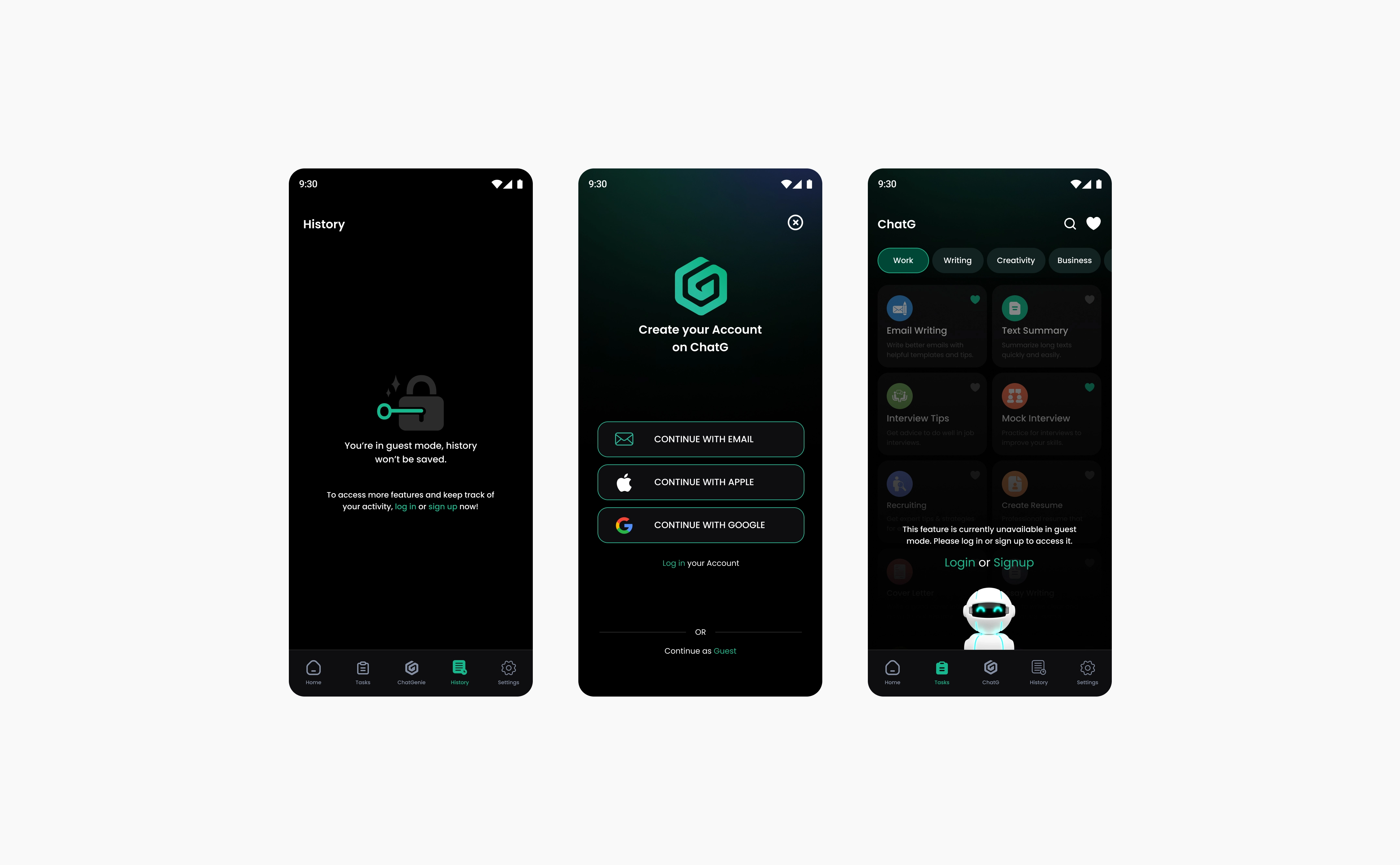
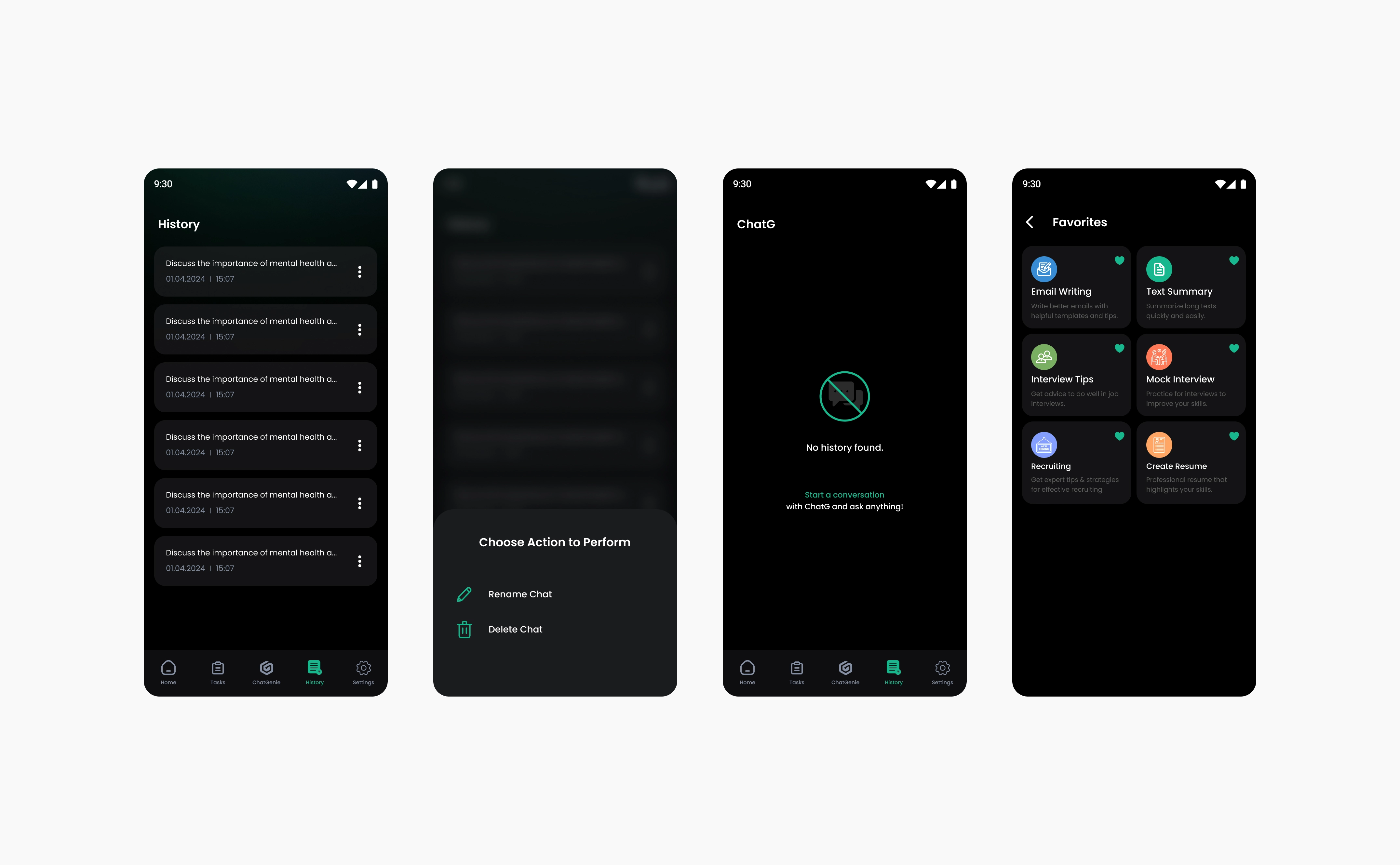
A guest can see the app, the task cards we designed and the chat screens, but cannot start a chat or take any action until they log in or sign up. History is locked for guests: a new user has no chats yet, and someone with an account who is logged out has to log in to see their past chats. Why: we did not want to force anyone to sign up. Letting people see what is inside first builds trust, and they sign up when they are ready.
1 / 2
4. Chat controls the user owns.
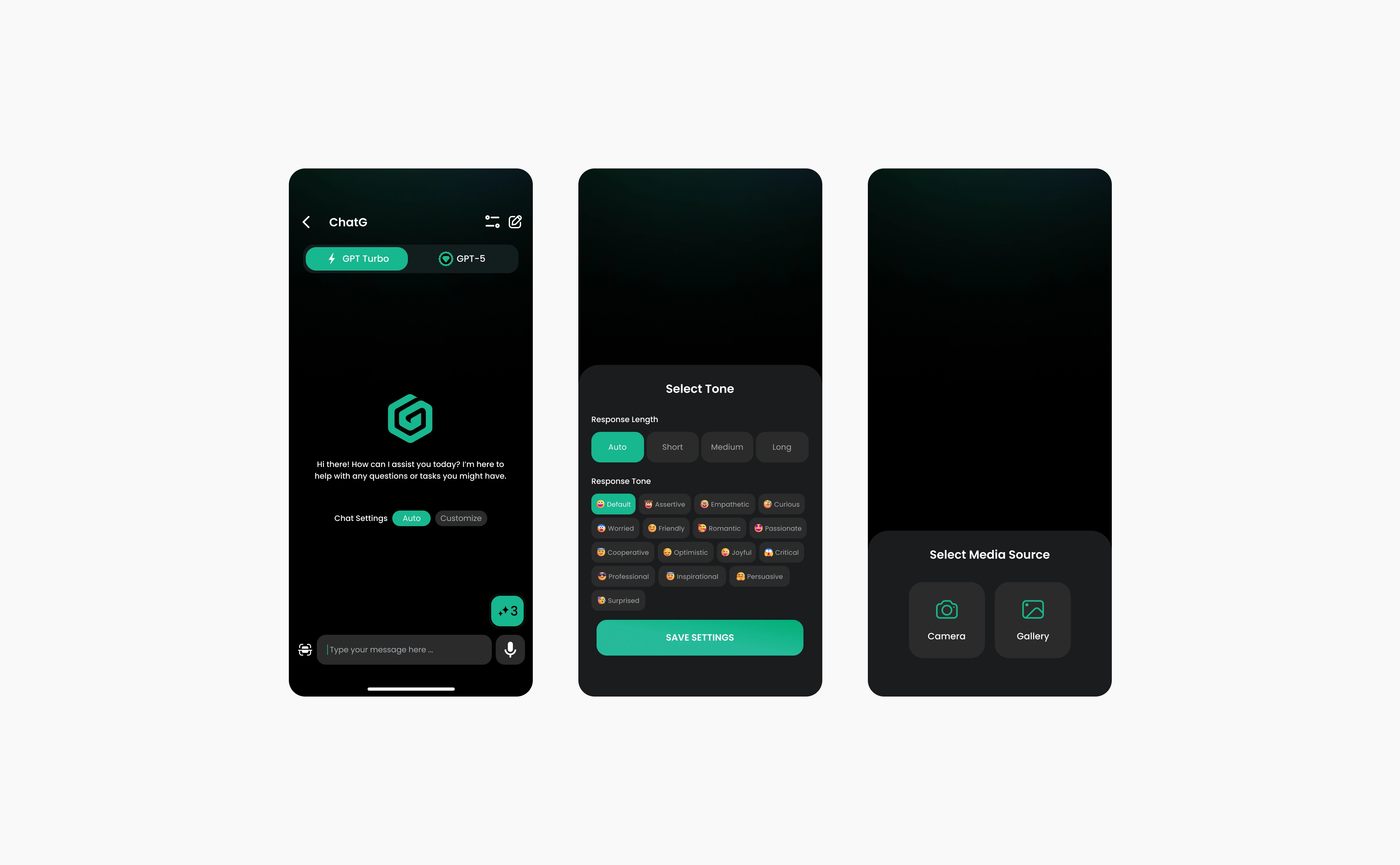
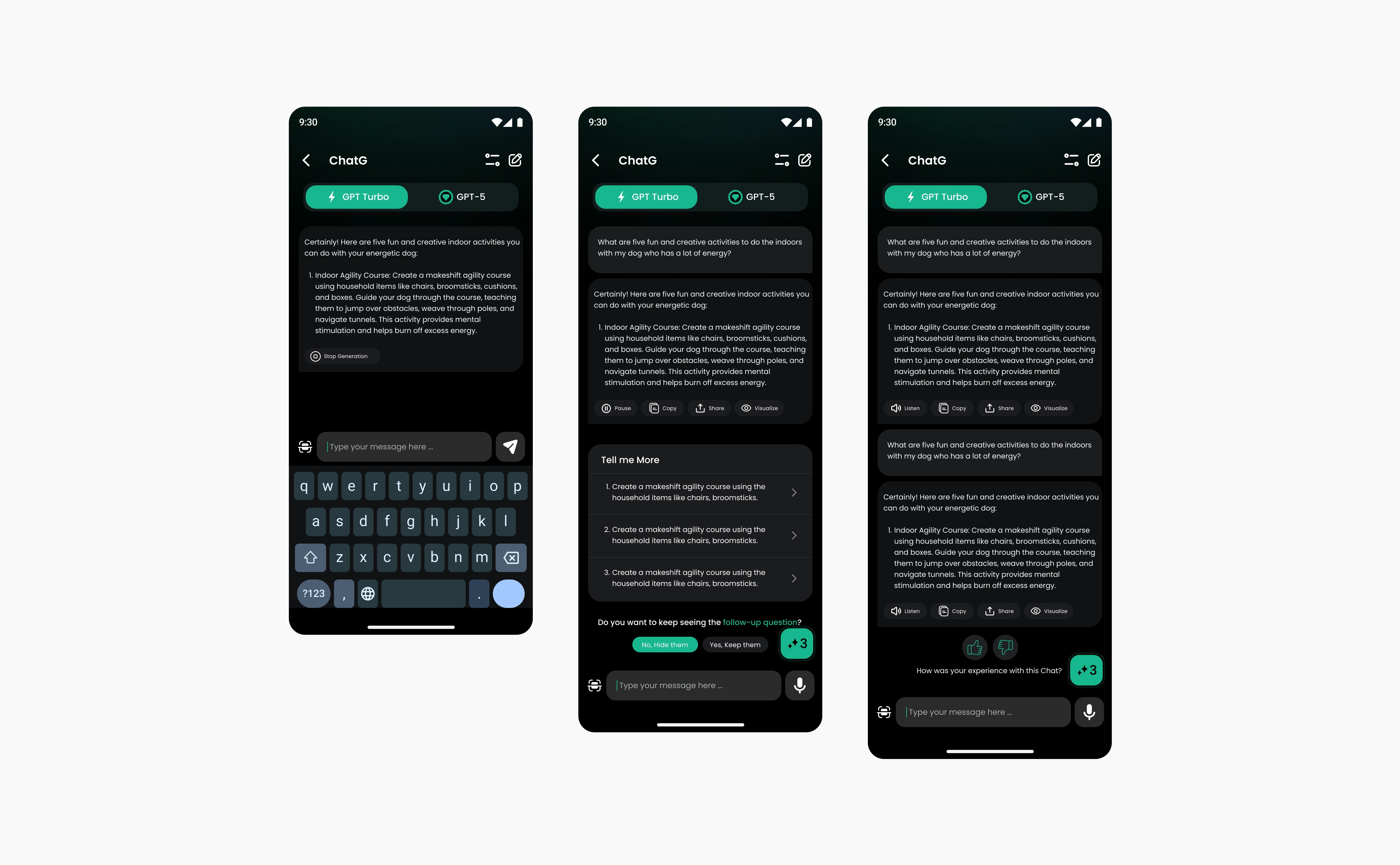
Users decide how the model talks to them: a friendly or a professional tone, and a shorter or longer reply. These live on a chat settings screen and apply to each chat on its own, so one chat can be friendly and the next one professional. The GPT Turbo / GPT-5 toggle sits at the top of the chat, generation has a Stop button, and every answer has Listen, Copy, Share and Visualize.
1 / 3
Final solution and results
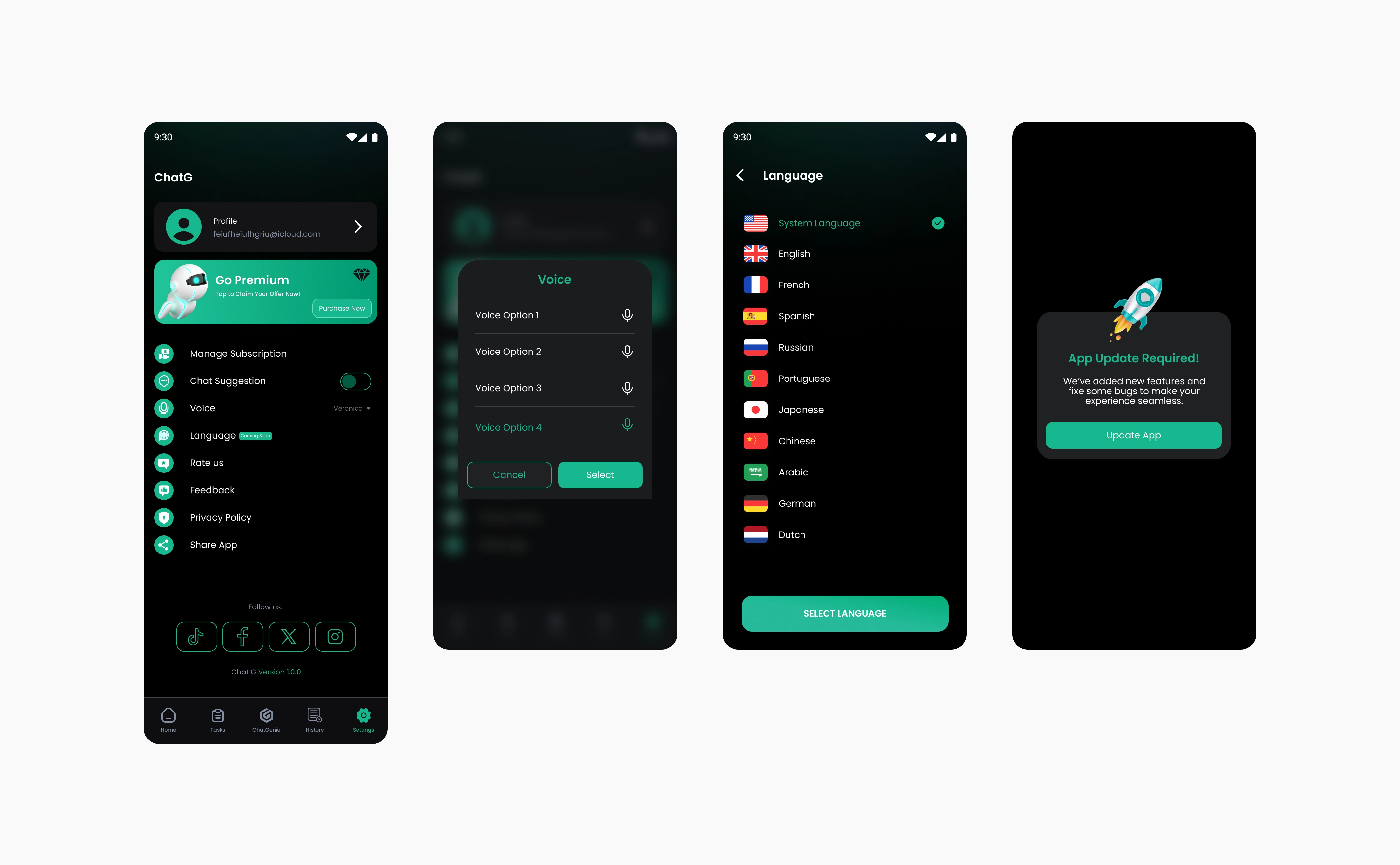
Onboarding, sign-up and login, Home, Tasks, chat, history, favorites, settings and upgrade. Designed at 375 × 812.
Result: 10K+ downloads on Google Play within 3 months of launch Released on Jul 1, 2024.
1 / 2