Logibiz: one design system for two portals
I built a single design system that now sits under both the Logibiz Merchant Portal and the Client Portal. It replaced a set of screens designed one by one with a shared set of variables, text styles, components and screen templates.
Role
Product Designer
Client
Logibiz, London
Status
In development, with the client's developers
Outcome
I built a single design system that now sits under both the Logibiz Merchant Portal and the Client Portal. It replaced a set of screens designed one by one with a shared set of variables, text styles, components and screen templates. The redesign is still being built by the client's developers. For now, success is that the whole team is using the design system.
The problem
Logibiz runs two portals: one for merchants and one for its clients. Both had grown screen by screen. The sidebar, tables, forms and buttons looked similar but were not the same thing, so every new page meant redrawing them and every developer handoff meant guessing.
The goal: design once, reuse everywhere, and give developers rules instead of pictures.
What the system contains
- Variables: 84 variables in 4 collections (colour, spacing, radius, layout).
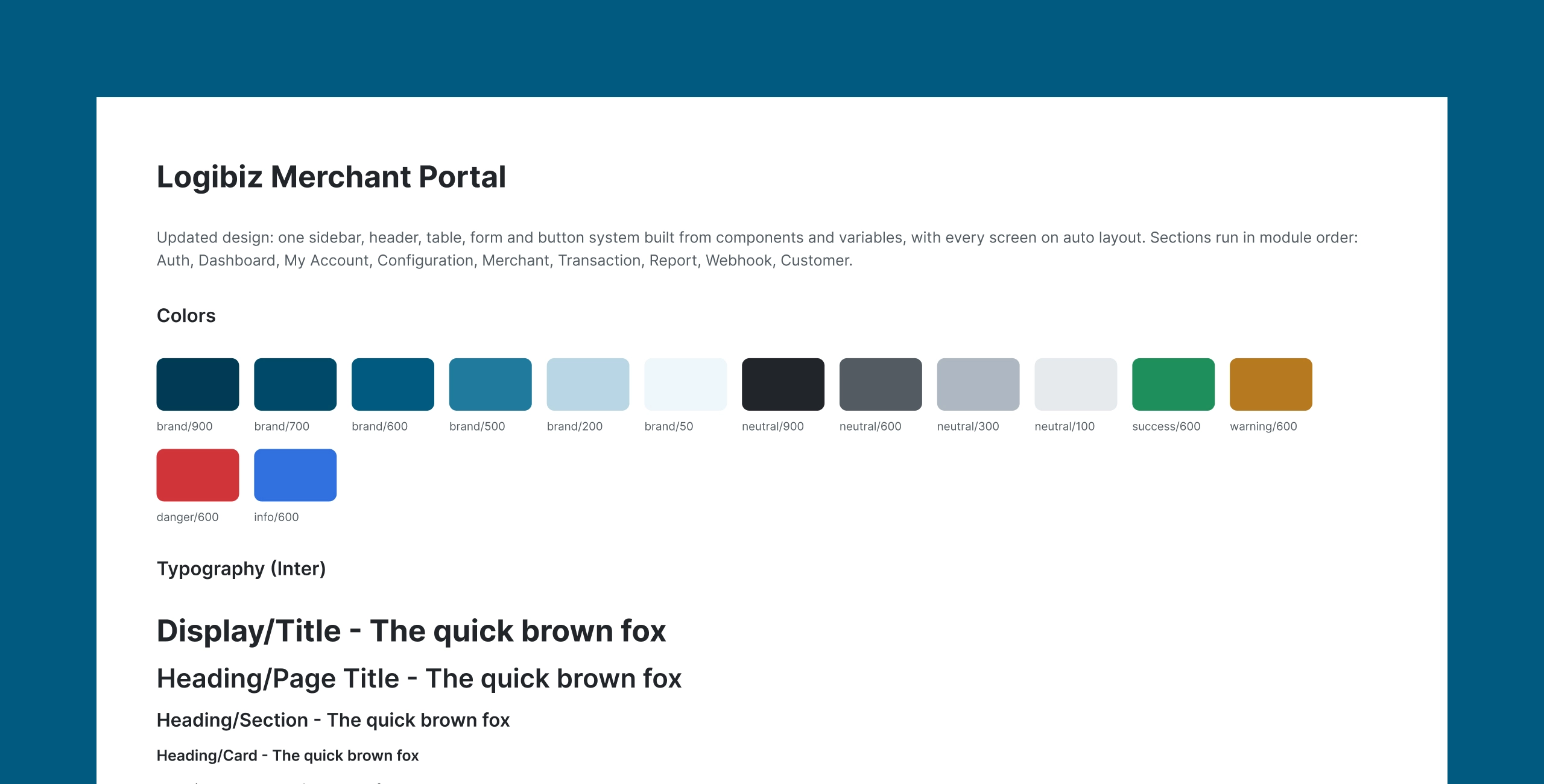
- Type: 20 text styles in Inter, from Display/Title down to Caption.
- Effects: 4 effect styles (card shadow, dropdown, modal, focus ring).
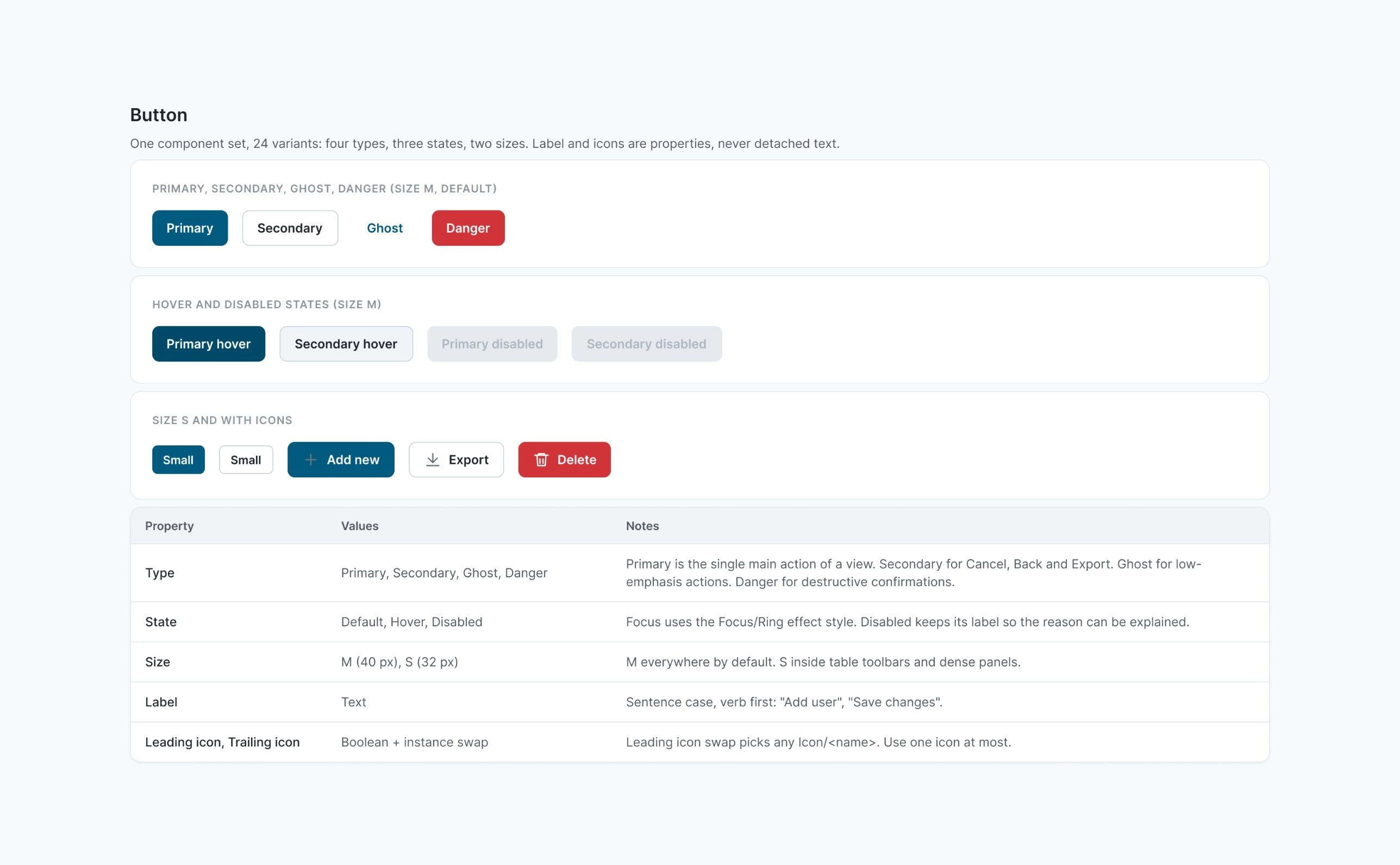
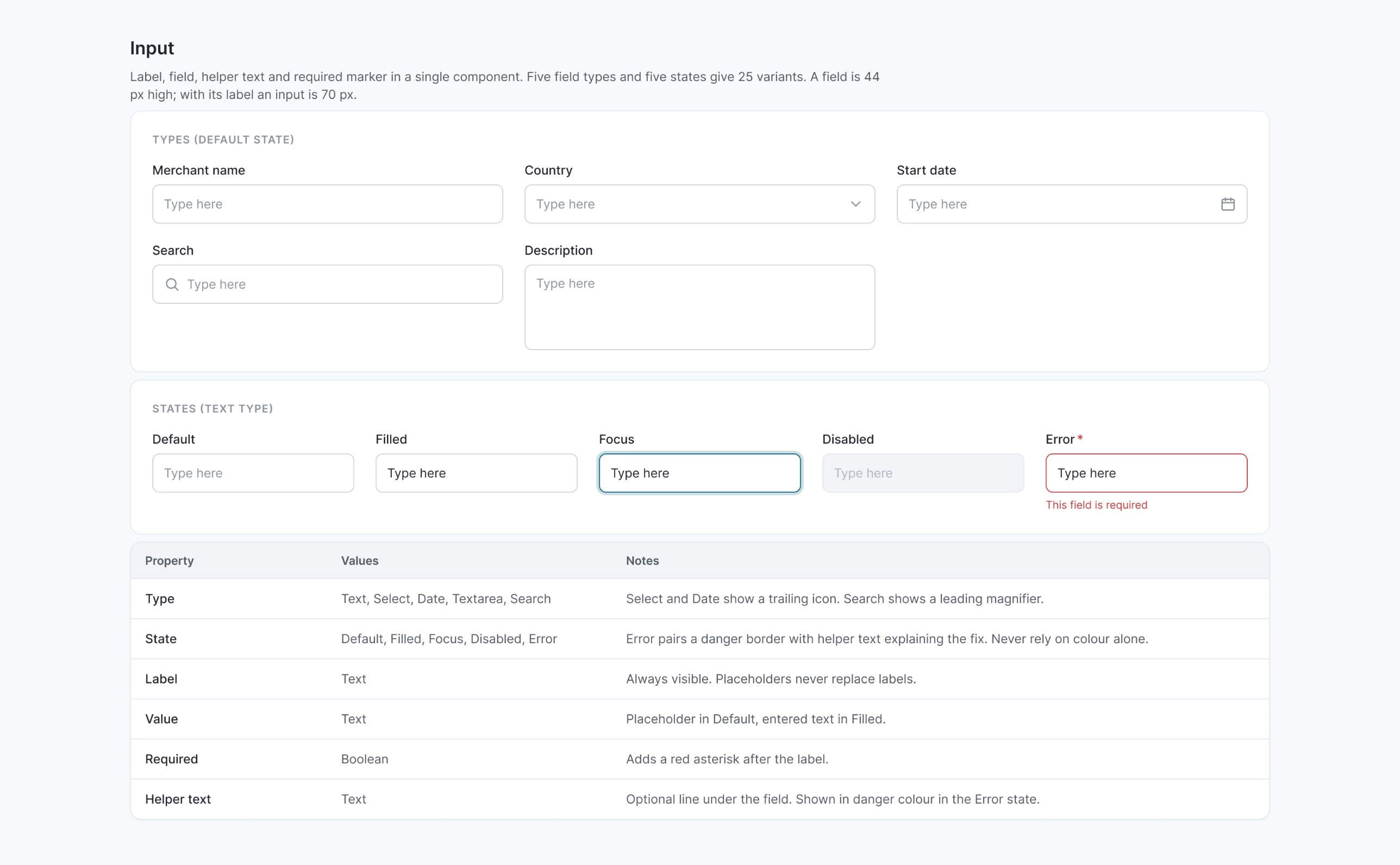
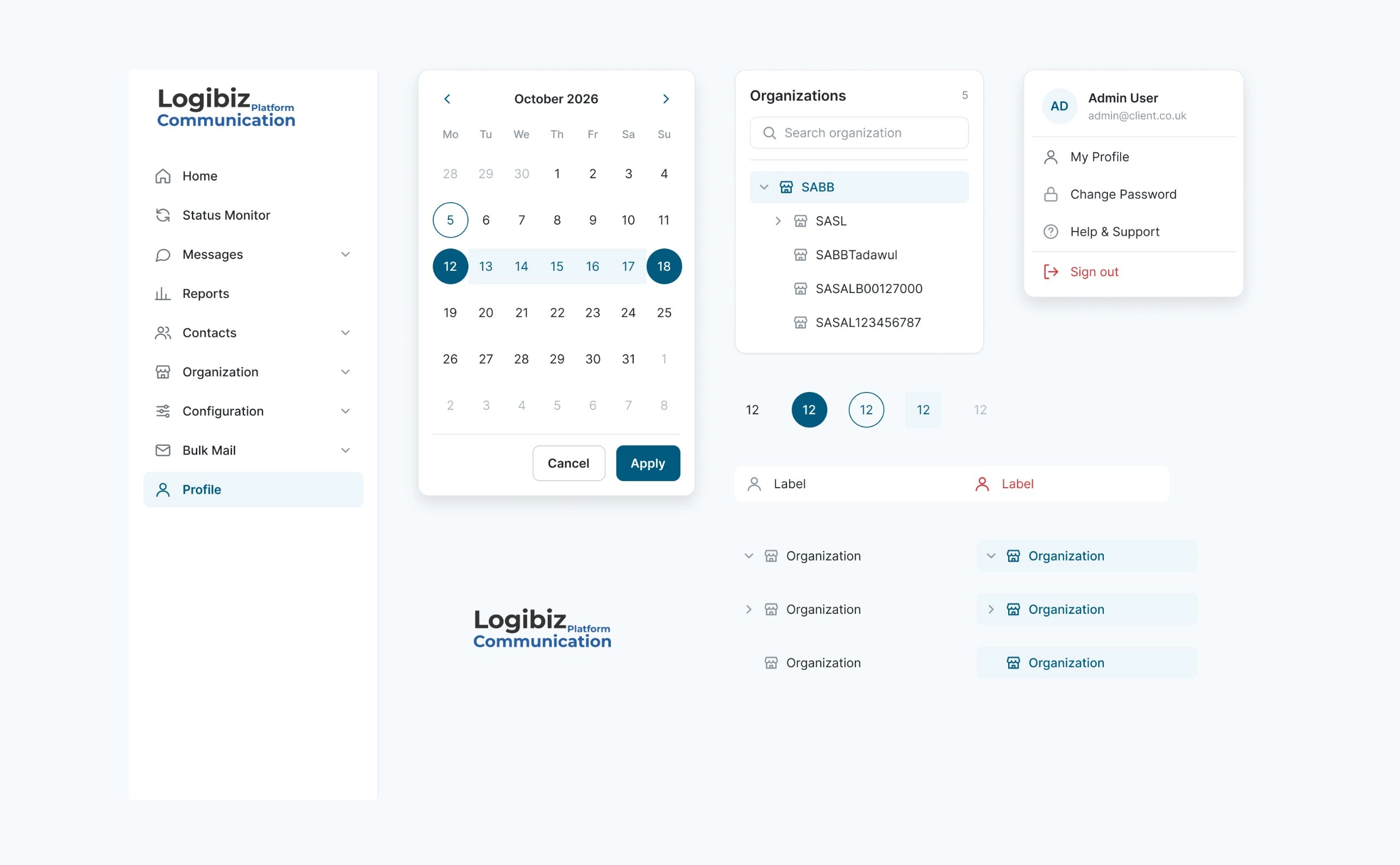
- Components: 27 components and 38 icons. Buttons (24 variants), inputs (25), status badges, toggles, table parts, dialogs, menus, date picker and an organisation tree.
- Templates: 5 screen templates covering every page in both portals.
- Coverage: 155 screens built on it (63 Merchant, 92 Client).
1 / 2
How the logic works
Two-layer tokens. Primitives hold raw values (brand teal #005A7F and its scale, neutrals, status colours). Semantic tokens point at primitives and say what a colour is for: text, surface, border, success, warning, danger. Designers only use semantic tokens, so a brand change is made in one place.
One scale for space and shape. Spacing runs on a 4-based scale with 7 radii. Layout constants such as sidebar and header sizes are variables too.
Pick the template first, then fill it with components. Every screen is one of five templates:
- List page: a set of records.
- Form page: creating or editing one record. Long forms are split into steps, not scrolled.
- Dialog: a short question or confirmation, always on top of the page that opened it.
- Dashboard: stat cards first, then charts, then the latest records.
- Auth: the only template without sidebar and top bar.
This removes the question "how should this page look?" Add, edit and view open as form pages or dialogs, never inline.
Rules written down. Naming conventions, do and don't examples, and one documented exception: chart series are allowed colours outside the status tokens.
One system, two portals
Merchant and Client portals share the same foundations. The Client Portal has its own components on top (for example messaging and contacts patterns), built from the same tokens. The same template names appear in both, so a developer who builds a list page once can build it again.
How developers receive it
The handoff is a Figma file plus a PDF of the documentation: tokens, components, templates, rules, a changelog in five phases, and a list of known gaps with suggested next steps. The components also live as a Figma library, so designers pull them from the Assets panel instead of copying screens.
Status and known gaps
The client's developers are partway through building the redesign. I will add real results (build speed, consistency, fewer design questions) once there is something to measure. Known gaps are listed in the handoff, including the next steps I suggested.
What I would measure next
- How many new screens are built without a new custom component.
- Developer questions per screen during build.
- Time from approved design to built screen.
What I learned
A design system is mostly decisions written down. The templates did more for consistency than the components, because they stopped people debating layout.