Lightfold
A free, open-source tool that shrinks PDFs on your own device. Files are never uploaded.
Role
Designer and developer (solo, self-initiated)
Type
Web app for desktop and mobile browsers
Stack
TypeScript, Vite, MuPDF (WebAssembly) in a Web Worker, Cloudflare Pages
Built with
Claude as my AI coding partner
License
AGPL-3.0 (open source)
Status
Live, free, no sign-up
Outcome
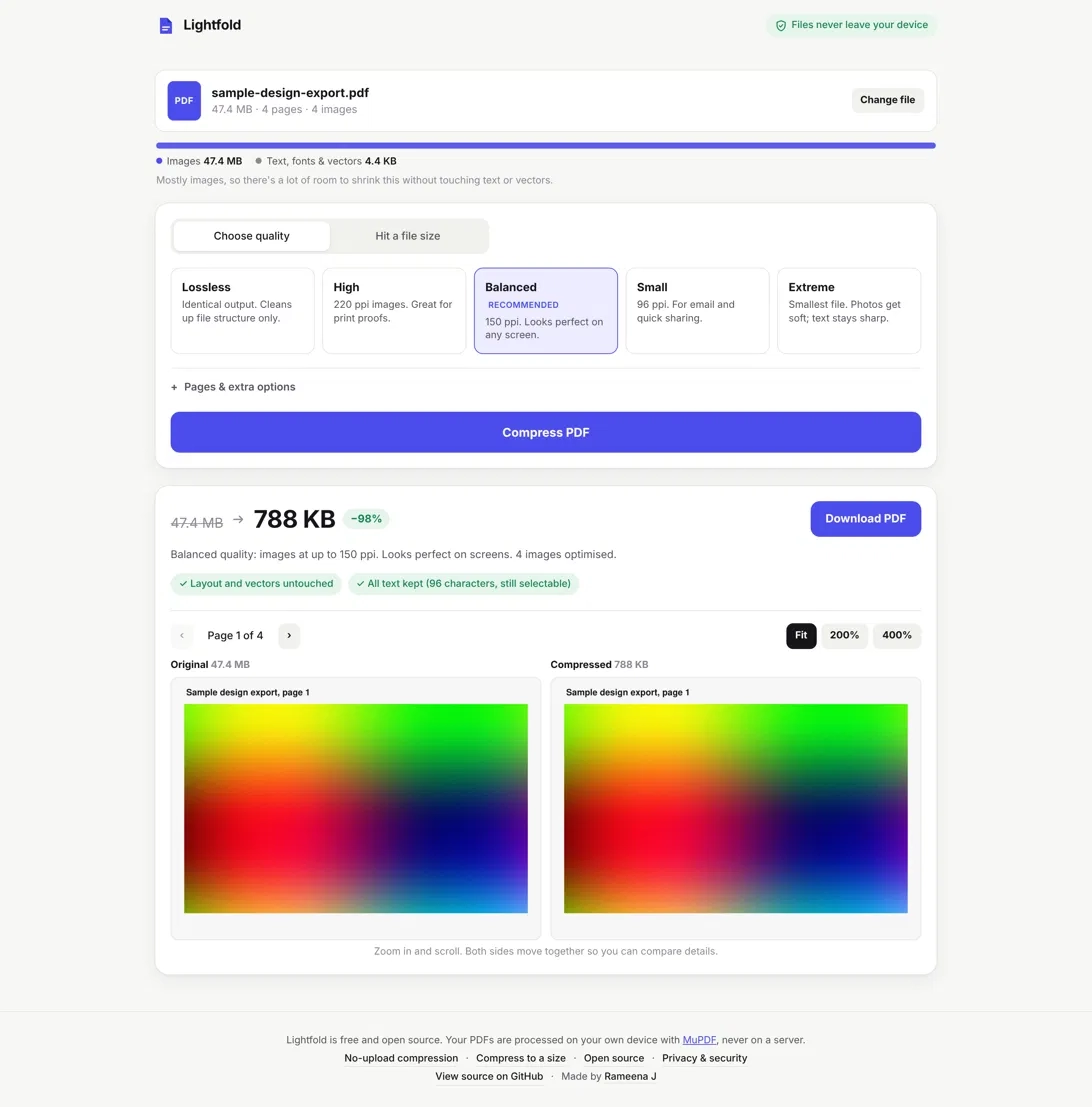
A 30.6 MB print brochure becomes 588 KB at screen quality, a 98% reduction. Text stays selectable and links stay clickable. A 145 MB, 100-page file compresses to 25.3 MB in about 24 seconds, in the browser, with no upload.
The problem
Design tools like Figma, Miro and FigJam export very large PDFs. They are hard to email or share with clients. Most online compressors ask for an account, show ads, hide limits behind a paywall, or upload the file to a server. That is a real problem for unreleased client work, legal documents and IDs, because you cannot check what happens to the file.
What I built
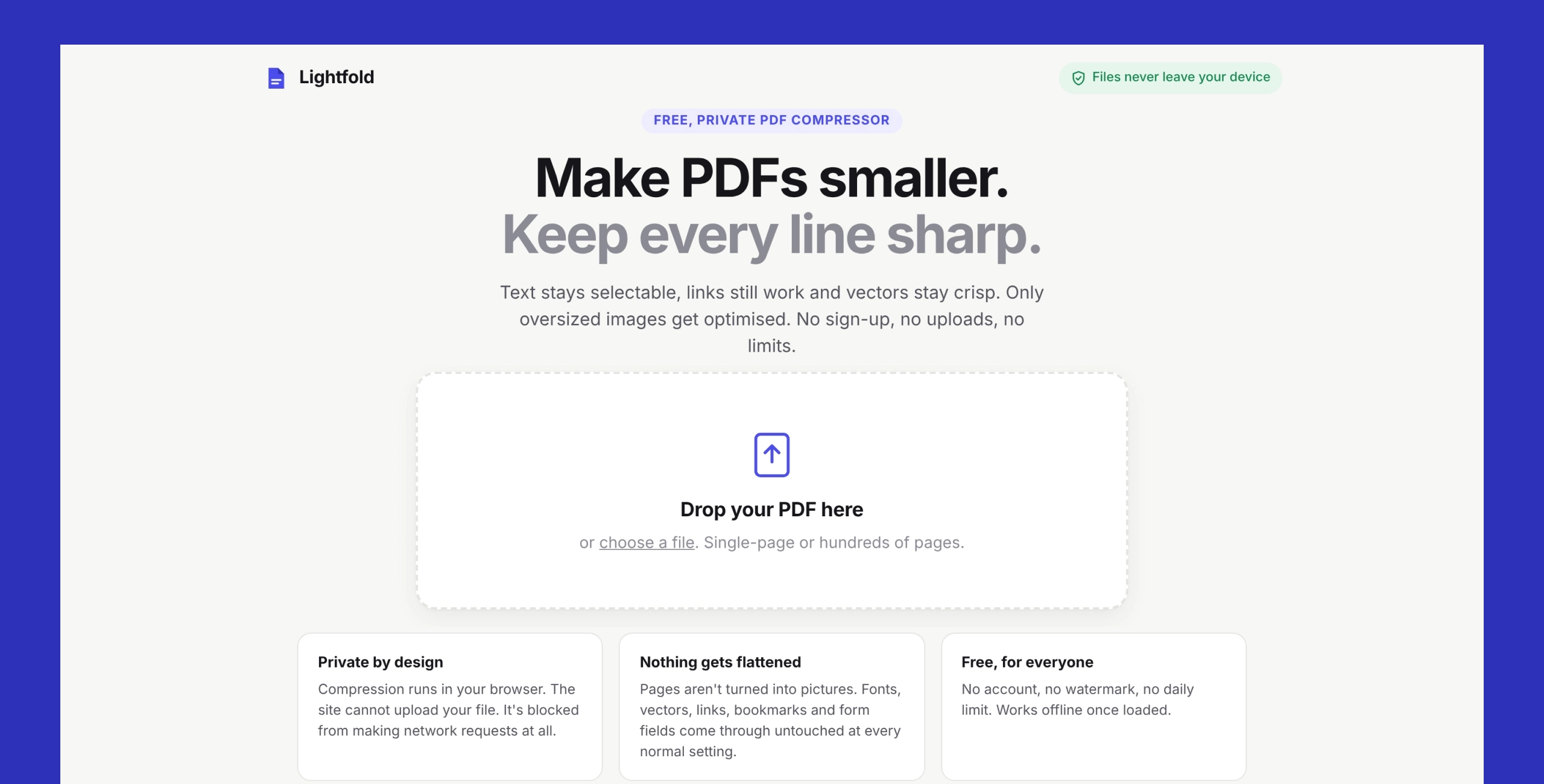
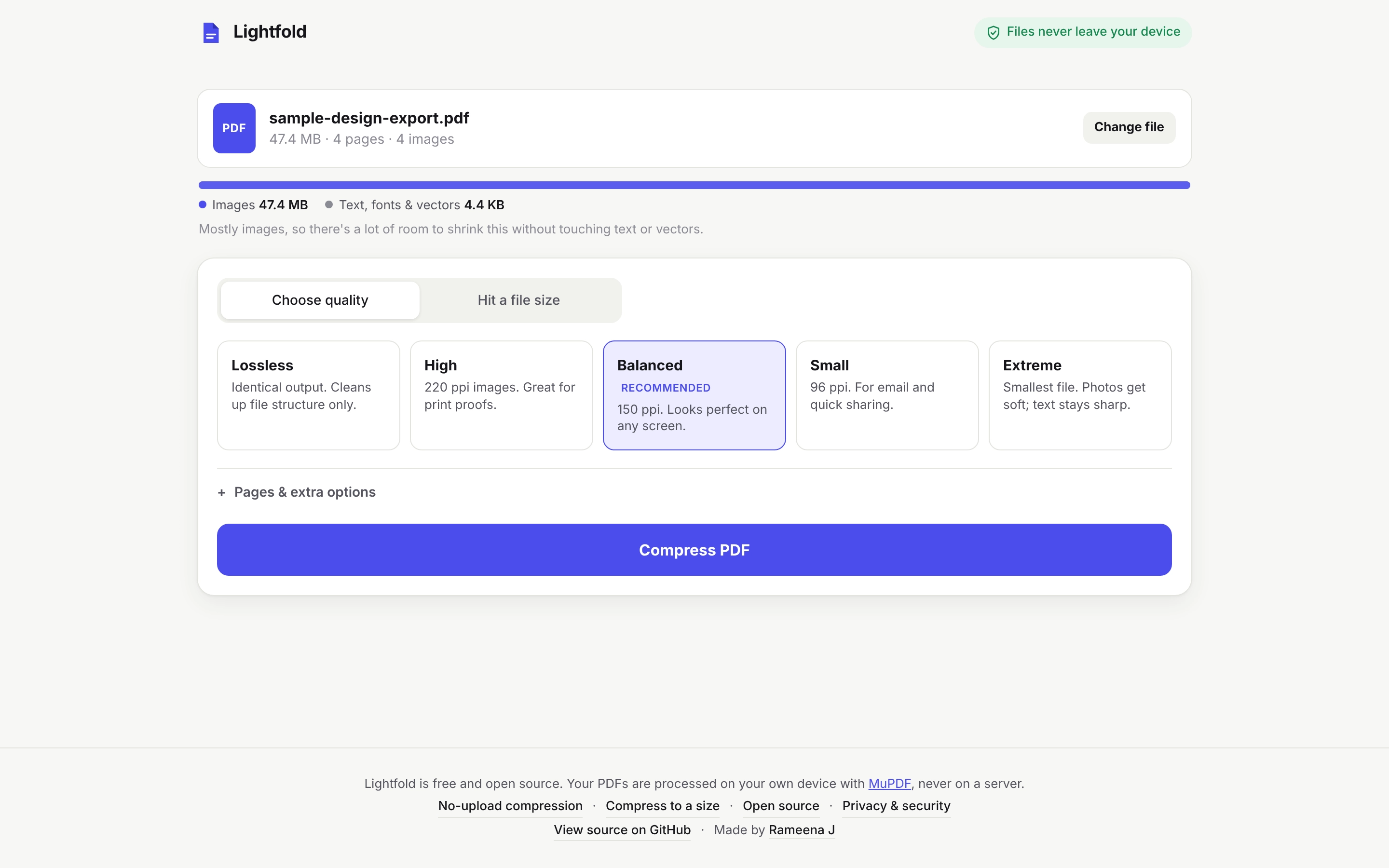
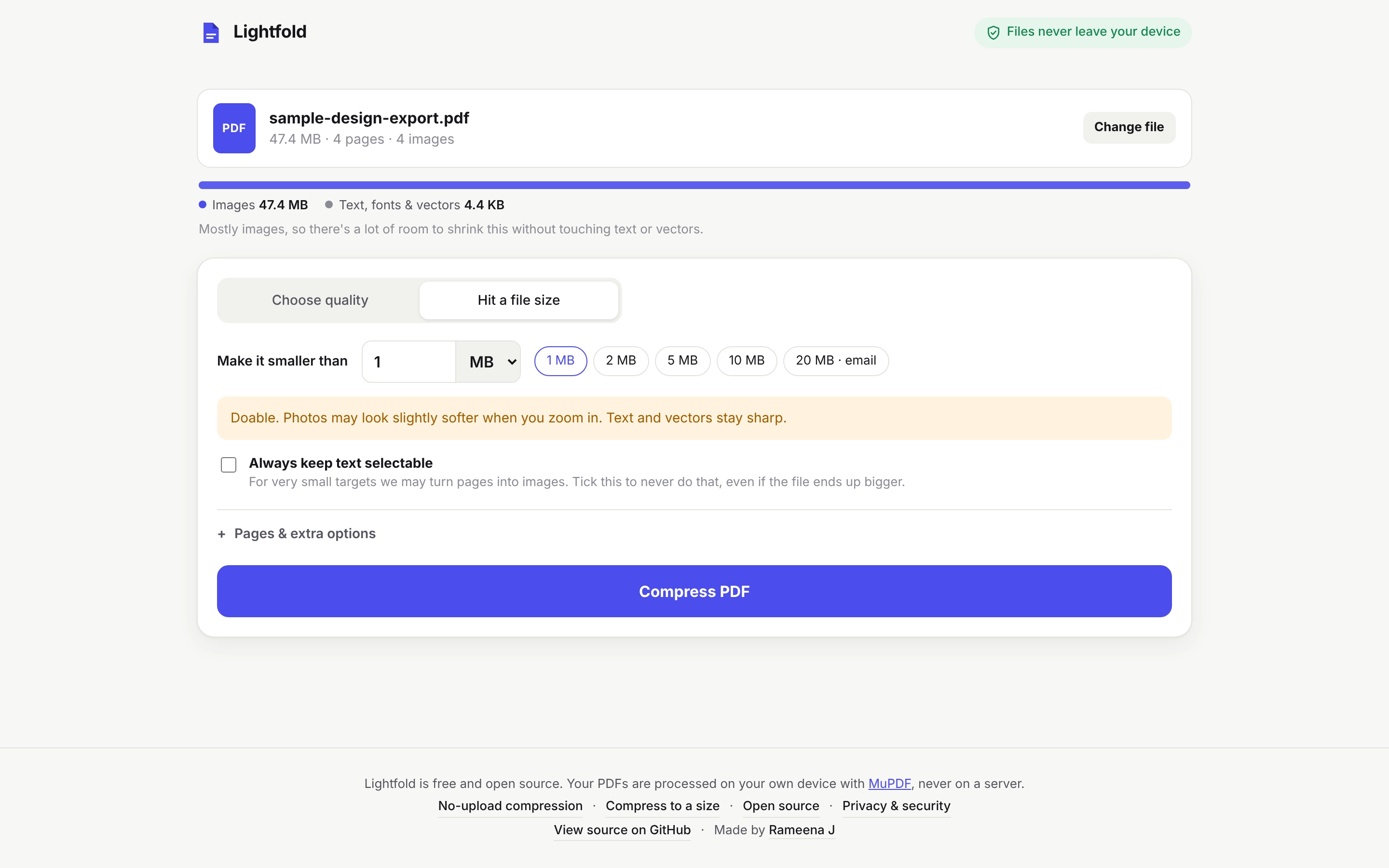
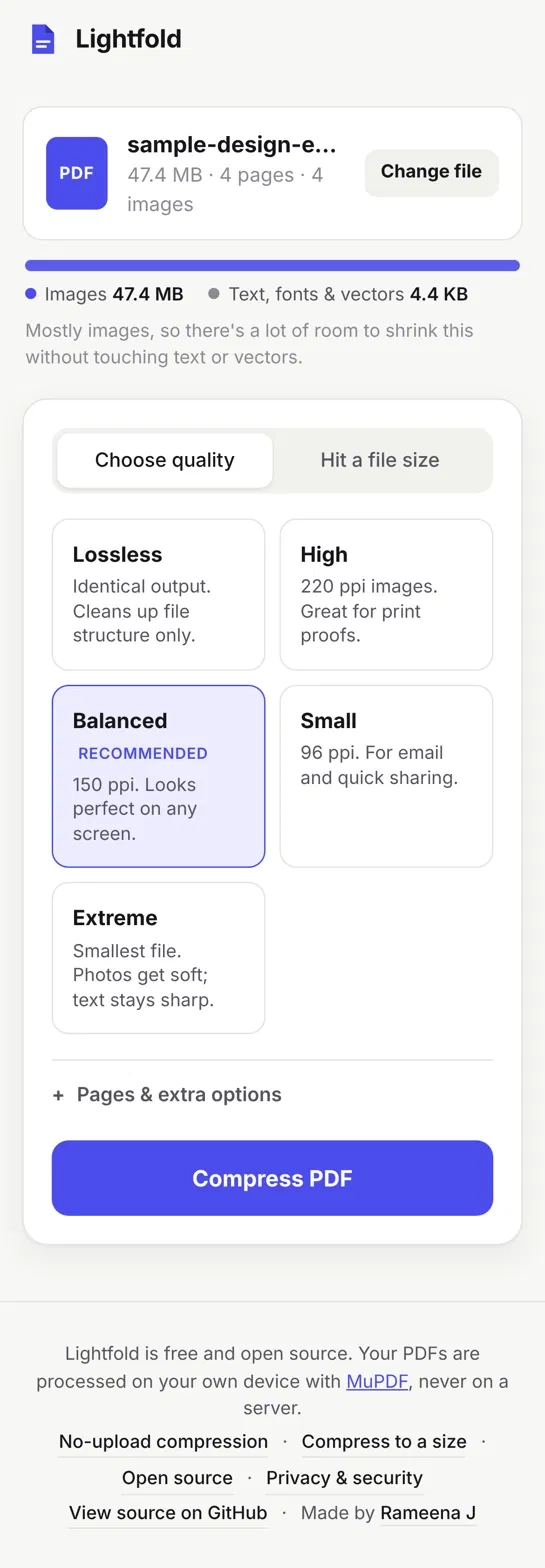
A one-page tool with three steps: drop a PDF, choose how small it should be, and compare the result side by side. It has five presets (Lossless, High, Balanced, Small, Extreme) and a "Hit a file size" mode. It warns you about quality cost before you compress, but never blocks you.
1 / 2
How it works
The app has three parts that talk to each other:
- Interface (main.ts): drag and drop, presets, warnings, and the before and after preview.
- Client (client.ts): a small promise-based API that sends work to a worker.
- Worker and engine (worker.ts, engine.ts): runs MuPDF compiled to WebAssembly inside a Web Worker, so the page stays fast while a large file is processed.
Compression runs in this order:
1 / 2
- Lossless cleanup first. Remove duplicate and unused objects, decode bloated encodings, pack objects into compressed streams, and optionally strip Illustrator and InDesign editing data.
- Shrink only oversized images. Each image is measured at the size it is shown on the page. It is downsampled only if it is stored above the chosen resolution. Photos become JPEG, and screenshots and flat graphics stay lossless.
- Replace only if it helps. An image is swapped only if the new version is at least 10% smaller. If the whole file does not get smaller, the original is returned.
- Check the result. The output is read back and compared with the original for page count, text, links and bookmarks.
Key technical decisions
- Compress in the browser, not on a server. There is no file storage and no backend. It also works offline. The cost is that very large files depend on browser memory, so I designed around that limit.
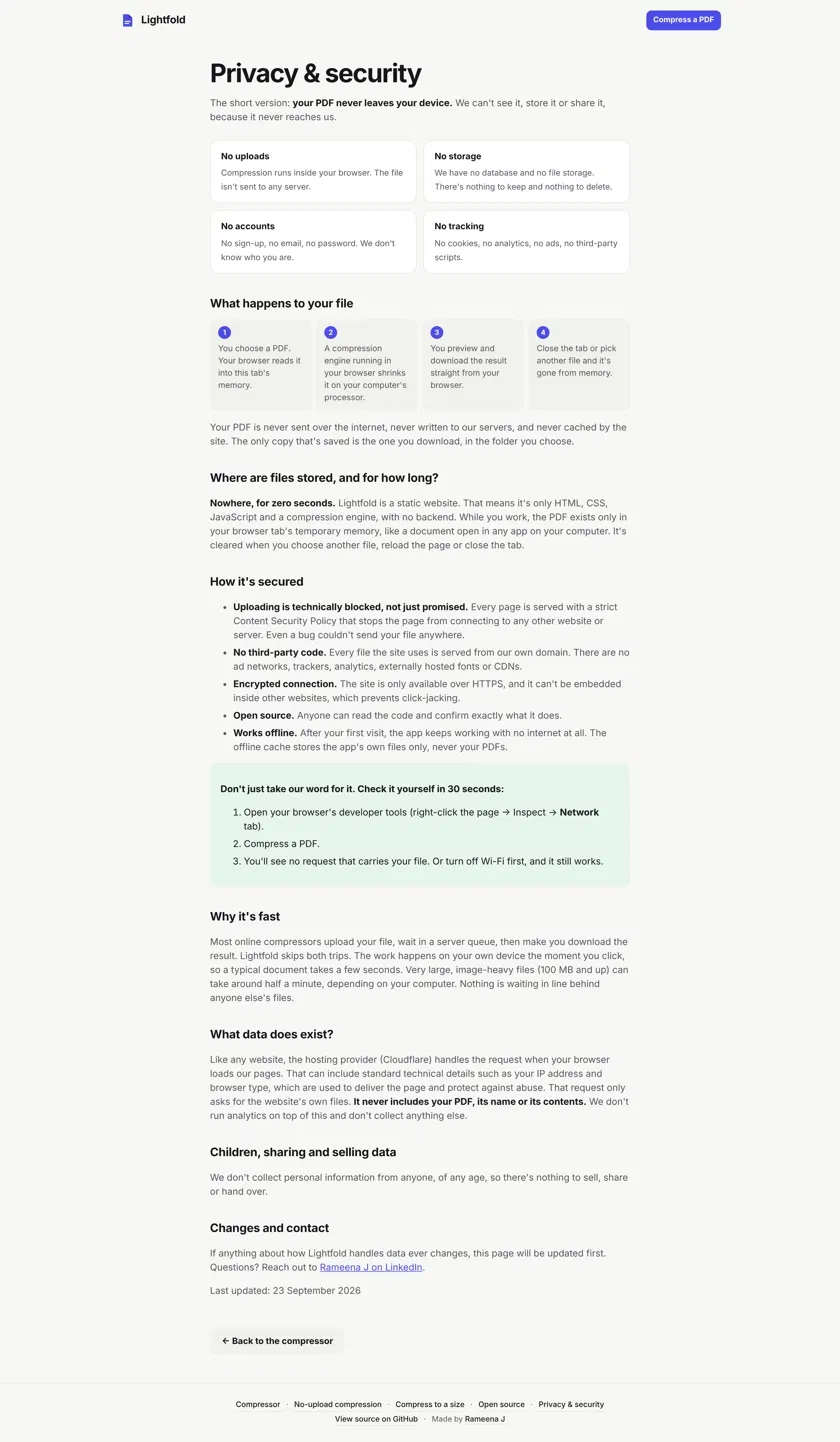
- Make privacy provable, not promised. A strict content security policy (connect-src 'self') means the page is technically unable to send a file anywhere. There is no analytics, no cookies and no third-party scripts or fonts. The privacy page invites people to turn off Wi-Fi and test it.
- Hit a target size. The user enters a size. The app estimates if it is possible, then searches a seven-step quality ladder for the highest quality that fits.
- Leave text and vectors alone. Pages are not turned into pictures for the standard presets. Only oversized images are changed.
- Warn, don't block. At very small sizes the app explains the quality cost, then lets the person decide.
- Open source. The code is public as a trust signal, and the AGPL-3.0 license follows from using MuPDF.
Building with AI
I built Lightfold with Claude as my AI coding partner. I set the requirements, made the product and architecture decisions, tested it with real files, and chose what to fix. Claude helped write and refine the code with me. I treat AI as a fast pair programmer, not as the decision maker.
Testing: what broke and what I changed
- A 100 MB file crashed with a "realloc failed" memory error. I freed temporary images immediately and started the size search from a better estimate. The same kind of file now completes.
- Print PDFs barely shrank. CMYK images were being skipped to protect print colors. From the High preset down, they are now converted to screen colors. I also added font trimming and grayscale conversion for scans. The brochure now shrinks by more than 98%.
- Aggressive settings hurt quality. Instead of blocking them, the app now explains the cost and proceeds when the user chooses.
Results
I compared Lightfold with Ghostscript (ebook and screen settings) on five files, measuring file size. Lightfold gets large reductions on image-heavy design files while keeping text, links and bookmarks. On a scanned contract it reduced 22.6 MB to 3.41 MB (about 85%). Ghostscript produced smaller files on some rows, so the table shows size only, not quality.
| Test file | Original | Lightfold Balanced | Lightfold Extreme | Ghostscript ebook / screen |
|---|---|---|---|---|
| Client presentation, 4 pages (Figma-style export) | 26.1 MB | 176 KB | n/a | n/a |
| Print brochure, CMYK images | 32.4 MB | 0.54 MB | 0.09 MB | 0.28 / 0.11 MB |
| Portfolio deck, 3 pages | 20.9 MB | 0.45 MB | 0.10 MB | 0.30 / 0.12 MB |
| Scanned contract, 10 pages | 22.6 MB | 3.41 MB | 0.37 MB | 3.2 / 1.0 MB |
| Stress test, 100 pages | 145 MB | 25.3 MB | n/a | n/a |
Launch
It is a static site on Cloudflare Pages with no backend. The WebAssembly file is about 10.4 MB, under the 25 MiB per-file limit. A service worker caches only the app's own files for offline use. I added a plain-language privacy page, three landing pages, an FAQ, structured data, and robots.txt and llms.txt files so search engines and AI assistants can find it.
Known limits
- Password-protected PDFs must be unlocked first.
- Very large files depend on browser memory.
- CMYK images are left untouched on the lowest-impact presets to protect print color.
Next
Submit to search consoles, share with designer communities, and move to a custom domain when budget allows.
What I learned
The value is not new technology. It is privacy, speed and no account, built into the architecture. Start from a problem you feel every week. Design around the browser's limits. Trust the user to make the final call.