Logibiz Merchant Dashboard
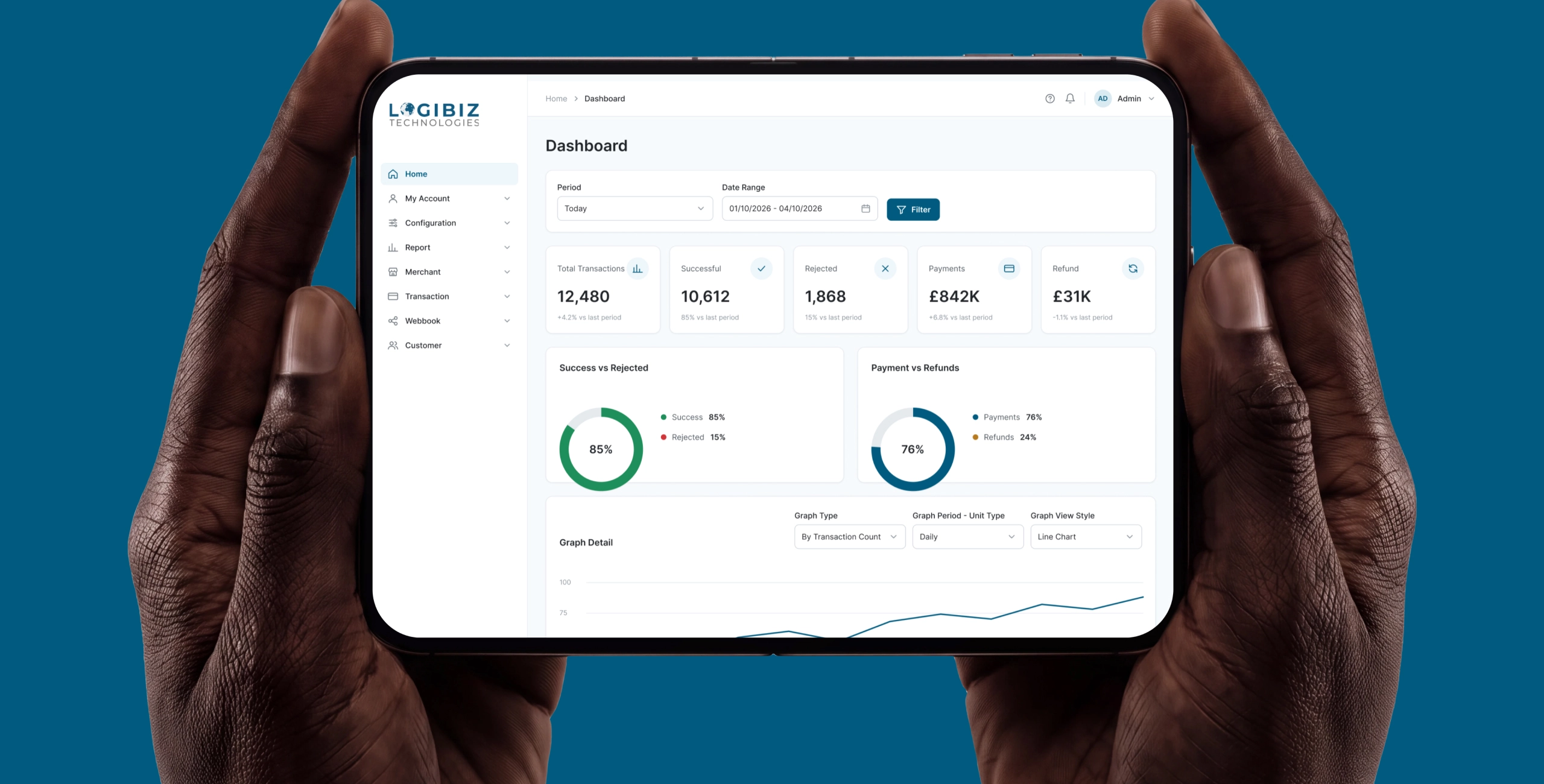
I designed the Merchant dashboard for Logibiz, a London payments company: the back office where merchants take payments, onboard terminals, send invoices and control who can do what.
Company
Logibiz Technologies, London. Payment gateway and 3-D Secure products
Products
Merchant dashboard: merchant and terminal setup, payments, recurring billing, invoices, webhooks, roles, reports and audit
My role
Product designer on a freelance retainer. UX, UI, flows and the design system
Scope
Every module of the Merchant dashboard, the Client dashboard, and the design system both run on
Timeline
May 2022 to Nov 2025, then back from 1 July 2026 (ongoing)
Outcome
Live. The redesign is in development, about 30 to 40% built in early October 2026
Summary
Logibiz sells payment infrastructure to gateways, merchants, issuers and acquiring banks. I designed its Merchant dashboard, the back office where a merchant's team onboards businesses and terminals, takes and reconciles card payments, and controls who can do what. I first designed it when Logibiz was a small startup. In 2026 the company asked me back to rebuild it on a proper design system, because the product now has to scale with a growing customer base and be built by a team.
The business
Logibiz Technologies is a London fintech that builds the infrastructure behind card payments. Logibiz products cover the payment chain: Paybiz, a white-label payment gateway; Paybiz3DS, an EMVCo-certified 3-D Secure server; PaybizACS, an access control server for issuers; PaybizSDK for mobile authentication; and Simbiz3DS, a 3-D Secure test simulator. It works to PCI DSS, PSD2 and EMVCo standards and supports cloud and on-premise deployment.
Its customers are payment gateways and merchants, card issuers and acquiring banks. According to its CEO in October 2026, Logibiz has 230 customers, 189 of them active.
When a company sells infrastructure, the dashboard is the part its customers actually touch. People judge the product by how safely and quickly they can set up a merchant, take a payment and find one later. That is why this dashboard needed more than a visual refresh.
The problem
Logibiz built its first dashboards when it was a small startup, and they did the job. By 2026 the company had grown. In June 2026 it came back to me with three requests: a proper design system, a cleaner UI, and redesigned flows, so the product could be built in a structured way. We started on 1 July.
What makes a payments back office hard to design is the domain, not the pages.
- A deep chain of setup. A merchant has its own details, contacts, address and settlement accounts. Each terminal under it has an external connection, payment instruments and the action codes it may process. A terminal needs a merchant, and a payment needs a terminal, so the order of work matters.
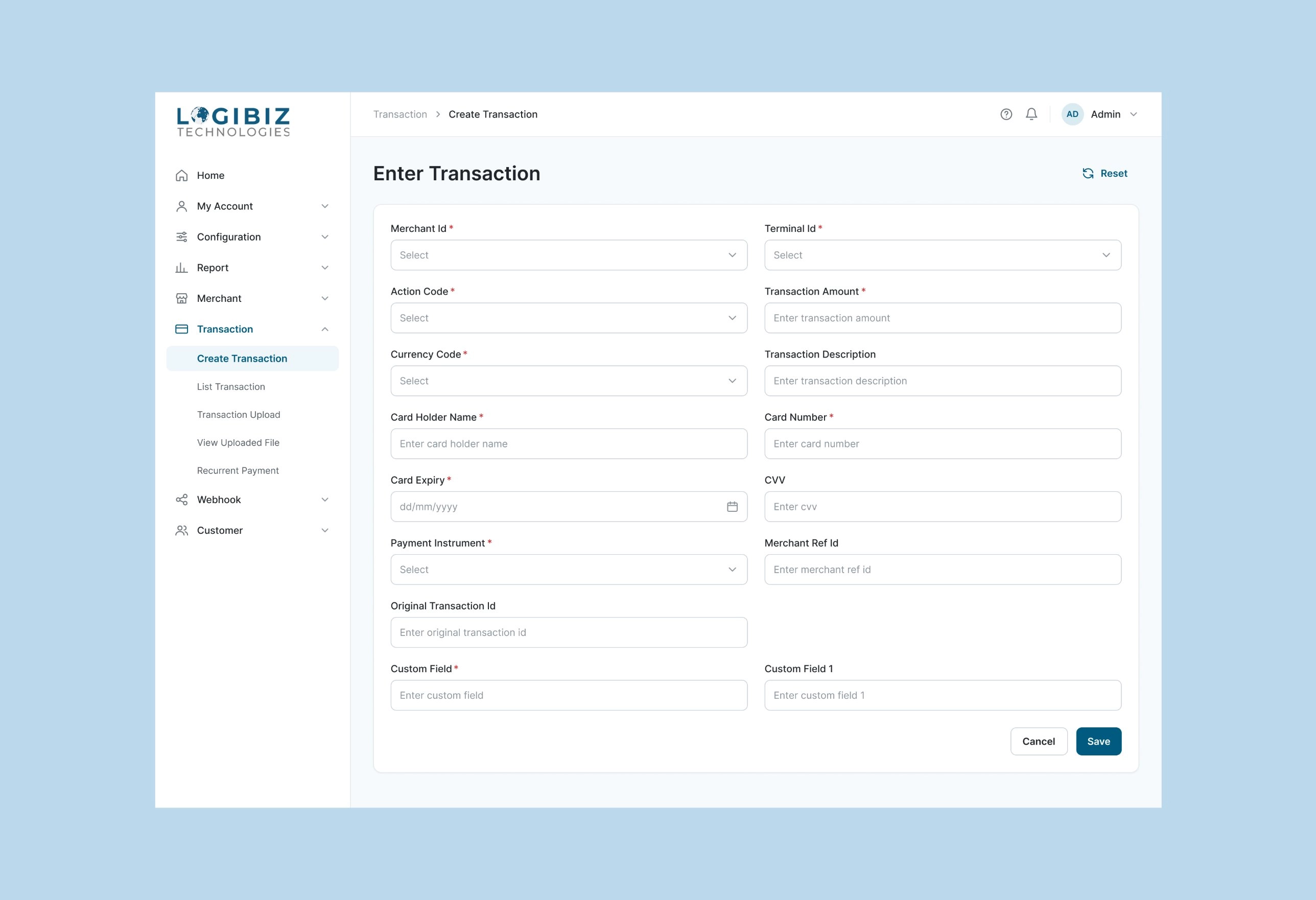
- Forms where one wrong field costs money. Entering a payment takes merchant, terminal, action code, amount, currency, card data, instrument and reference IDs.
- Very different users in one product. Some staff set merchants and terminals up, some take and look up payments, some only read reports. Each role needs a different slice of the dashboard.
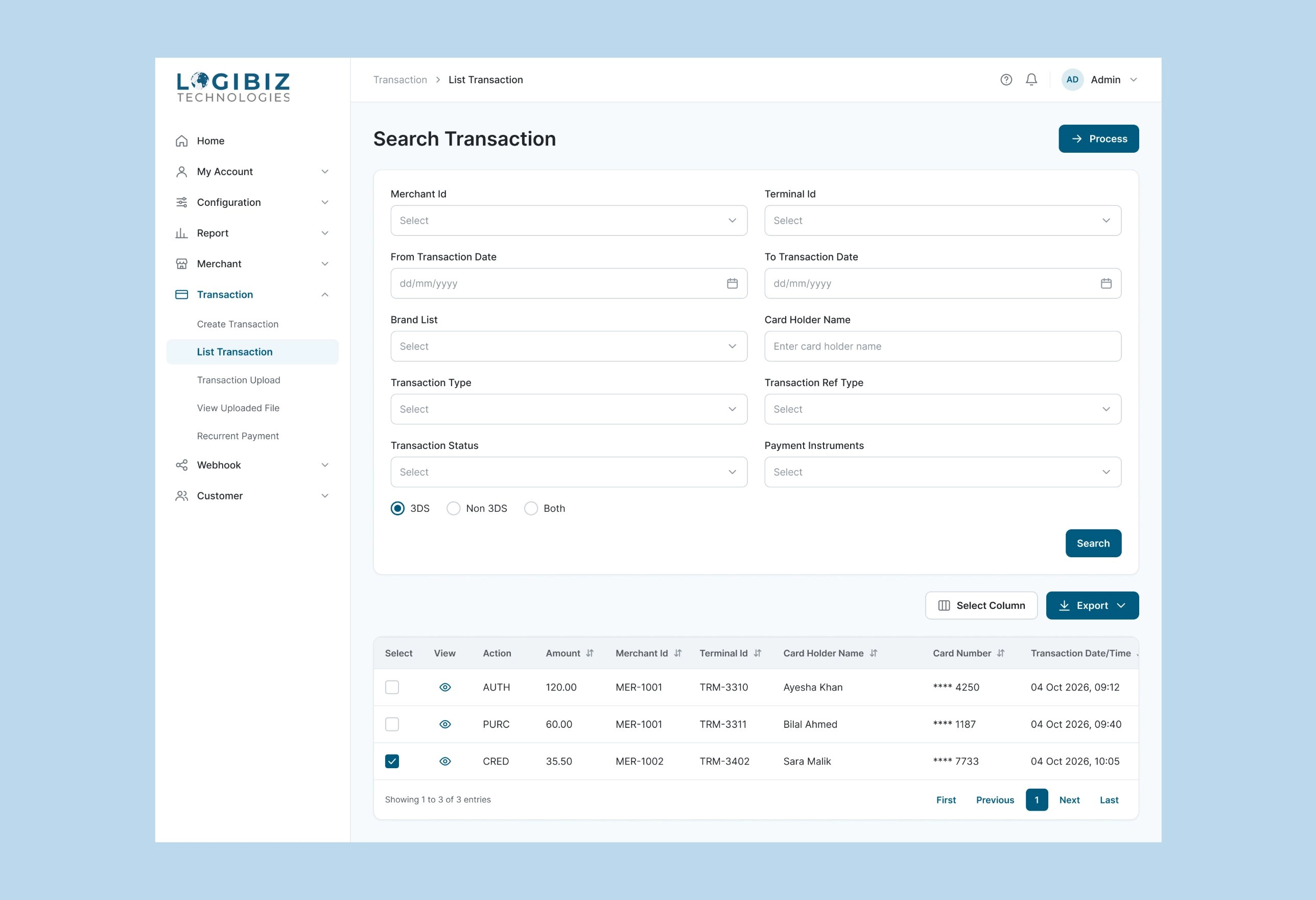
- Volume and traceability. People search payments by merchant, terminal, date, card brand, status and 3-D Secure, then export them. The dashboard keeps login history and audit trails.
- Development in parallel. Developers build while design continues, so every page has to be made from parts they can reuse.
My role
I own UX, UI, flows and the design system for the Merchant and Client dashboards. Logibiz now has a second designer, and we work in the same component library. While Logibiz's developers build, I stay in touch with the team and answer their questions about the designs.
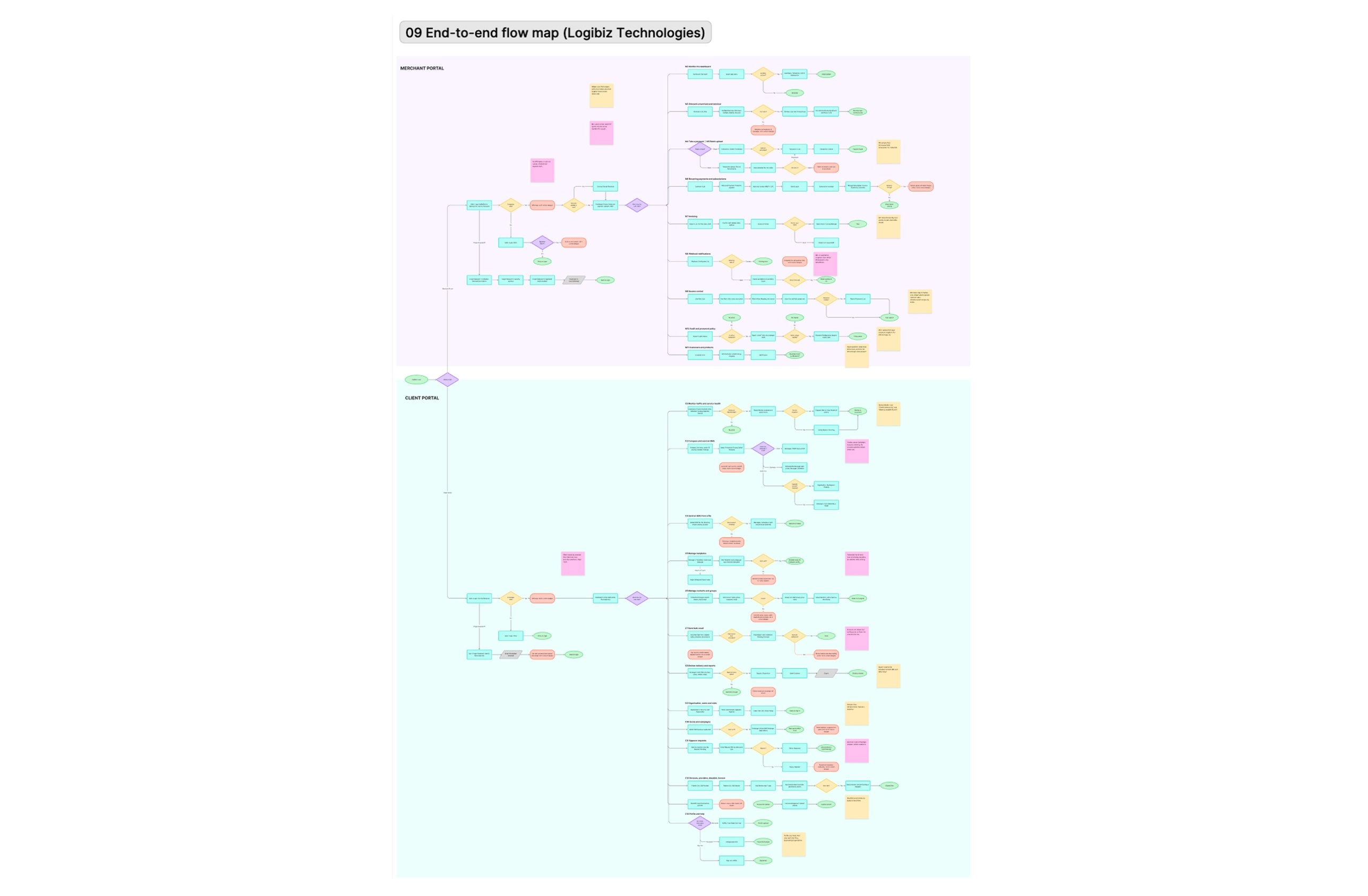
I also shaped the order of delivery. We finished the Merchant dashboard and the design system first so development could start, and I designed the Client dashboard in parallel. That way developers were never waiting for design, and the project took less time.
Key decisions
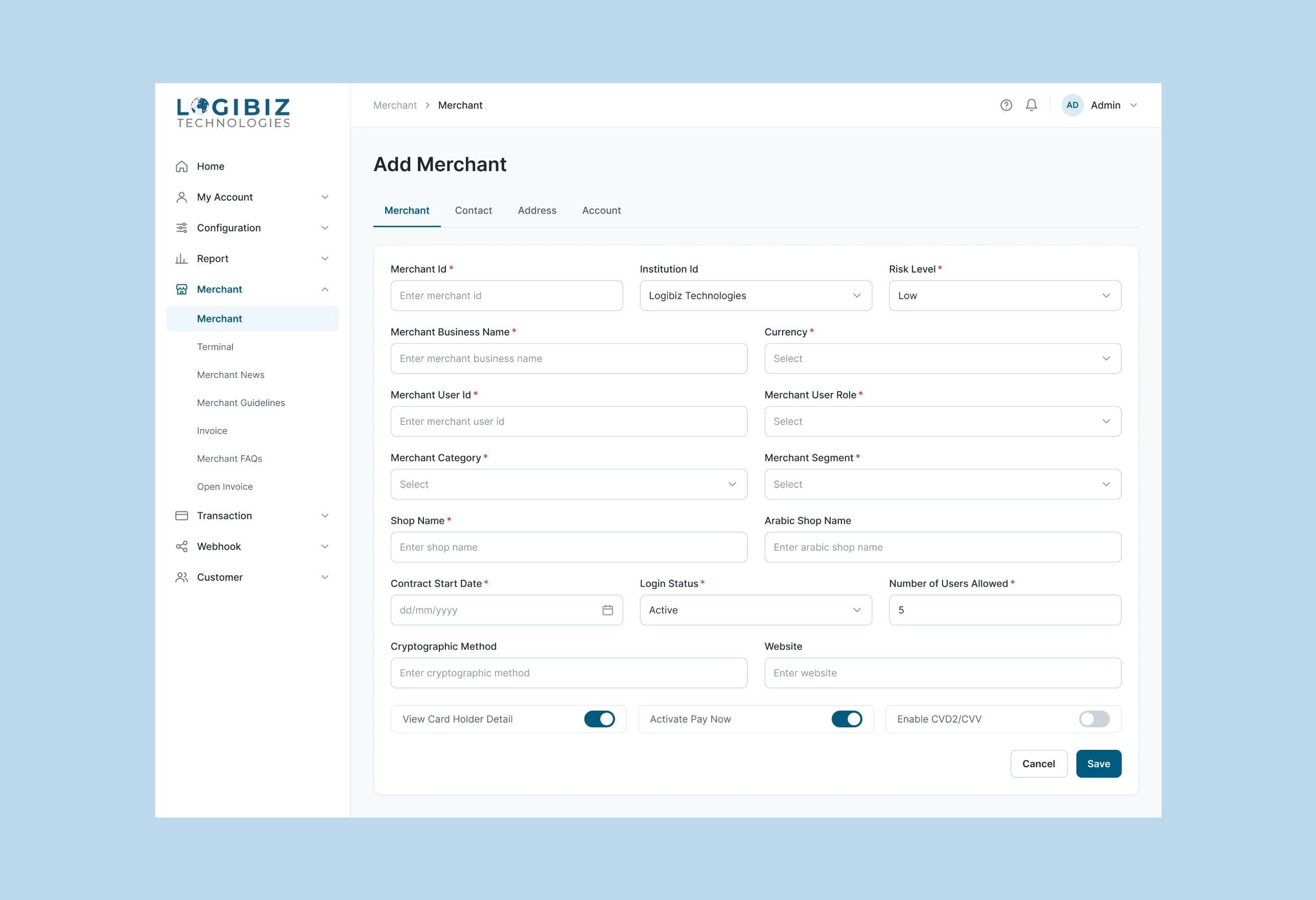
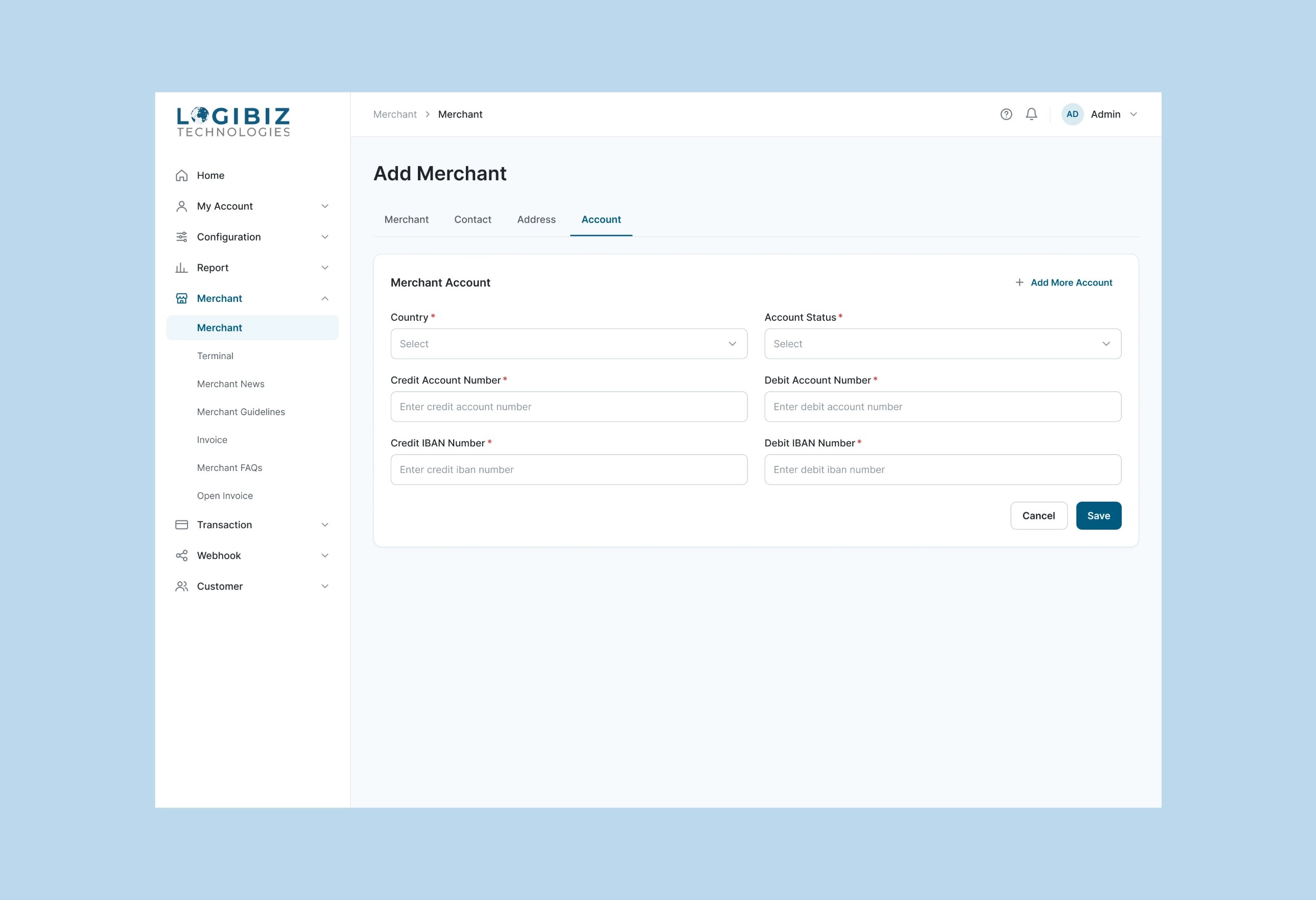
1. Setting up a merchant in four small steps
A merchant is a business that takes card payments. Adding one needs a lot of information, so I split it into four tabs: Merchant, Contact, Address and Account. Each tab is one small job, and the user can see what is still missing. A merchant with more than one bank account can add more on the Account tab.
1 / 2
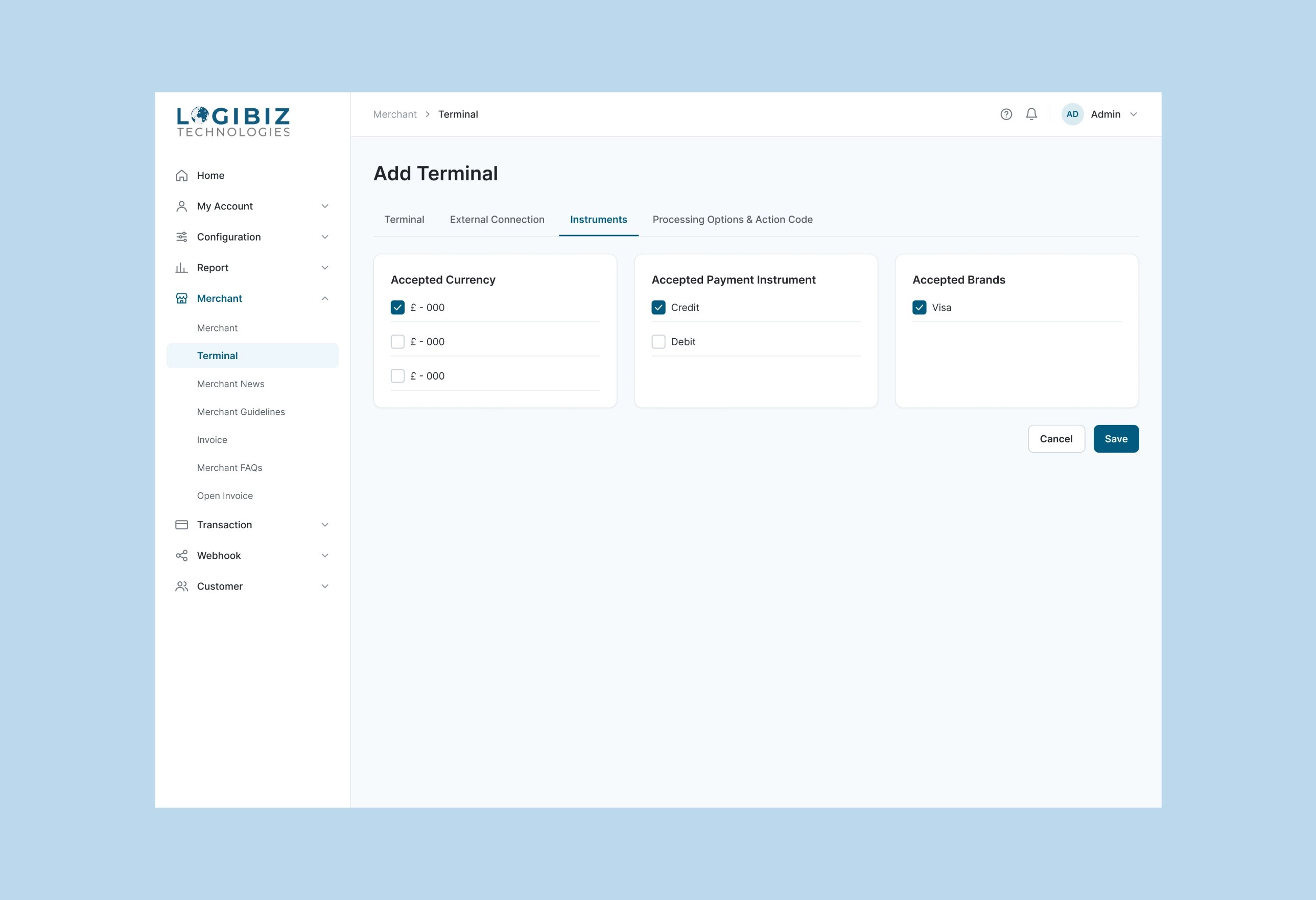
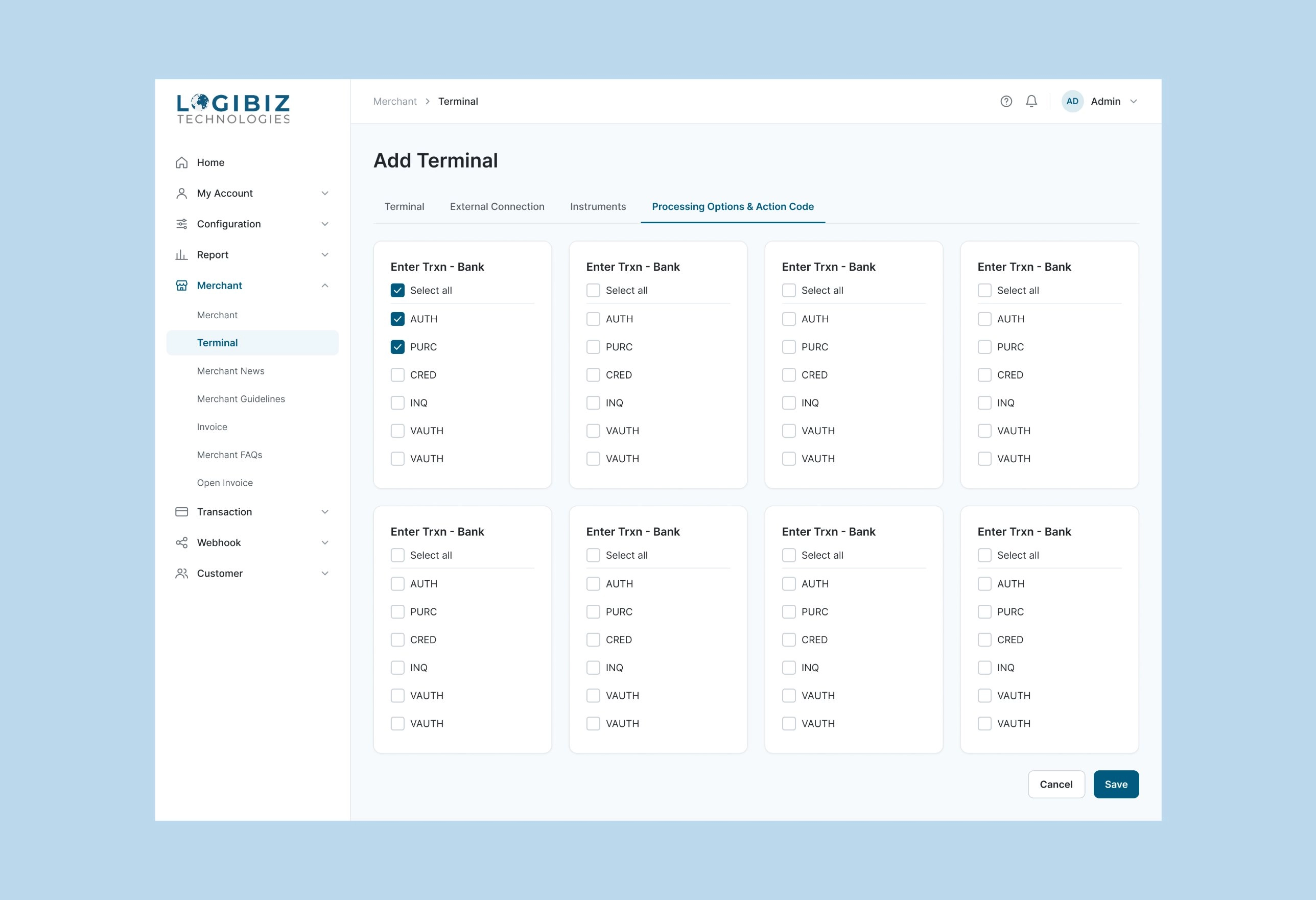
2. Choosing what each terminal can do
A terminal is the point where a merchant takes card payments. Each one needs rules about which actions it may run. I showed the rules as simple checkbox cards with a Select all button, so setting up a terminal takes a few clicks and not a long form.
1 / 2
3. Taking a payment: the important fields first
A payment form has many fields. I put the ones that decide everything first, which merchant and which terminal, then the amount and the card details. Reference numbers, which are only used for matching and follow-up, come last so they do not slow people down.
4. Finding a payment fast
People search for one payment among many. The search page filters by merchant, date, card brand and status, and has a switch for 3-D Secure, the extra security check on card payments that is Logibiz's main product. Card numbers show only the last four digits, and results can be exported.
5. Billing a customer again and again
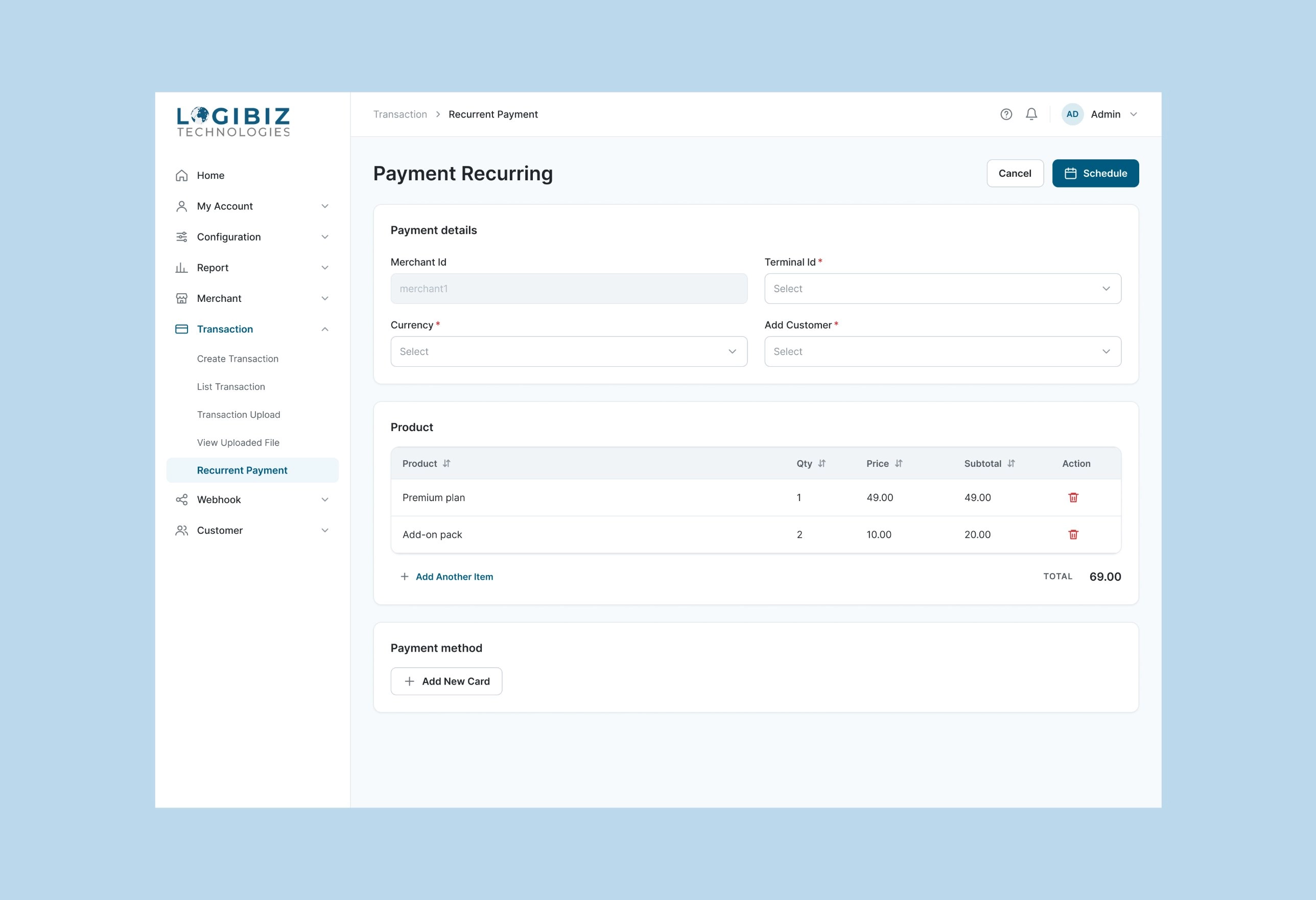
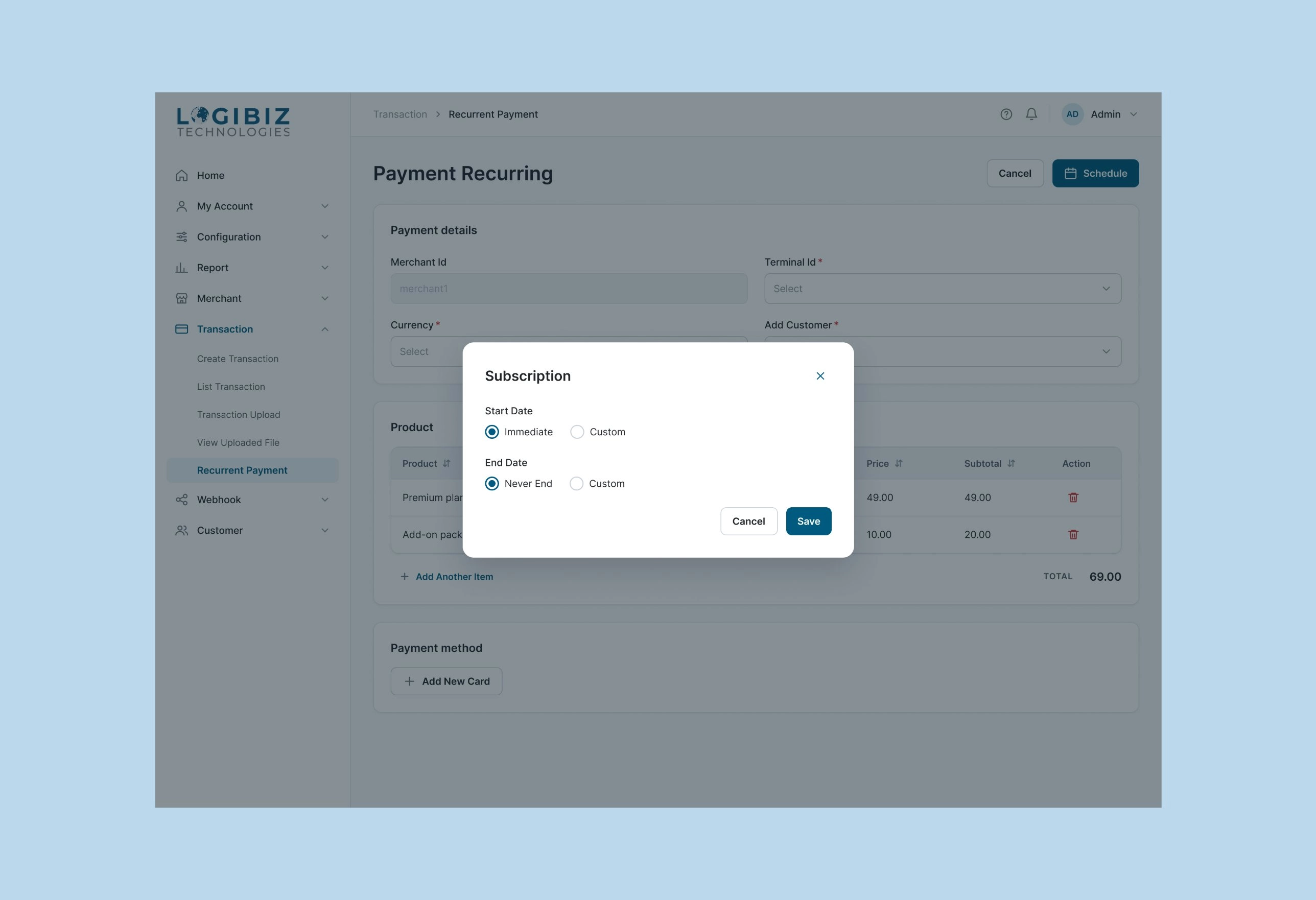
A subscription is a bill that repeats. The page works like a bill: who is paying, what they are buying, how they pay, then when it repeats. I designed it this way so it feels like an invoice, not a one-time payment form.
1 / 2
6. Giving each person only the access they need
Not everyone should be able to do everything. An admin creates roles, then ticks what each role can see, add, edit or delete on one page that is laid out like the menu. Login history and audit trails show who did what.
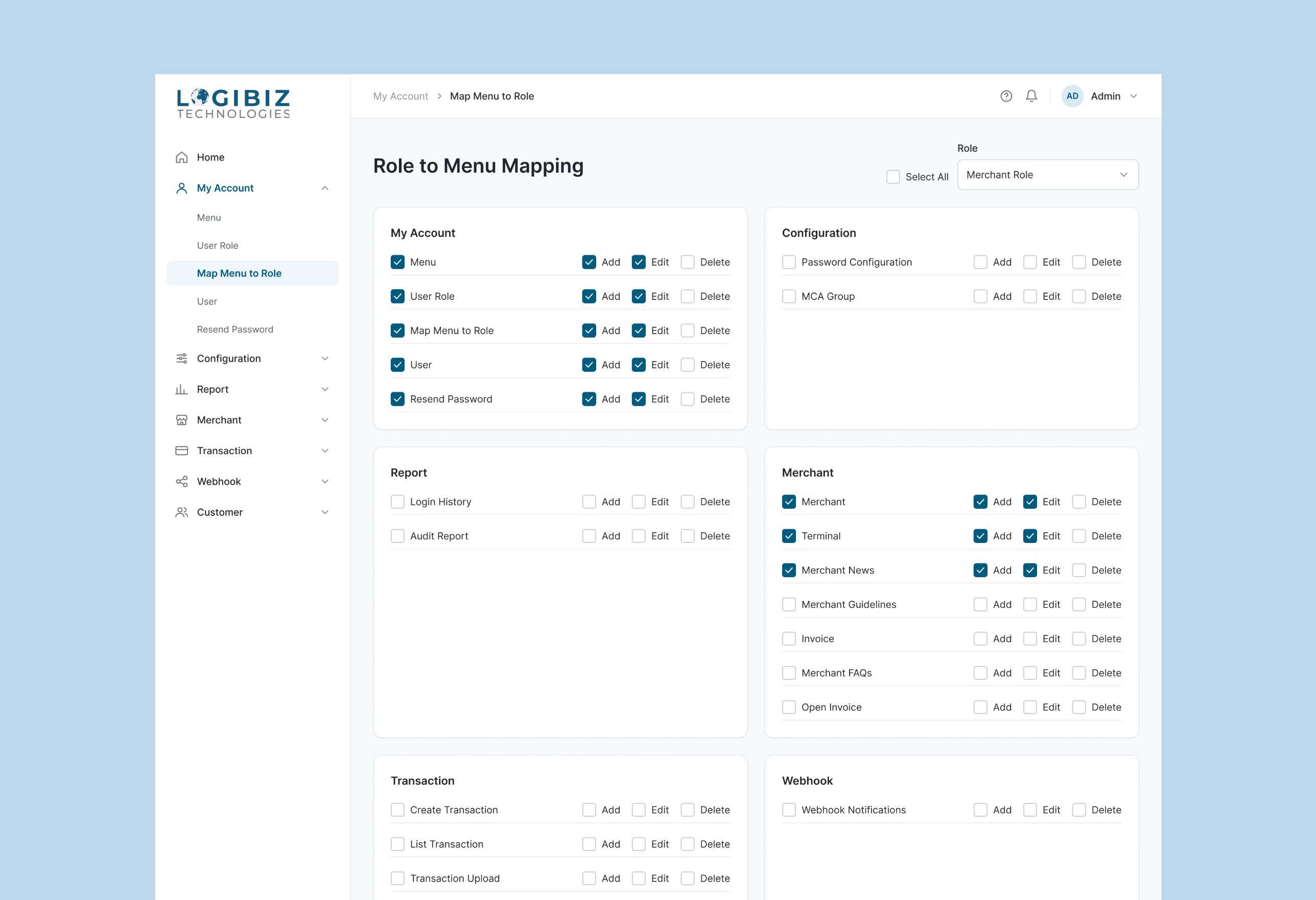
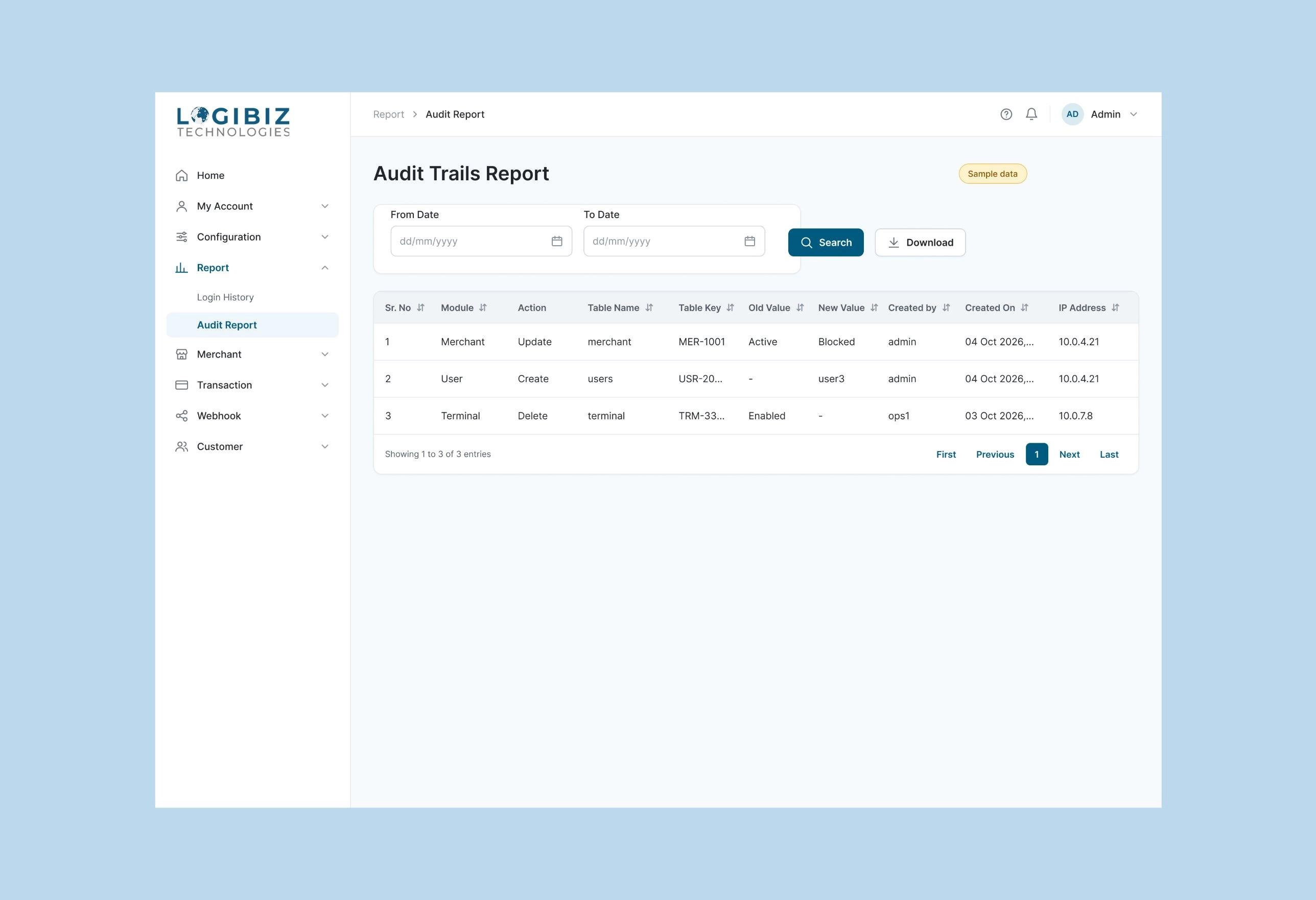
1 / 2
The design system
The Merchant and Client dashboards run on one component library, now being extended into a full design system for Logibiz. Since 1 July 2026 I have been building it for the whole company, not for one product.
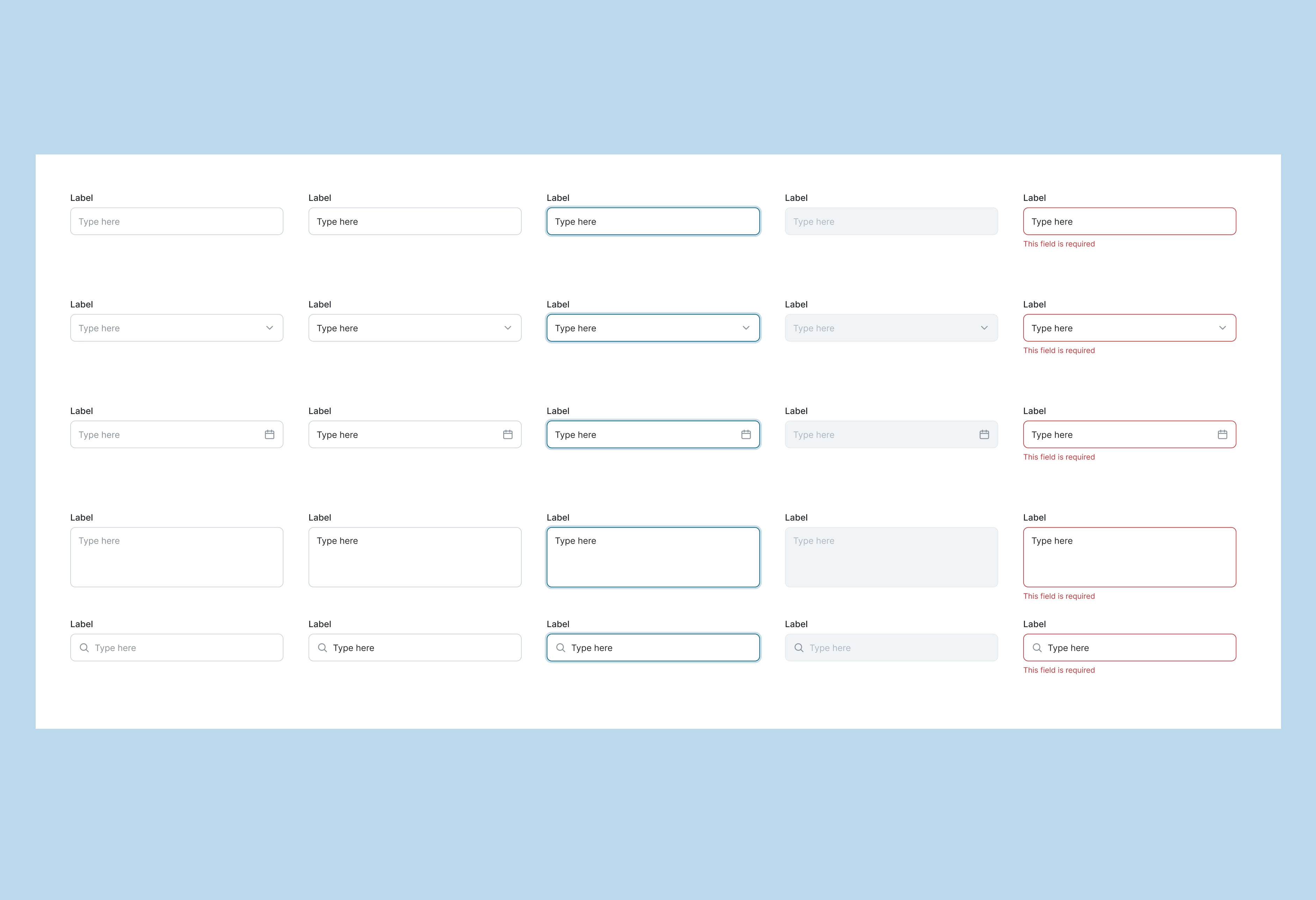
- Foundations: colour tokens (a brand scale, a neutral scale, and semantic success, warning, danger and info), seven Inter text styles, and one icon set.
- Components: inputs in every state (default, filled, focus, disabled, error), buttons (primary, secondary, ghost, danger), toggles, checkboxes, radios, tabs, tables with toolbar, row actions and pagination, and a status badge.
- Navigation: the top bar, nav items, and a sidebar with one variant per page for each dashboard.
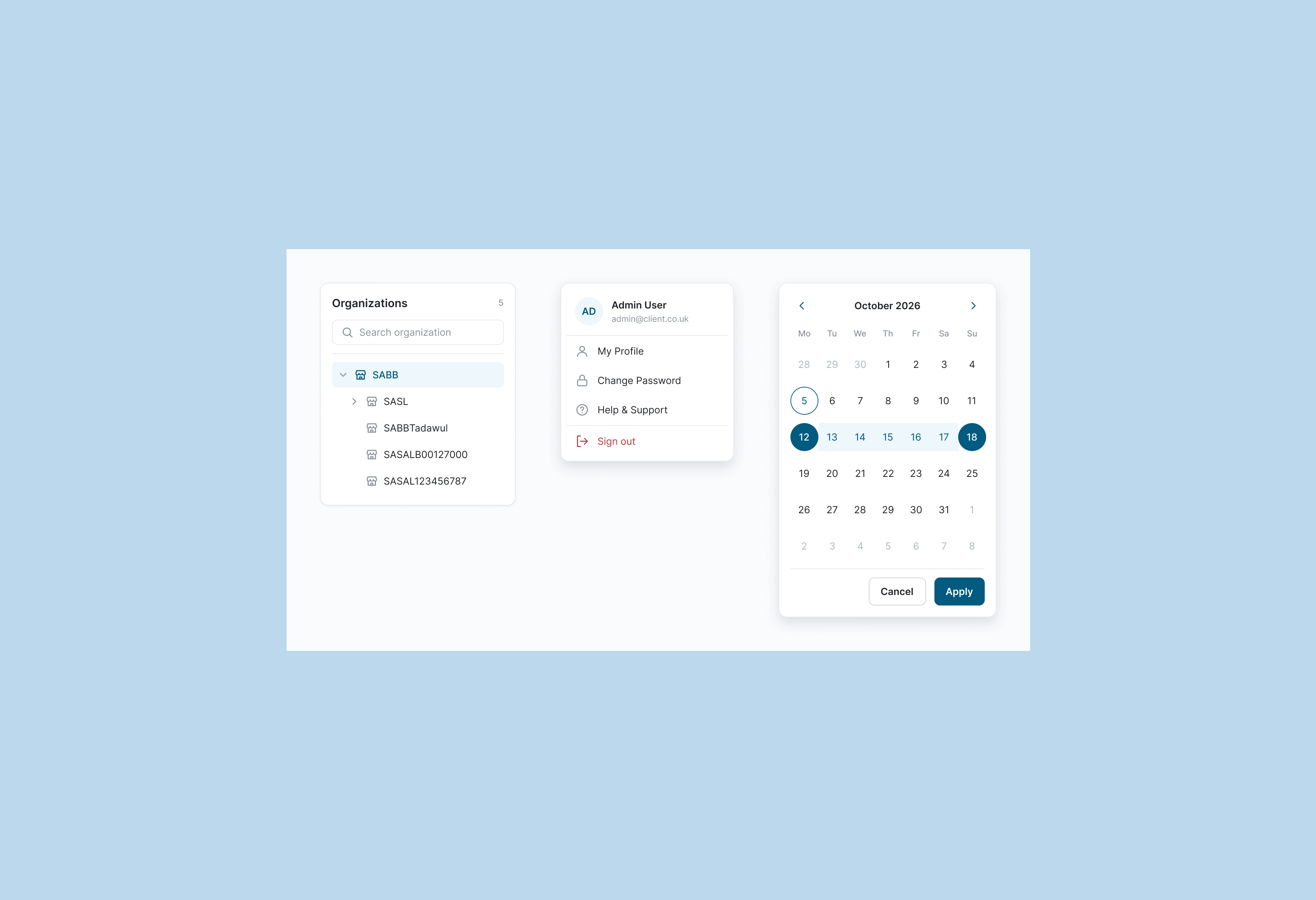
- Client-only parts: an organisation tree and a date picker.
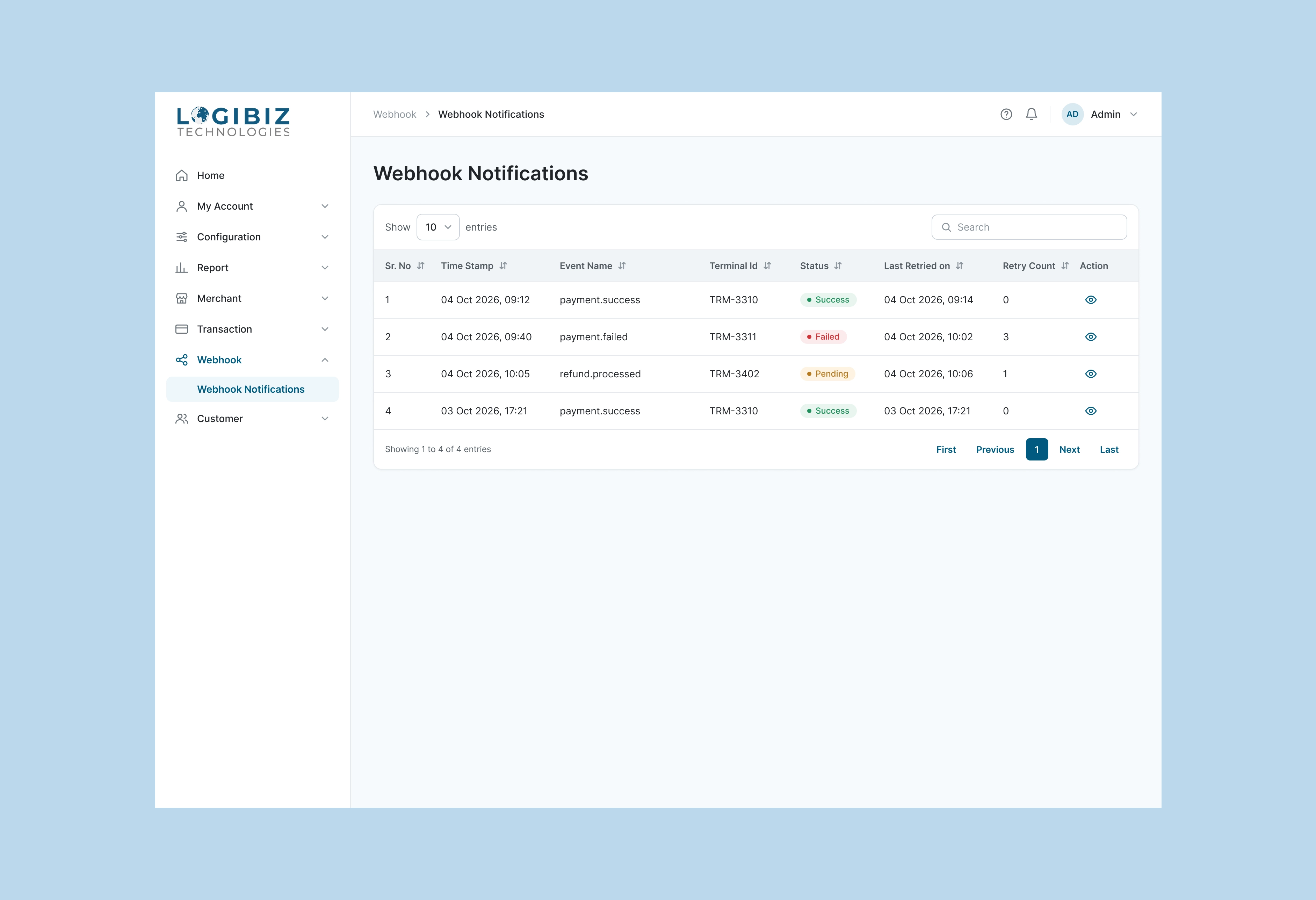
Success, Warning, Danger, Info and Neutral are the five status badges. They are used across payment lists and webhooks, so a red or green pill means the same thing on every page.
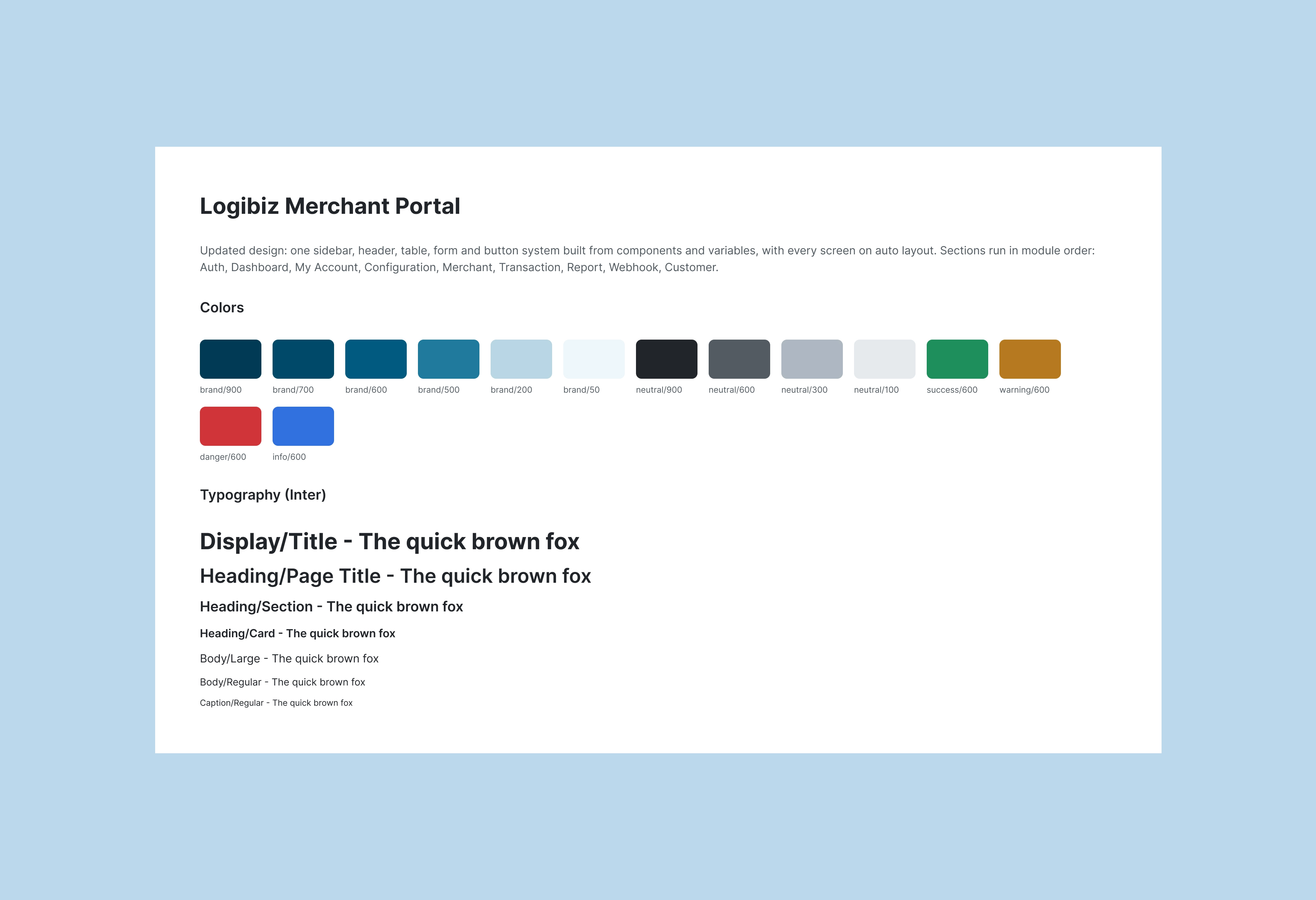
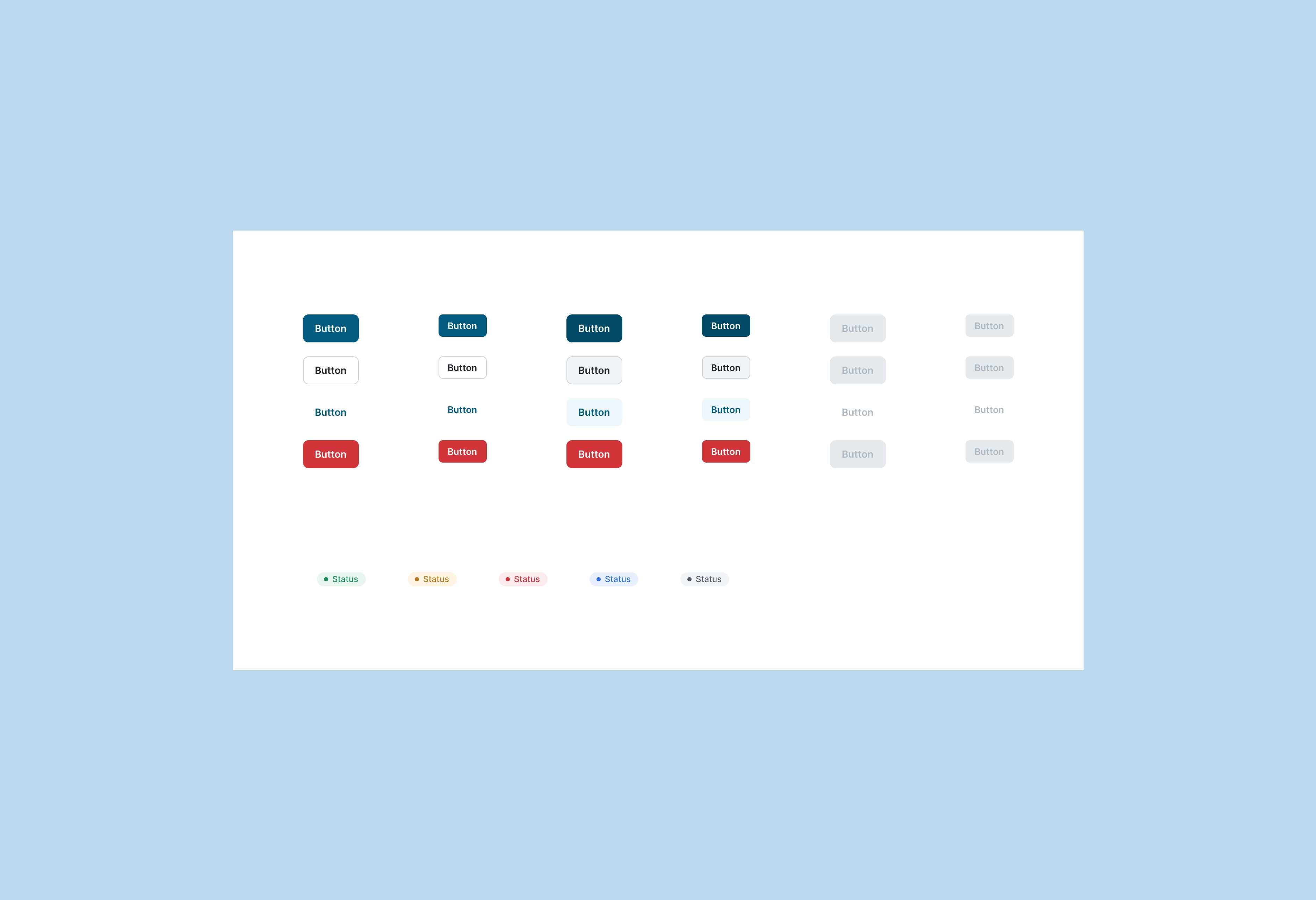
1 / 3
Also designed: the Client dashboard
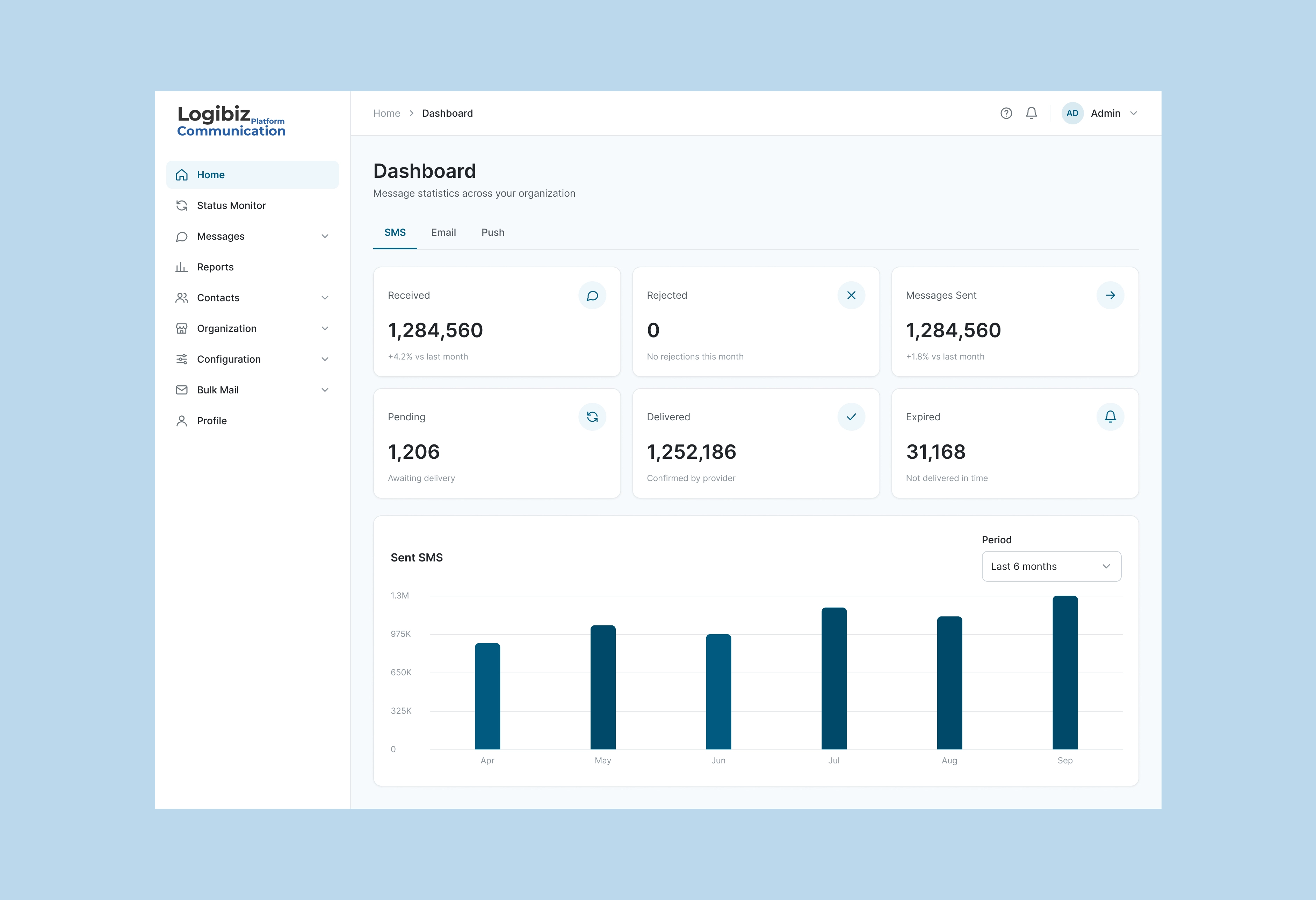
I also designed the Client dashboard, a bulk-messaging platform with SMS, email and push, templates, contacts, an organisation hierarchy, quota and request approval. It runs on the same shell and components as the Merchant dashboard.
1 / 2
Outcome
The product is live and used by Logibiz's teams. The redesign is in development, about 30 to 40% built in early October 2026, so part of it has shipped and part has not. Logibiz asked me back to redesign the UI and flows and build a design system, and I now work with its developers and a second designer on one shared library.
I do not have measured results yet, and I will not make any up. The numbers on the dashboards in the Figma file are sample data. Once the redesign ships, these are the four measures I would track:
- Time to set up a merchant and a terminal, start to finish.
- Errors and abandoned forms on Enter Transaction.
- Support questions about permissions and access.
- Time for a developer to build a new page from the components.
What I would do next
In October 2026 I reviewed the dashboard against public documentation and standards. This is a review after the fact, not research behind the original design.
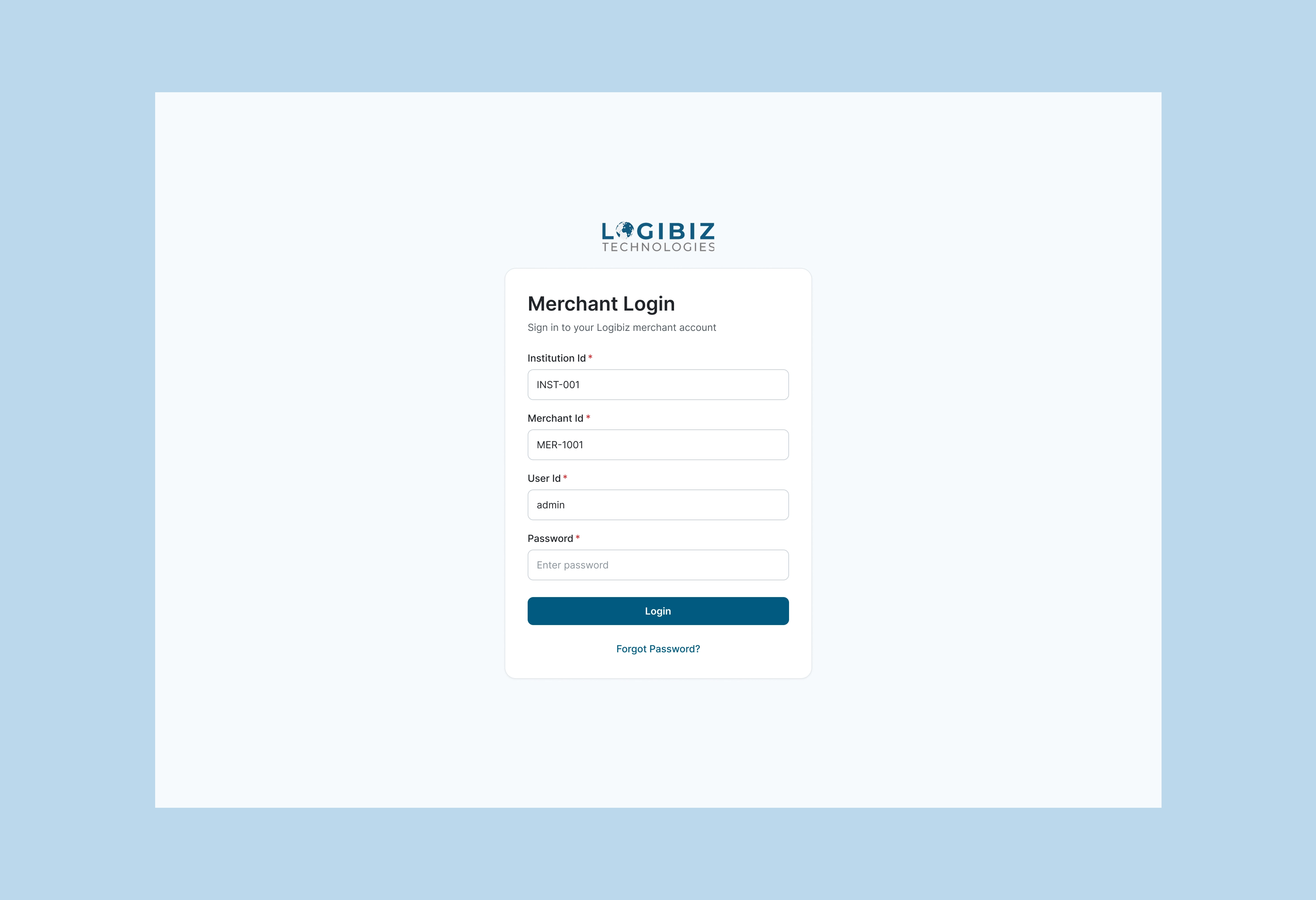
- Sign-in security. Add a multi-factor step, a lock-out state and a 12-character password floor. The sample password rule shows a minimum of 8, and PCI DSS 4.0 asks for more.
- Webhook visibility. Add the event payload, the endpoint response and a manual retry beside the status and retry count already there.
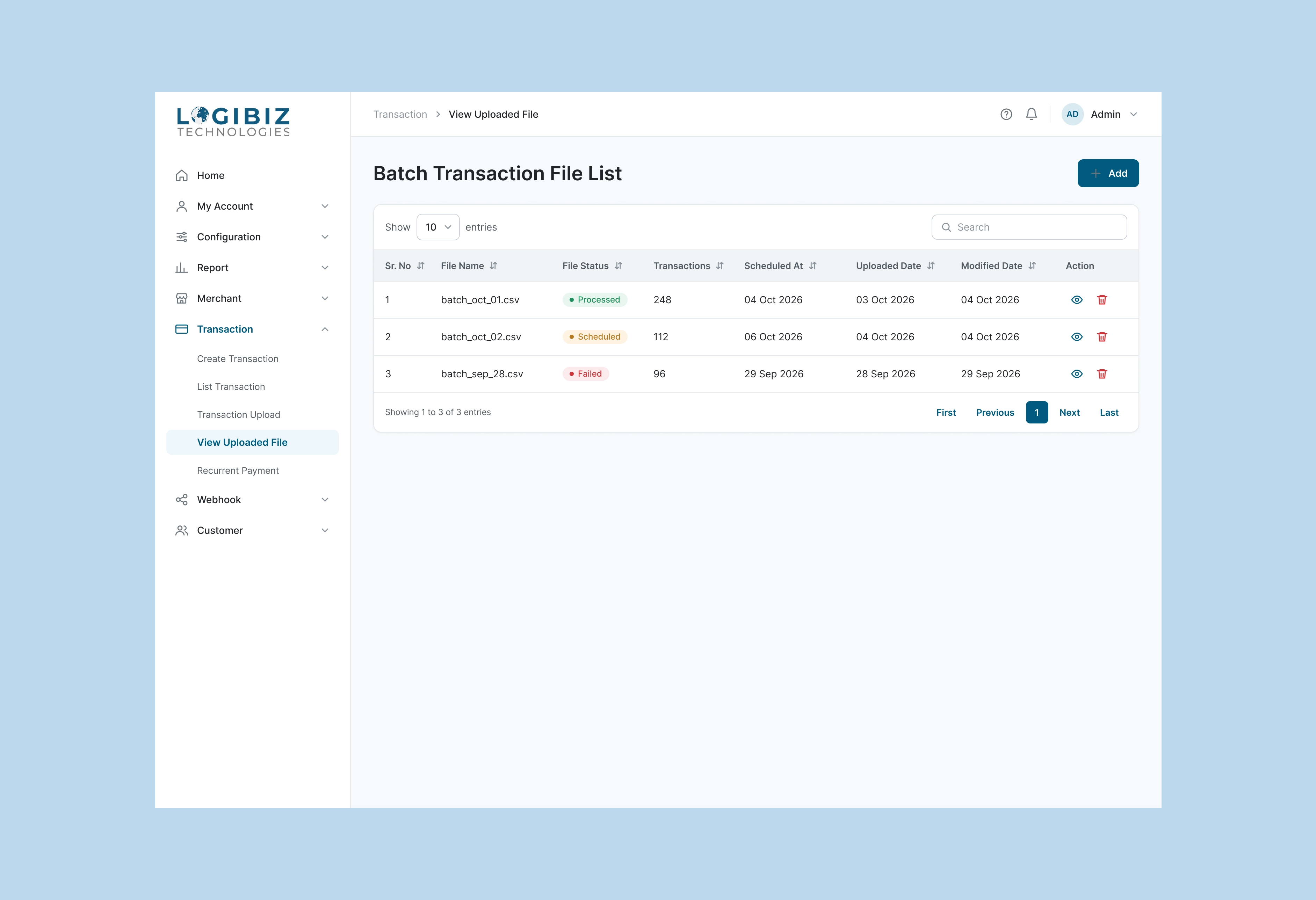
- Batch upload. A failed file shows no reason and no way to resend only the failed rows
1 / 3