Borrowmate
Role
Product designer, embedded in the client's team through Pixelz360
Client team
Product manager, 5 developers, 1 UX researcher, 1 copywriter, UX designers
Delivered
Public website, Renter portal, Lender portal and the design system
Timeline
Worked in one-week sprints
System
26 component sets (71 components), 23 colour variables, 16 spacing and radius variables, 13 text styles
Handoff
Figma file and a walkthrough call, with questions answered on the call
Part 1 : The project and my part in it
Overview
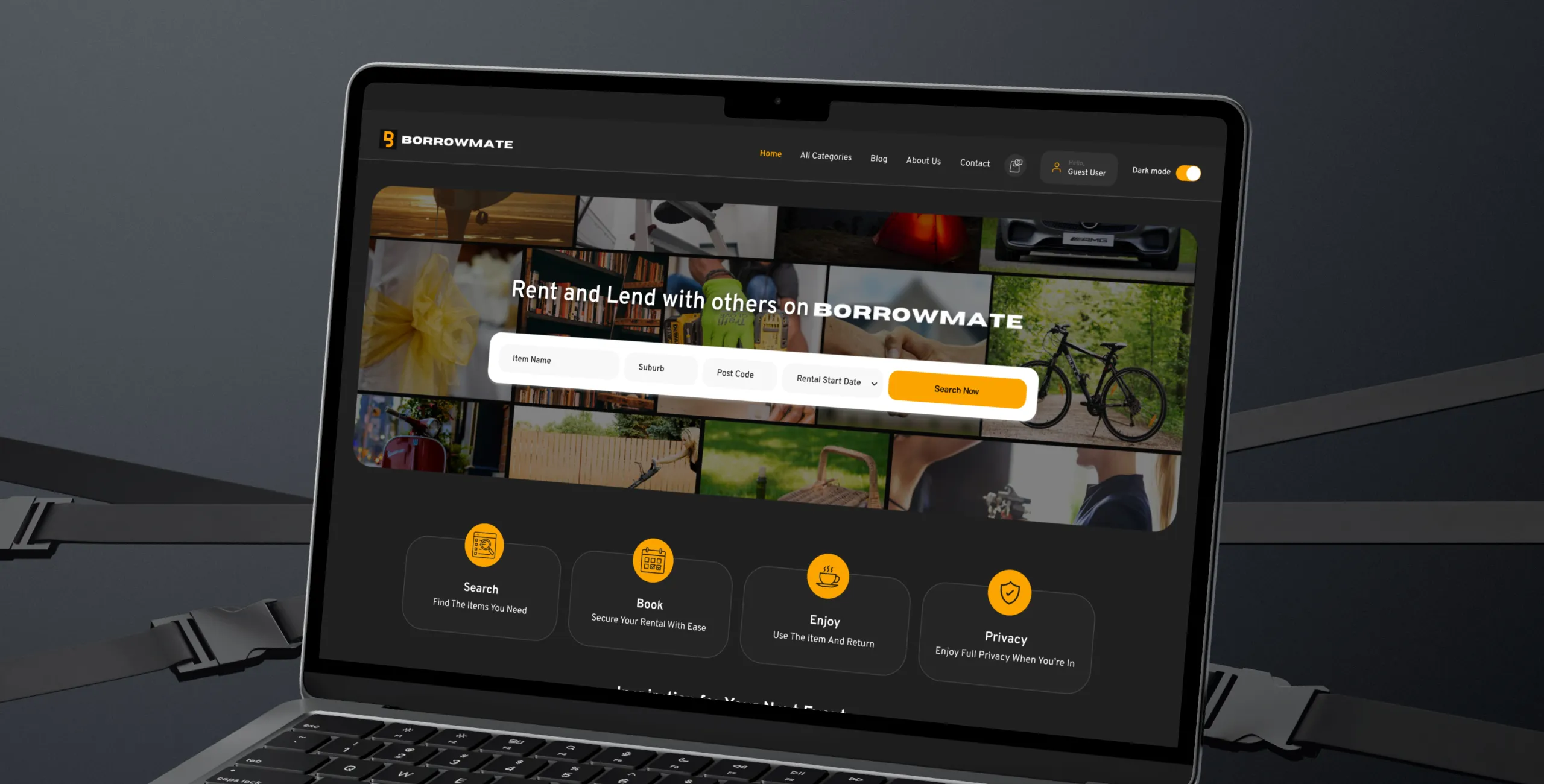
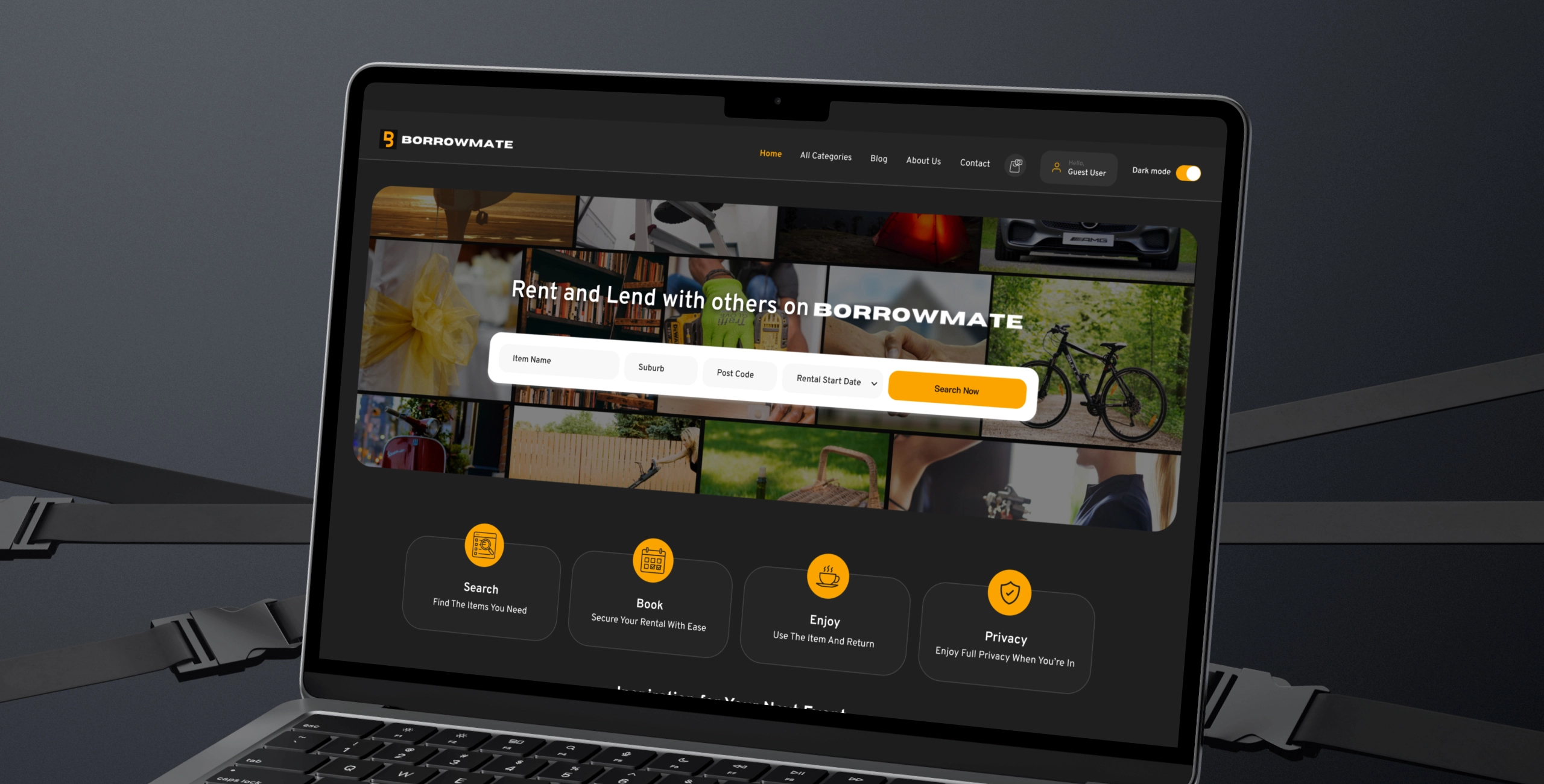
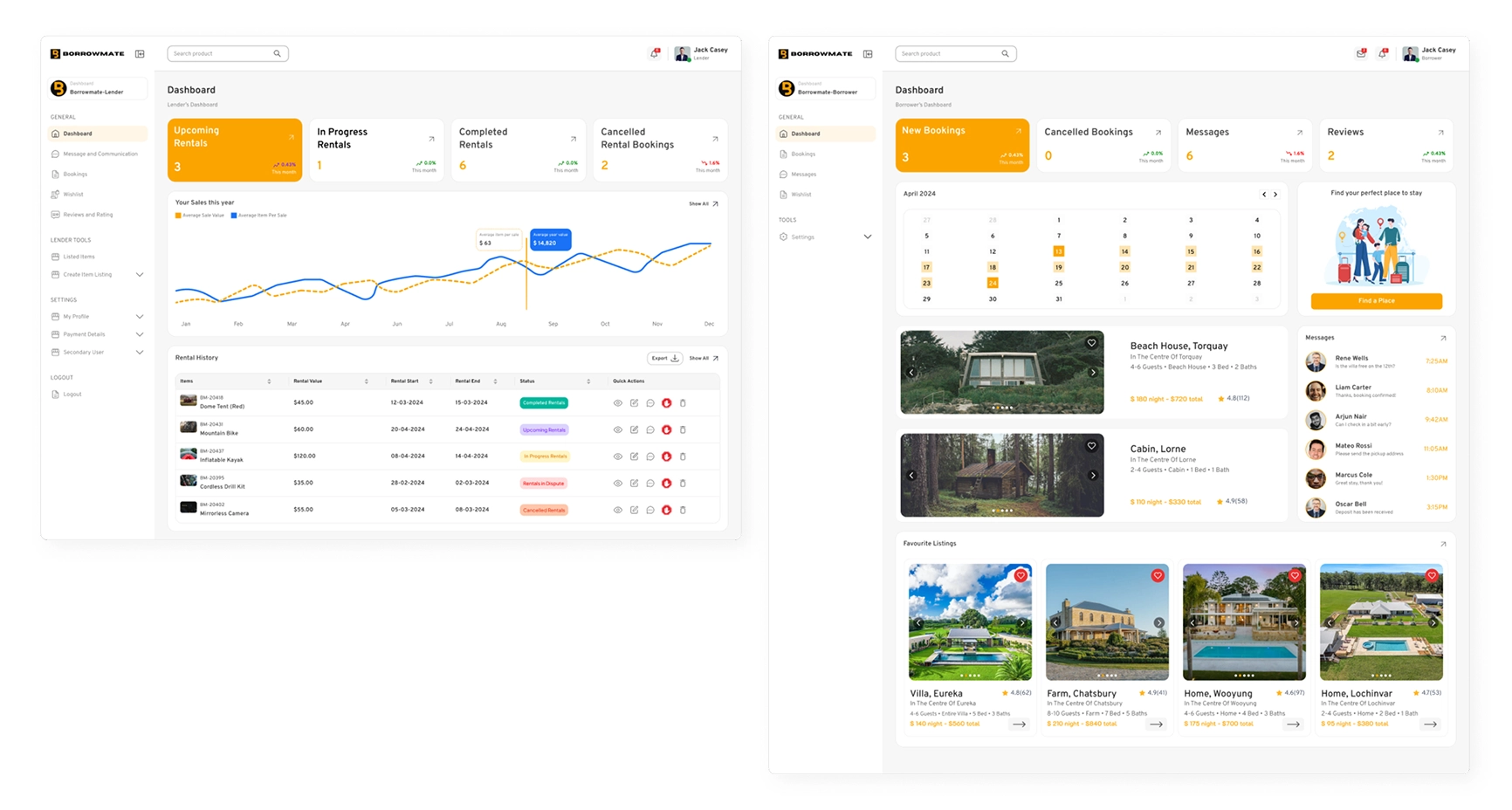
The platform is a marketplace where people rent items, places and tools from each other. Lenders list what they have. Renters search, book and pay. I designed the public website, the Renter portal, the Lender portal and the design system, then handed them to the platform's developers.
My role and team
I worked inside the platform's team, not with my own. Pixelz360 placed me with them as their designer. The team had a product manager, five developers, a UX researcher, a copywriter and their own UX designers. Their UX team did the research and the questions and answers. I turned that into the design. No wireframes were handed to me, so I drew rough low-fidelity wireframes myself, then designed the screens, the dashboards and the system.
The problem
The job was bigger than any single screen. Three things had to work together:
- Different things need different information. A bag needs a price and photos. A tool needs its condition and a deposit. A place to stay needs capacity, dates and cancellation terms.
- Two sides, two jobs. Renters search, book and pay. Lenders list items, manage bookings, answer requests, and handle messages and reviews.
- Money and trust. Bookings involve a pre-authorised payment, a bond and a way to resolve disputes. Both sides had to understand what was happening to their money.
How we worked
We worked in one-week sprints. Each week we went through what had been done, what came next and the goals for that sprint. The UX team's research and answers set what I designed that week. I handed over on a call along with the document, and the developers' questions were normal ones that I answered there.
Part 2: Four decisions that shaped the design
Key decisions
Decision 1: One category choice drives the whole listing
The category a person picks on the first screen decides the filters they see, the fields on the card, and whether a deposit appears later. It is one value carried through the flow, not a separate rule on every screen.
- Everyday items: no deposit and no ID check before booking.
- Tools and equipment: condition and deposit sit on the card itself.
- Properties and venues: capacity, dates and cancellation terms are shown up front.
- The Lender's Create Item screen has the same three versions, so a listing shows up in the right grid using the fields the lender filled in.
I considered: keeping one generic filter and one generic card for every category, which the first version did. A place to stay and a drill do not need the same information.
Decision 2: Two portals, one shell
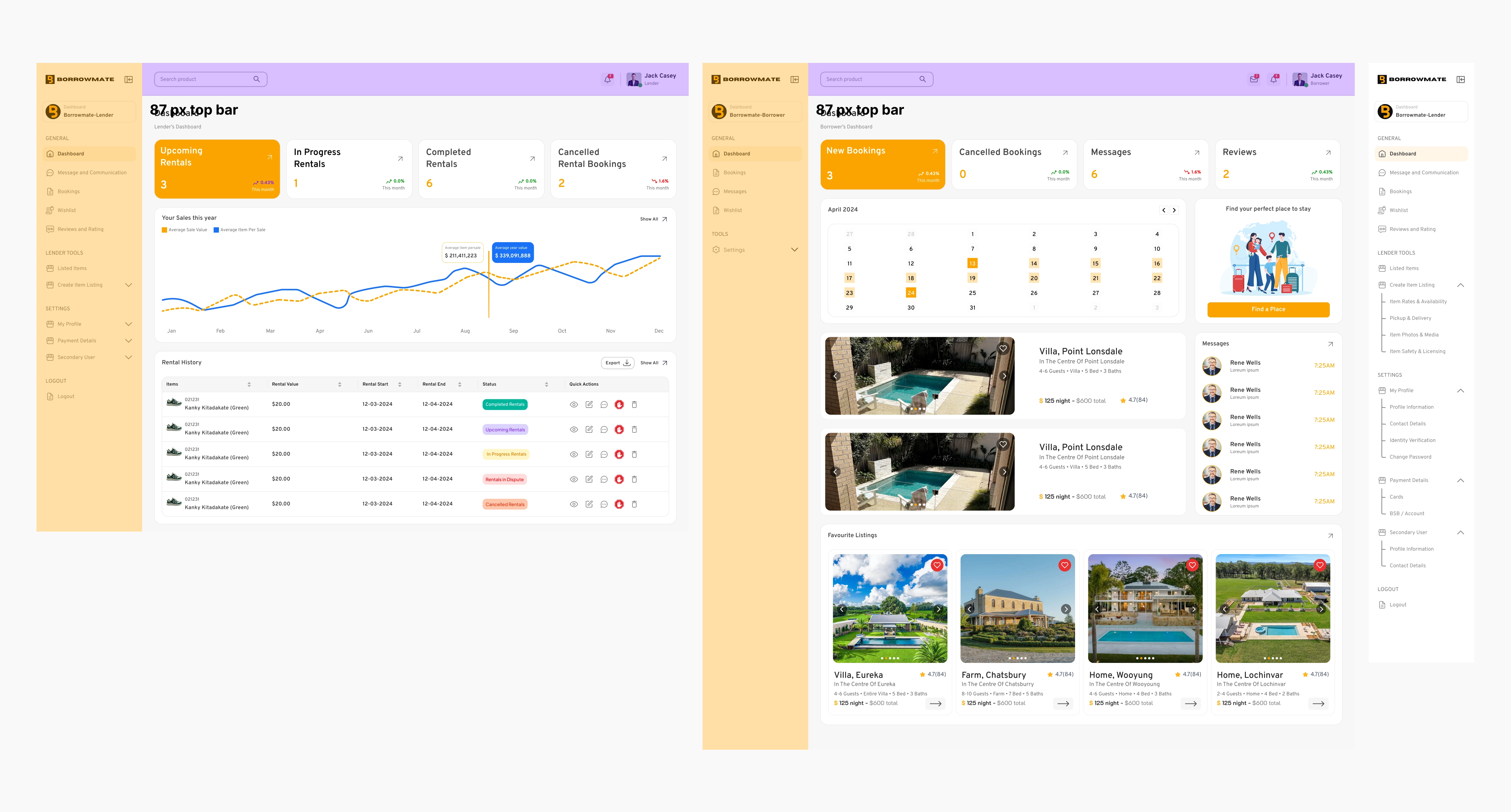
The Renter and the Lender dashboards use the same page shell. I considered designing each portal on its own layout, since the two sides do different jobs. One shell meant the developers build the frame once and reuse it.
Decision 3: Show the state of the money, not just the booking
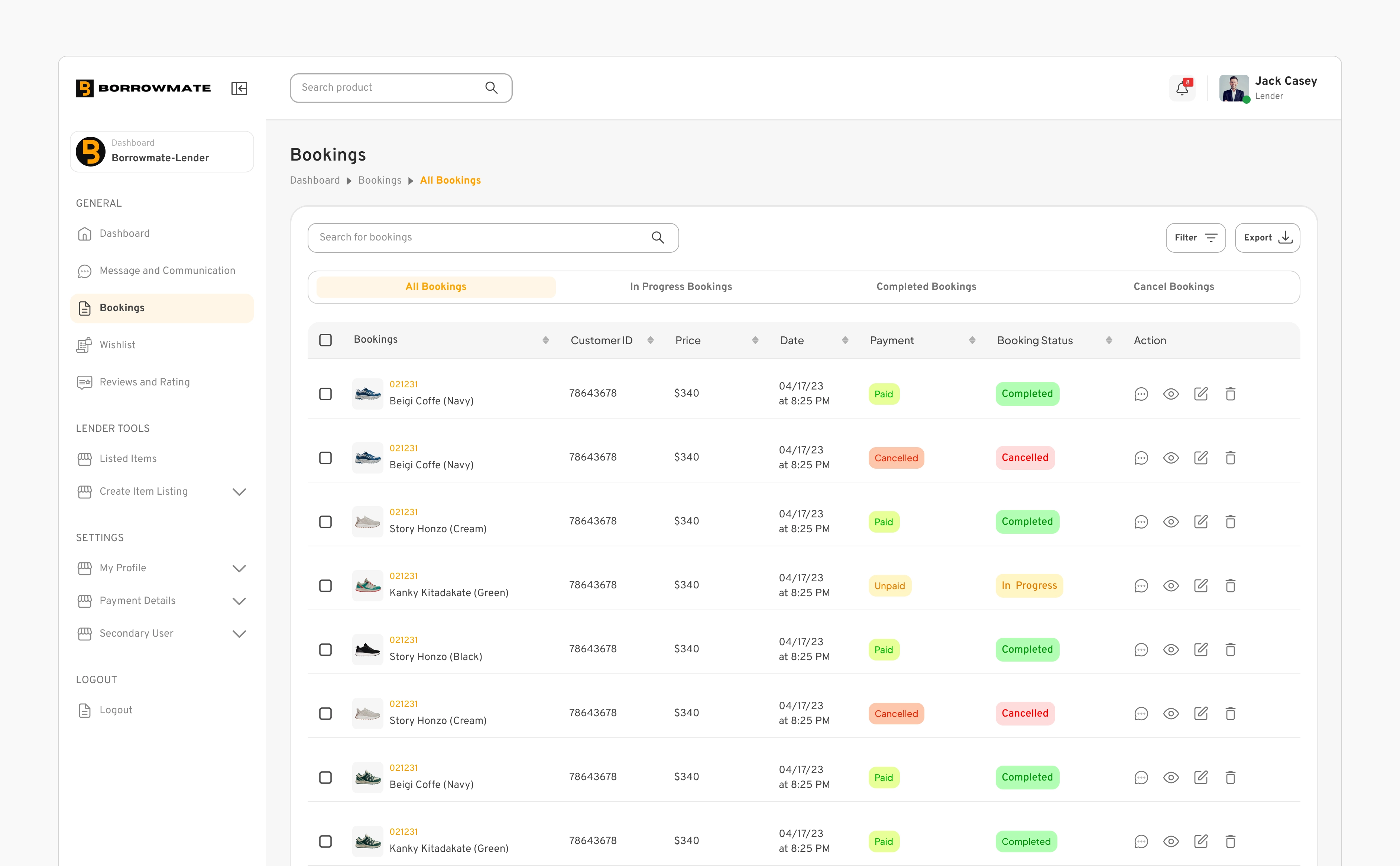
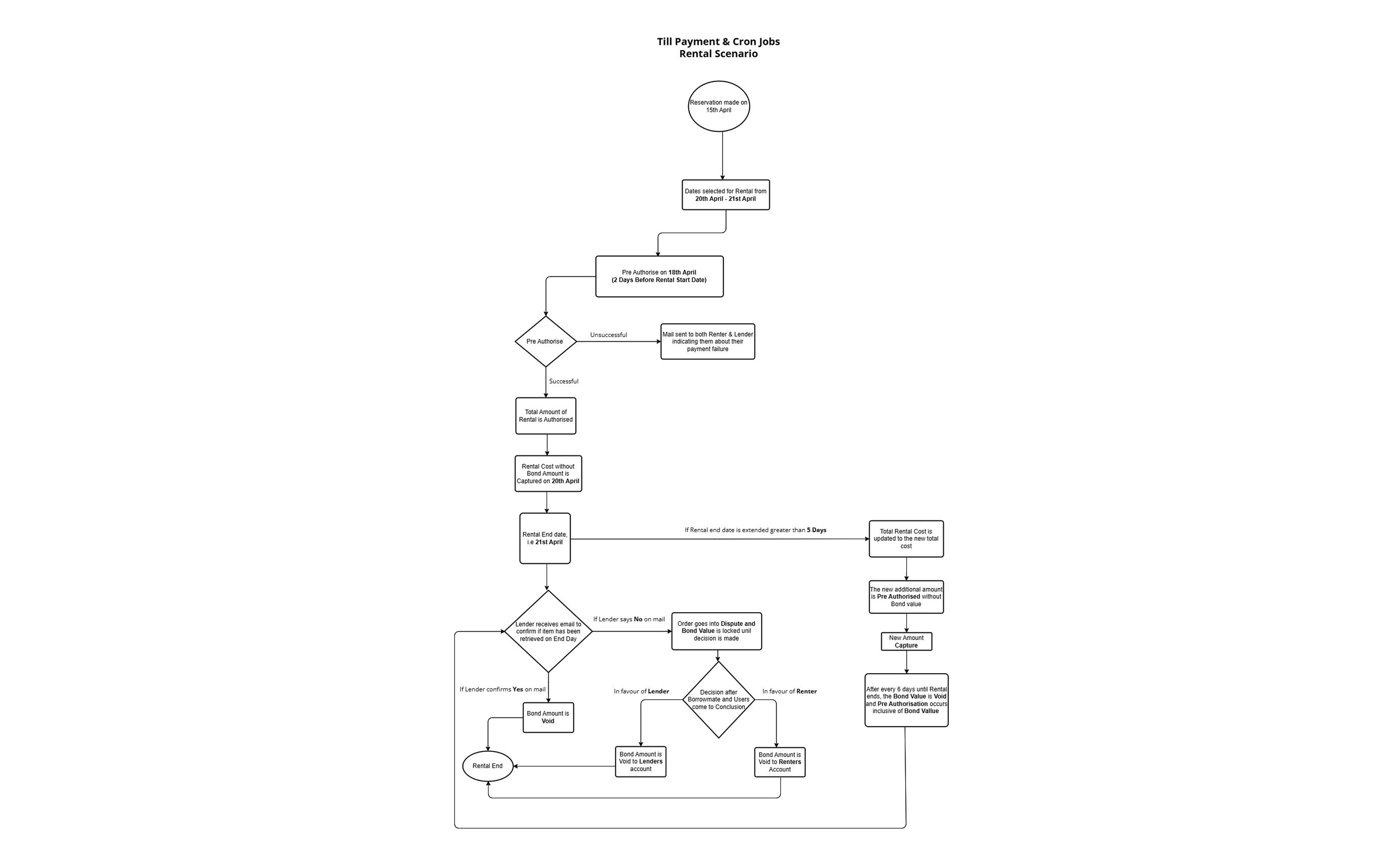
A booking here carries a payment that is authorised two days before the rental, captured on the start date, and backed by a bond that is either released or held in a dispute. That flow is drawn on the Userflows page, and I put it on the screens: the lender's rental table shows Upcoming, In Progress, Completed, Rentals in Dispute and Cancelled, and the bookings table shows Paid or Unpaid. All badges share one shape and take their colour from the meaning.
I considered: showing only the booking status and leaving the payment and bond to emails. A lender who has a dispute open needs to see it in the table.
1 / 2
Decision 4: Let people look before they sign in
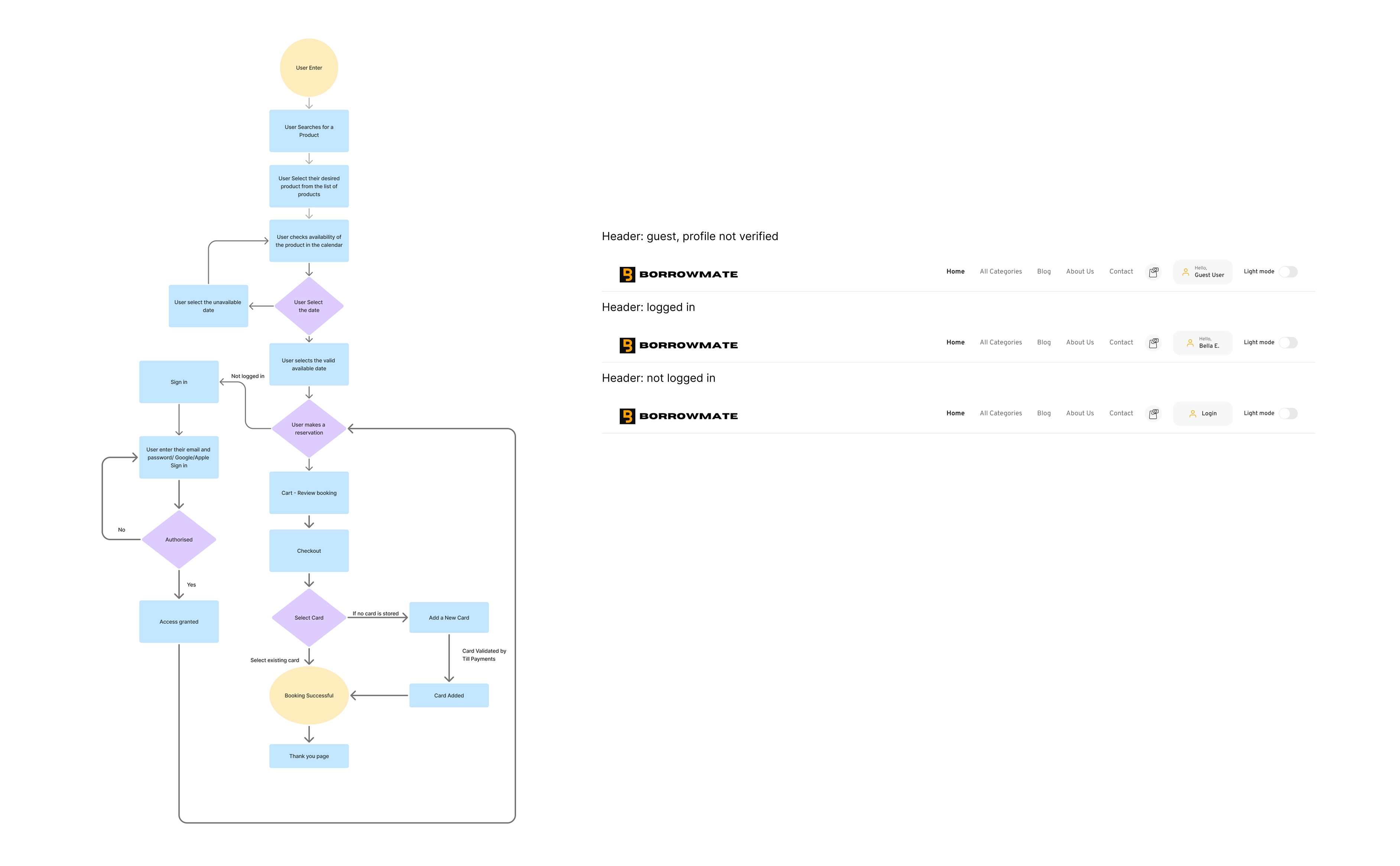
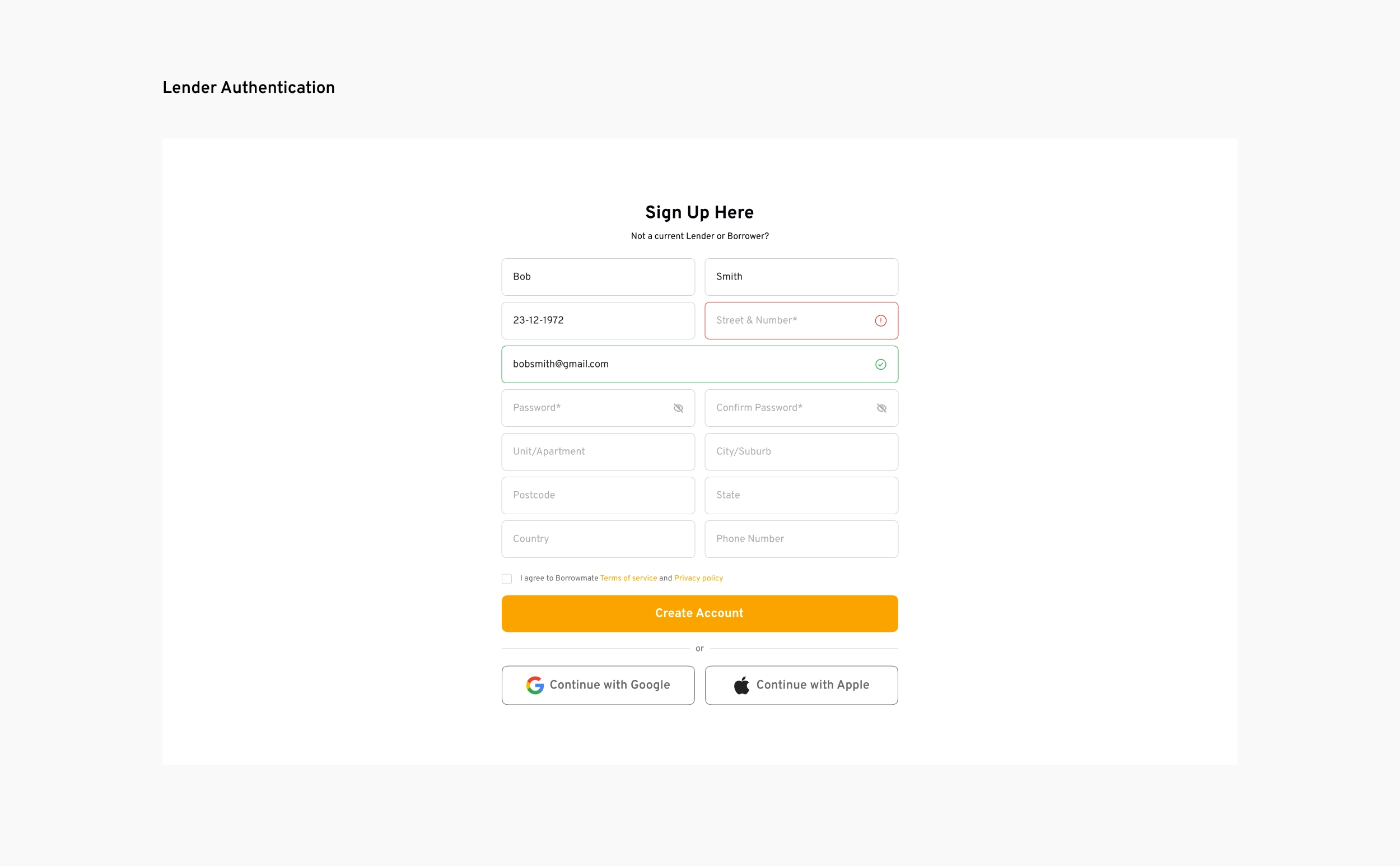
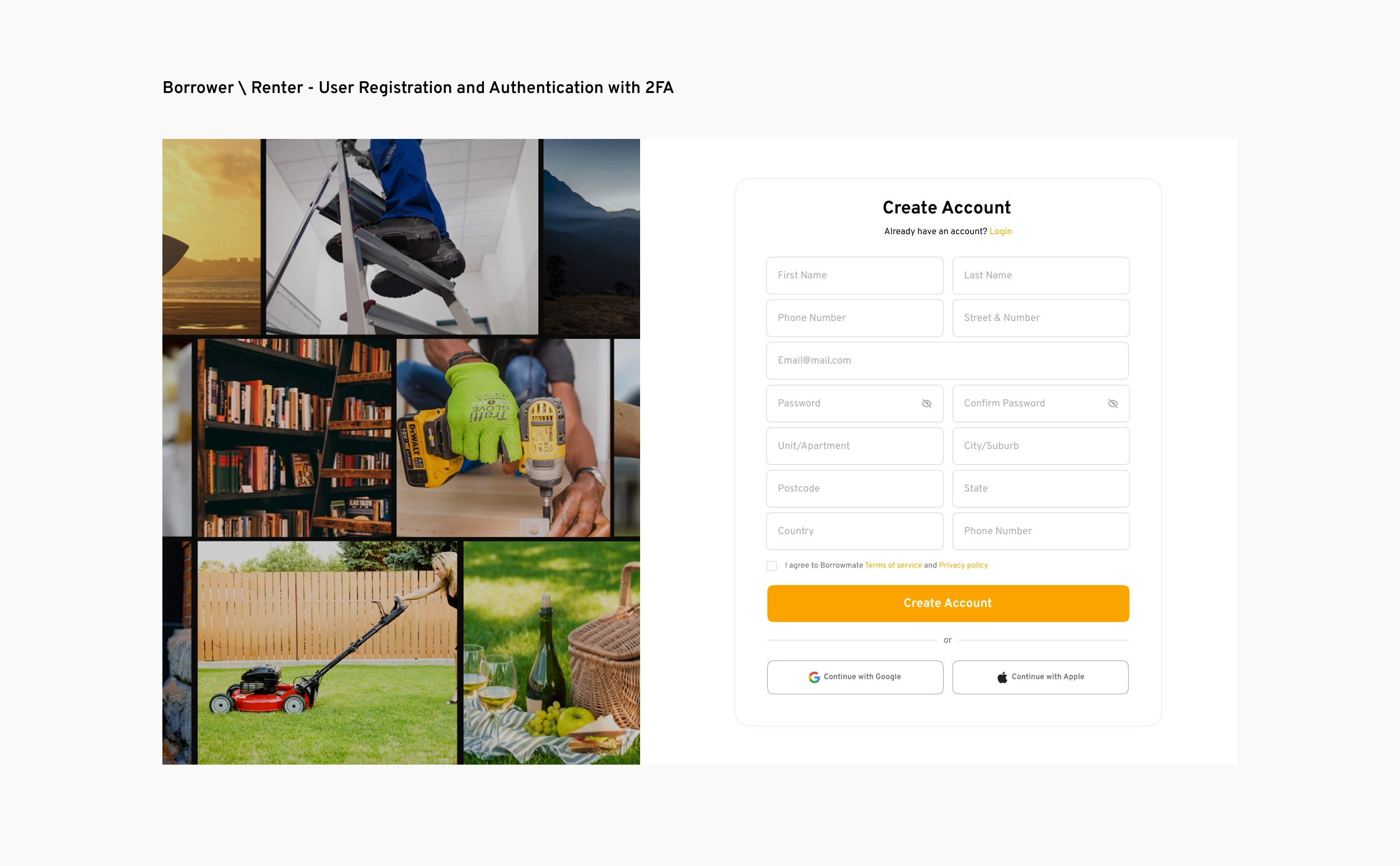
A visitor can search, open an item and check the calendar without an account. Sign-in is asked for when they make a reservation, then they carry on. Sign-up has two-step verification for both roles, each role sees its own terms at sign-up, and a lender can add a secondary user from the main profile. The header has three states: not logged in, logged in, and a guest viewing a profile that is not verified.
I considered: asking for an account before showing any availability.
1 / 3
Part 3: The design system and the handoff
The design system
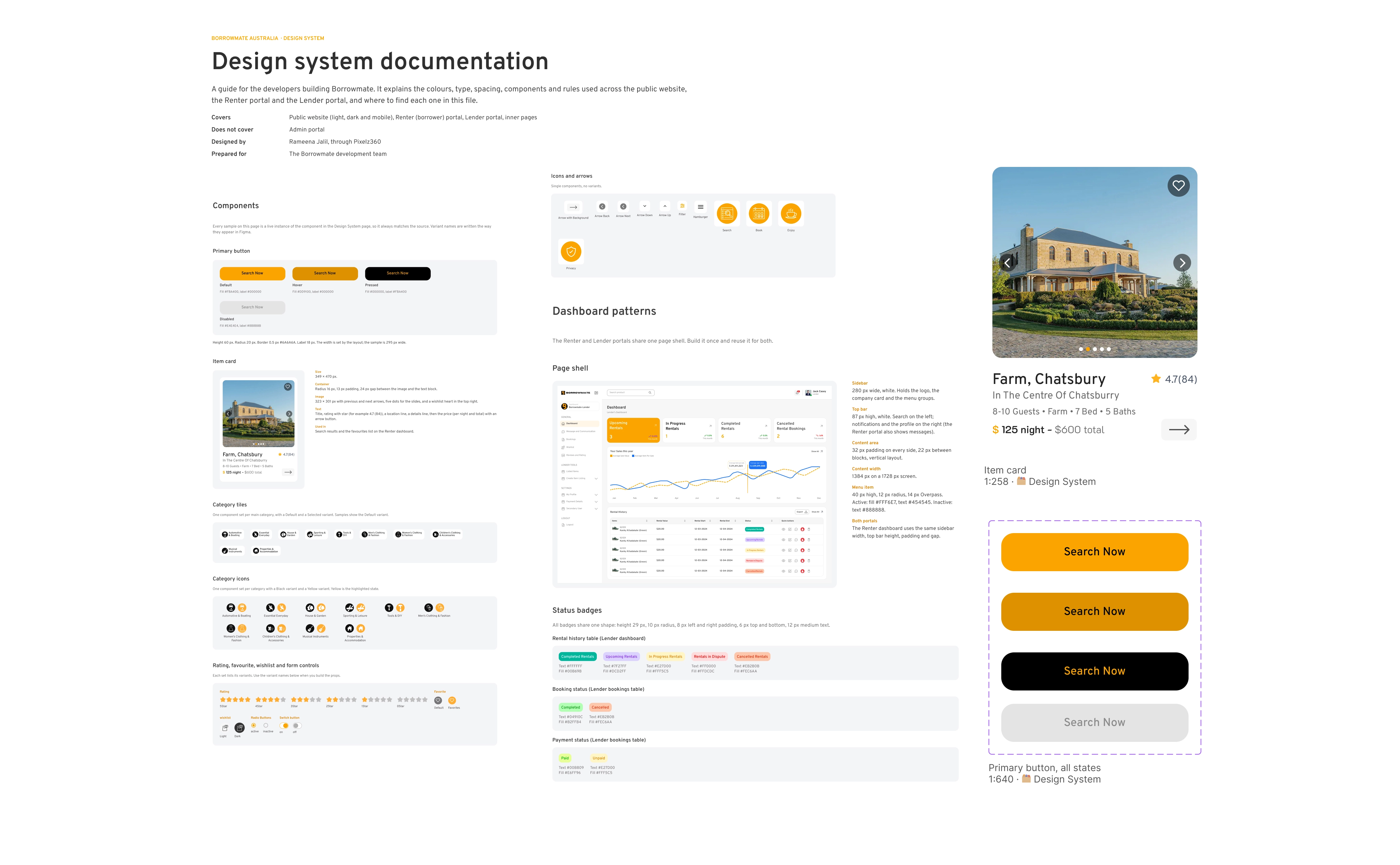
I created a complete design system with tokens, variables and components, and wrote the design documentation.
Documentation. The system is written up on its own page in the Figma file: colour, type, spacing, components, the dashboard shell, status badges, and the rules the screens show.
The handoff
I handed over in a call with the documentation. I shared the Figma link, walked the team through it and told them to ask if anything was unclear. Their questions were normal ones, and I answered them on the call. To make the file easy to build from, every screen is also on one page grouped by area (Dev Handoff), and a Prototype page links the screens so the flows can be clicked through.
Results
I delivered the public website, both portals and the design system. My work ended at handover, so I can't share usage numbers.