Autoyard
I designed the web dashboard that cash-for-car and towing companies in Australia use to assign pickups, track drivers and manage the cars they buy. This case study covers the dashboard only.
Role
Product designer, embedded in the AutoYard team. I did the research, flows, information architecture and UI for the dashboard.
Client team
Project manager, front-end developer, back-end developer, API developer.
Platform
Web dashboard (desktop). Used by the business owner / dispatcher.
Outcome
Live and in use by 12+ towing and cash-for-car companies, with 2,500+ jobs processed.
What changed
Before the dashboard, a pickup lived in phone calls. The owner called a driver, the driver called back, and nobody could see the status of a job or look up what had happened last week.
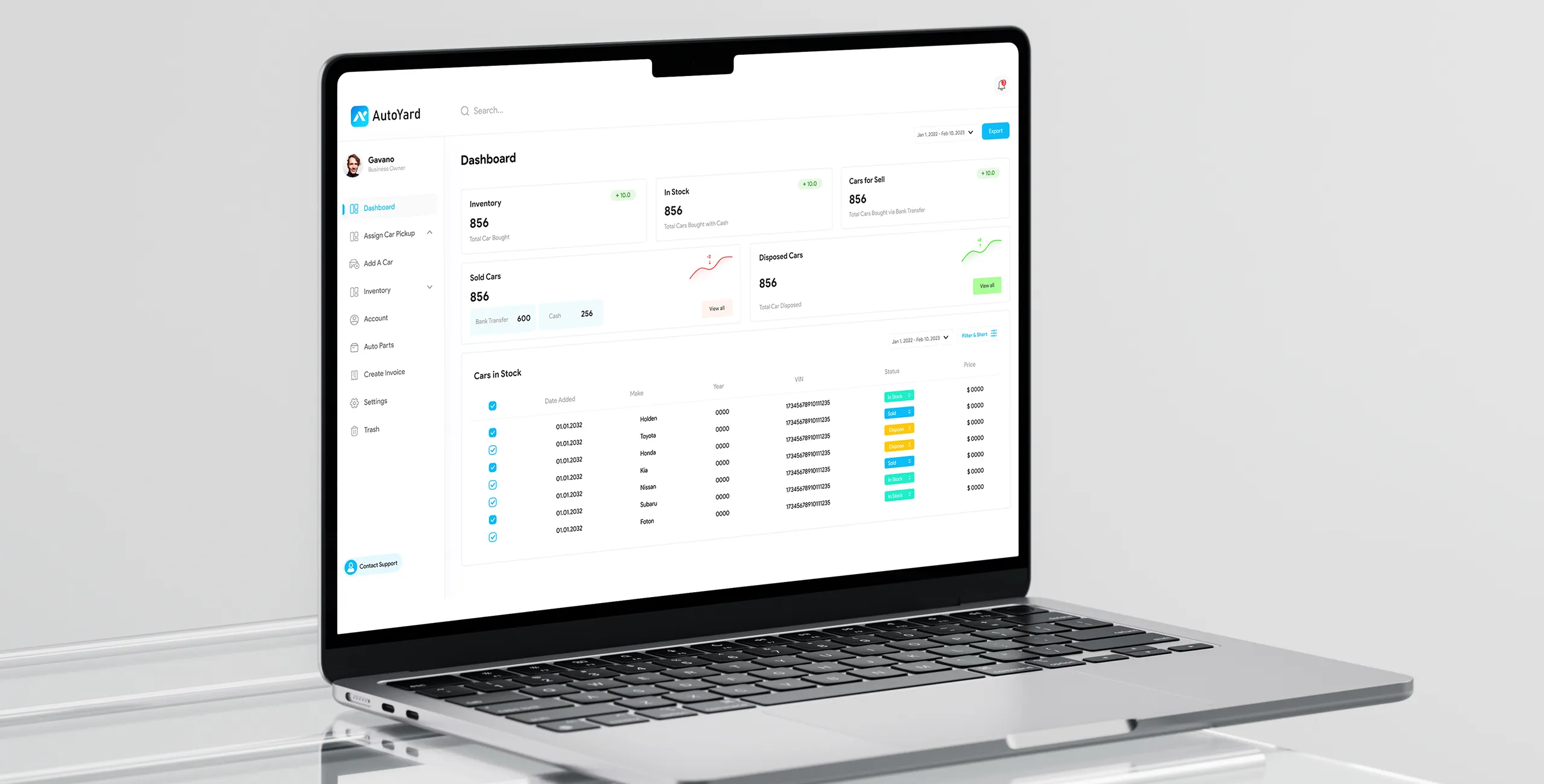
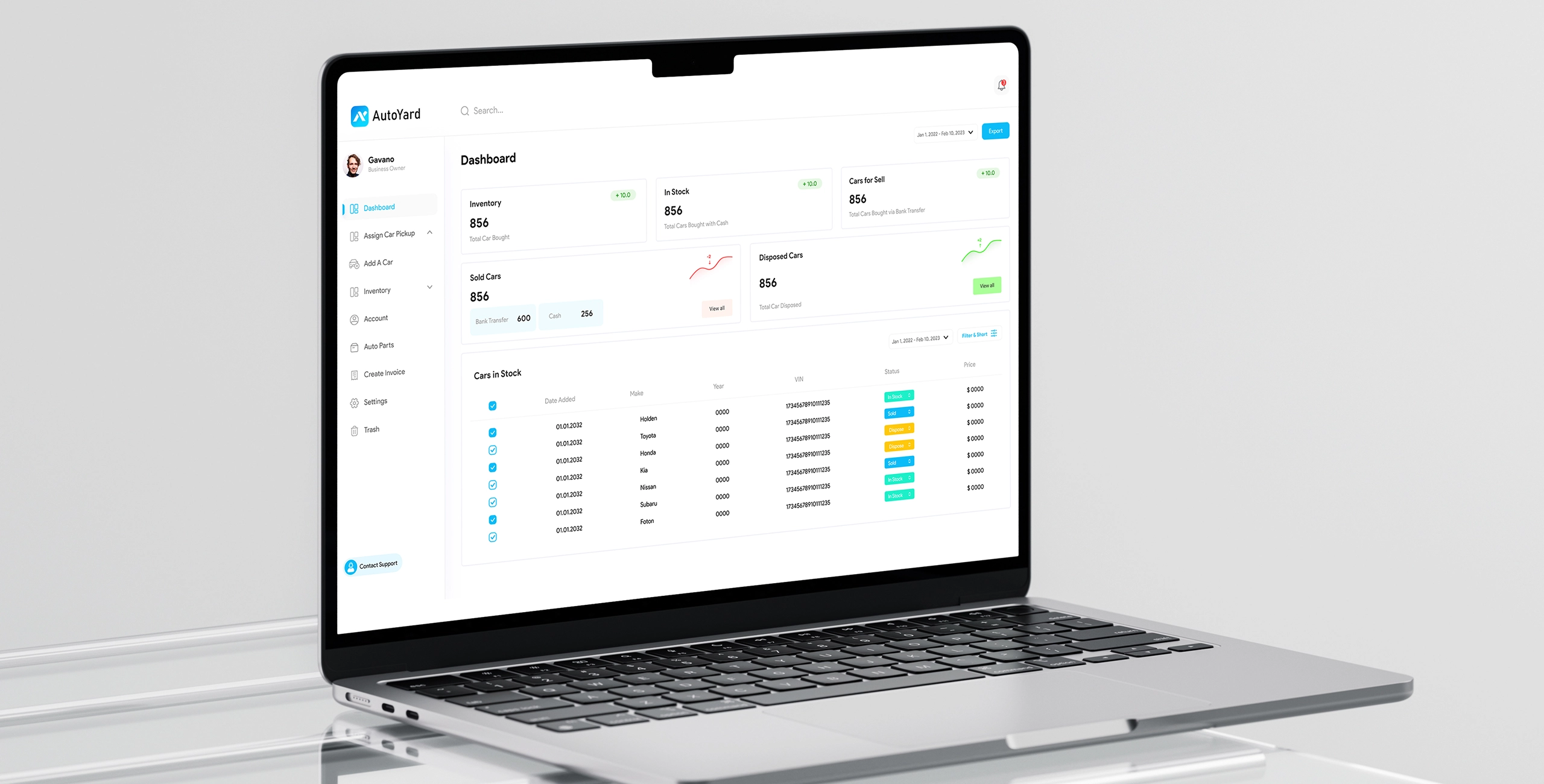
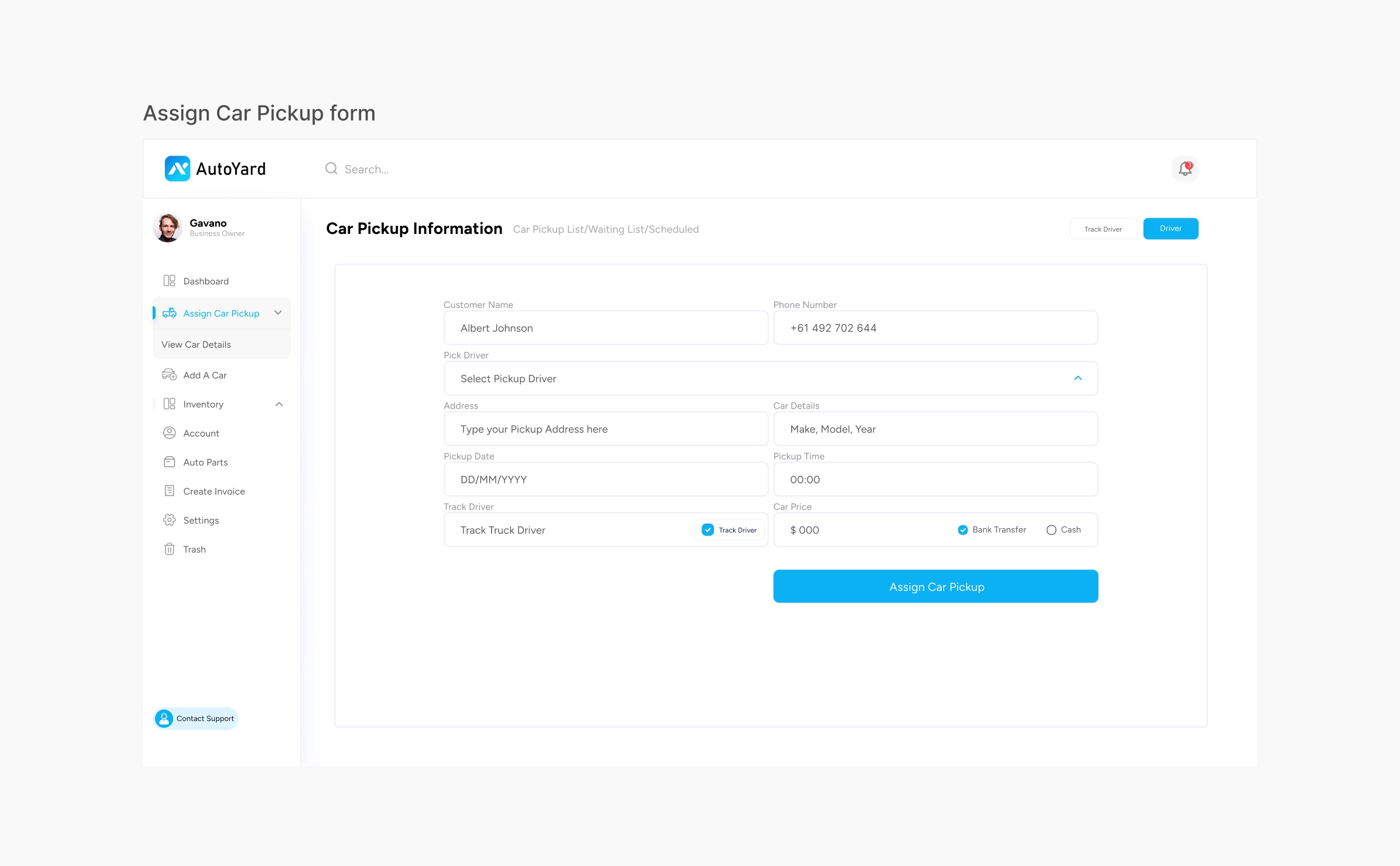
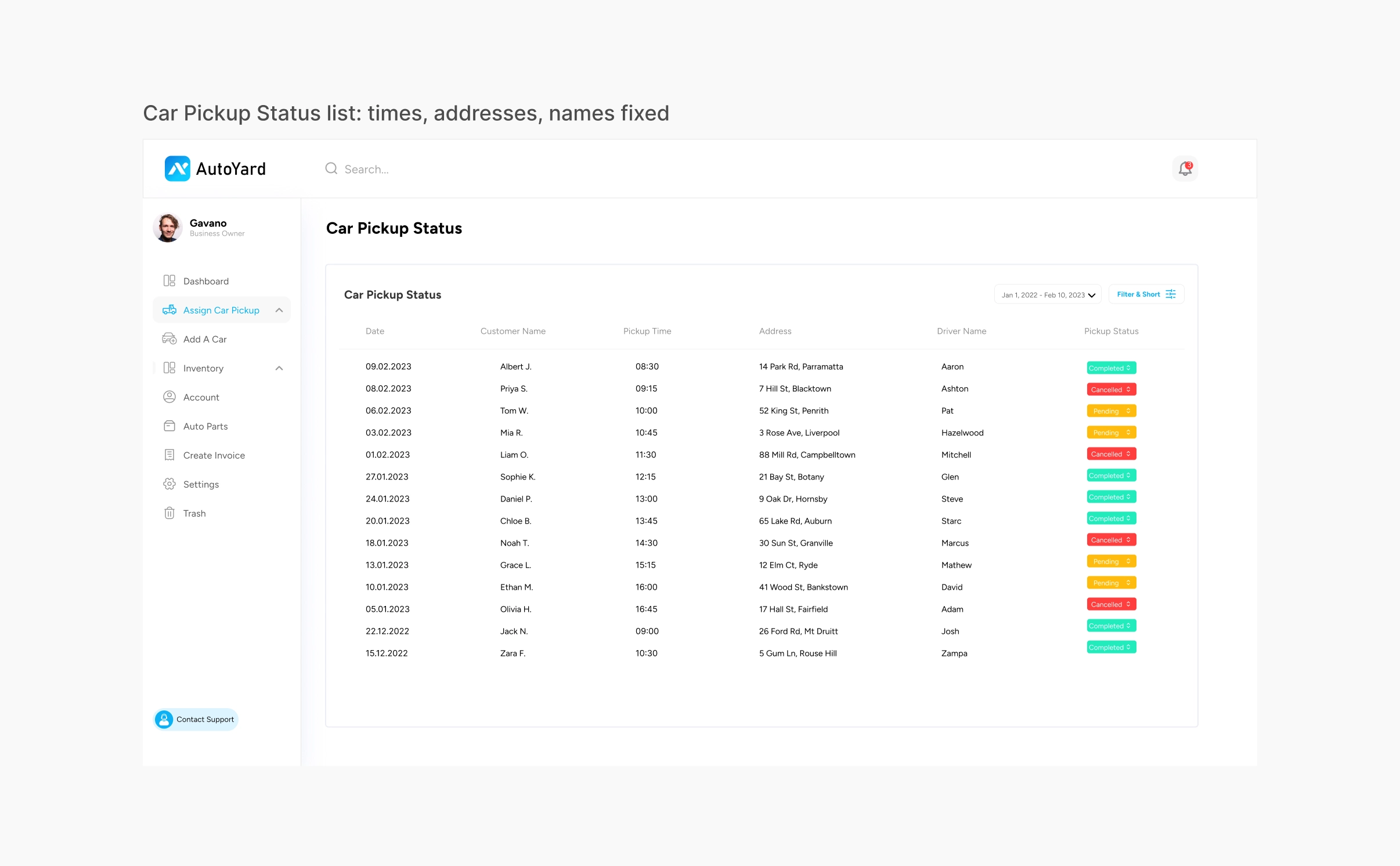
After the dashboard, the owner assigns a pickup in one form, picks a driver, and watches the job move from Pending to Completed or Cancelled. Every car that comes in lands in one stock list, with its VIN, price and status.
| Before | After |
|---|---|
| Pickups arranged by phone | One form assigns a pickup to a driver |
| No shared record of a job | A pickup status list with Completed, Pending and Cancelled |
| No history to look back on | Dated lists for pickups, stock, sold and disposed cars |
| Stock kept outside the system | Inventory with In Stock, Sold and Dispose status per car |
| Invoices made by hand | An invoice screen inside the same dashboard |
1 / 2
Context
AutoYard is a B2B operations platform for towing and cash-for-car companies in Australia. It is not a consumer marketplace. The people who use the dashboard are business owners and dispatchers.
Problem
Running a pickup is a coordination problem between three people under time pressure: the person selling the car, the dispatcher, and the driver. Without a shared record, the dispatcher could not see where a job stood, and nothing was written down with a time on it.
My role
I was the designer embedded in the AutoYard team, working beside a project manager, a front-end developer, a back-end developer and an API developer. I owned the dashboard design end to end: research, flows, information architecture, screens and the handoff to the developers.
Research and flows
I did the research and mapping myself, on a FigJam board. I started by working out who uses what, then how a job moves between them.
- Three roles. The business owner or dispatcher uses the web dashboard. The driver uses the mobile app. The car seller is data only, with no login.
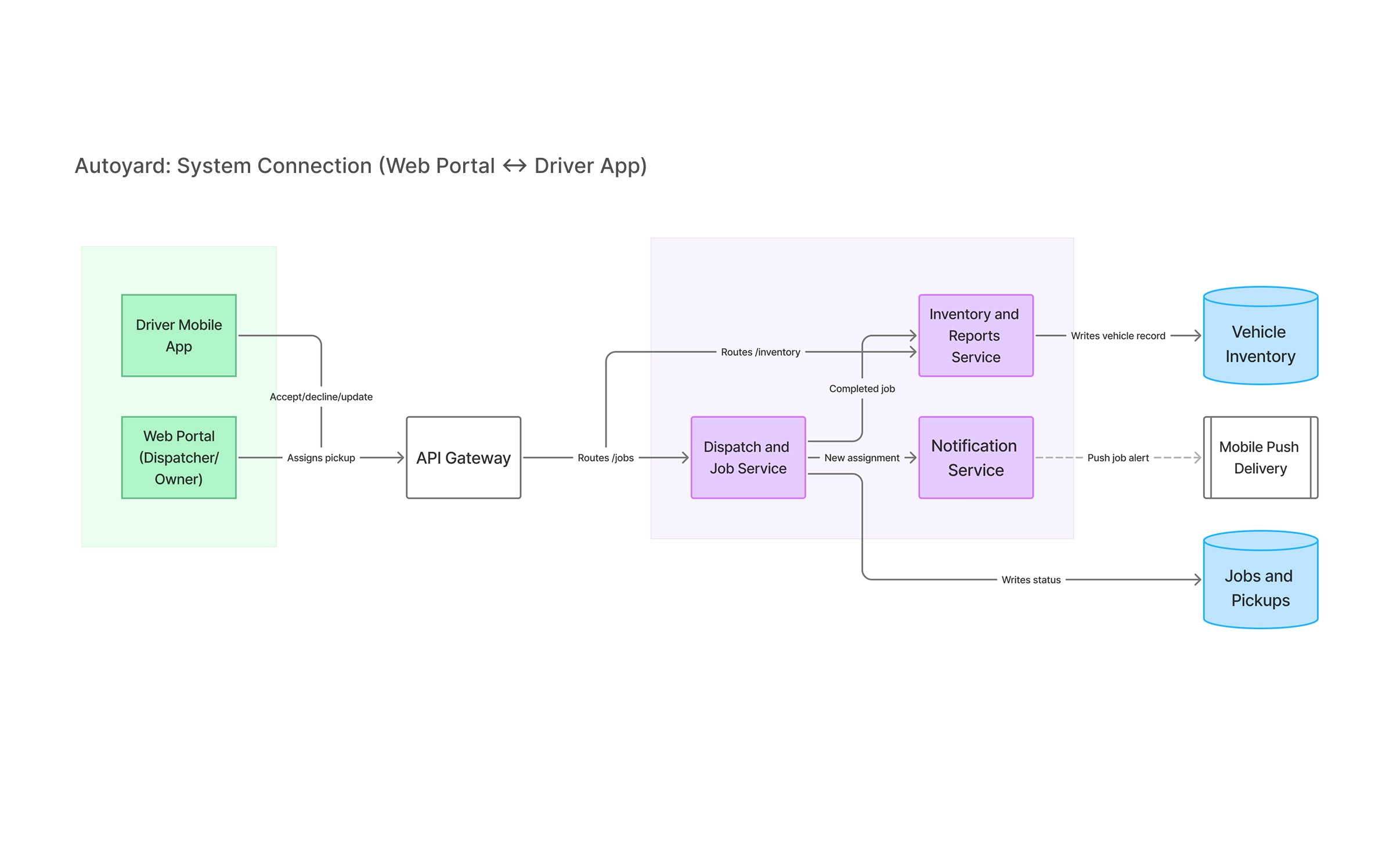
- How the system connects. I drew how the dashboard, the driver app and the services behind them pass a job back and forth, so I knew what the dashboard could show and what it had to wait for.
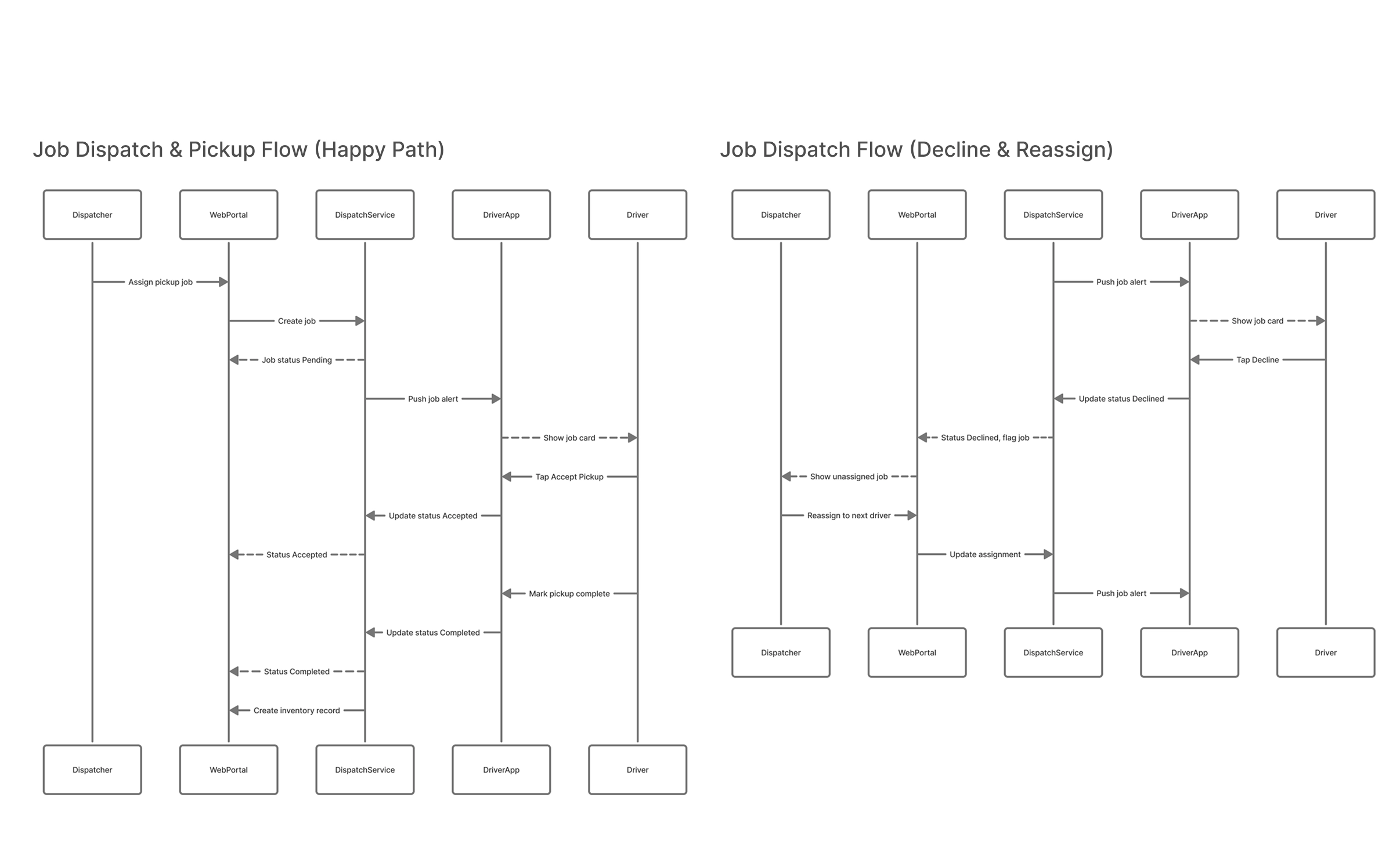
- Two job flows. The happy path (assign, driver accepts, pickup, complete) and the decline path (driver declines, dispatcher reassigns). The decline path matters because it is where a phone-call process loses jobs.
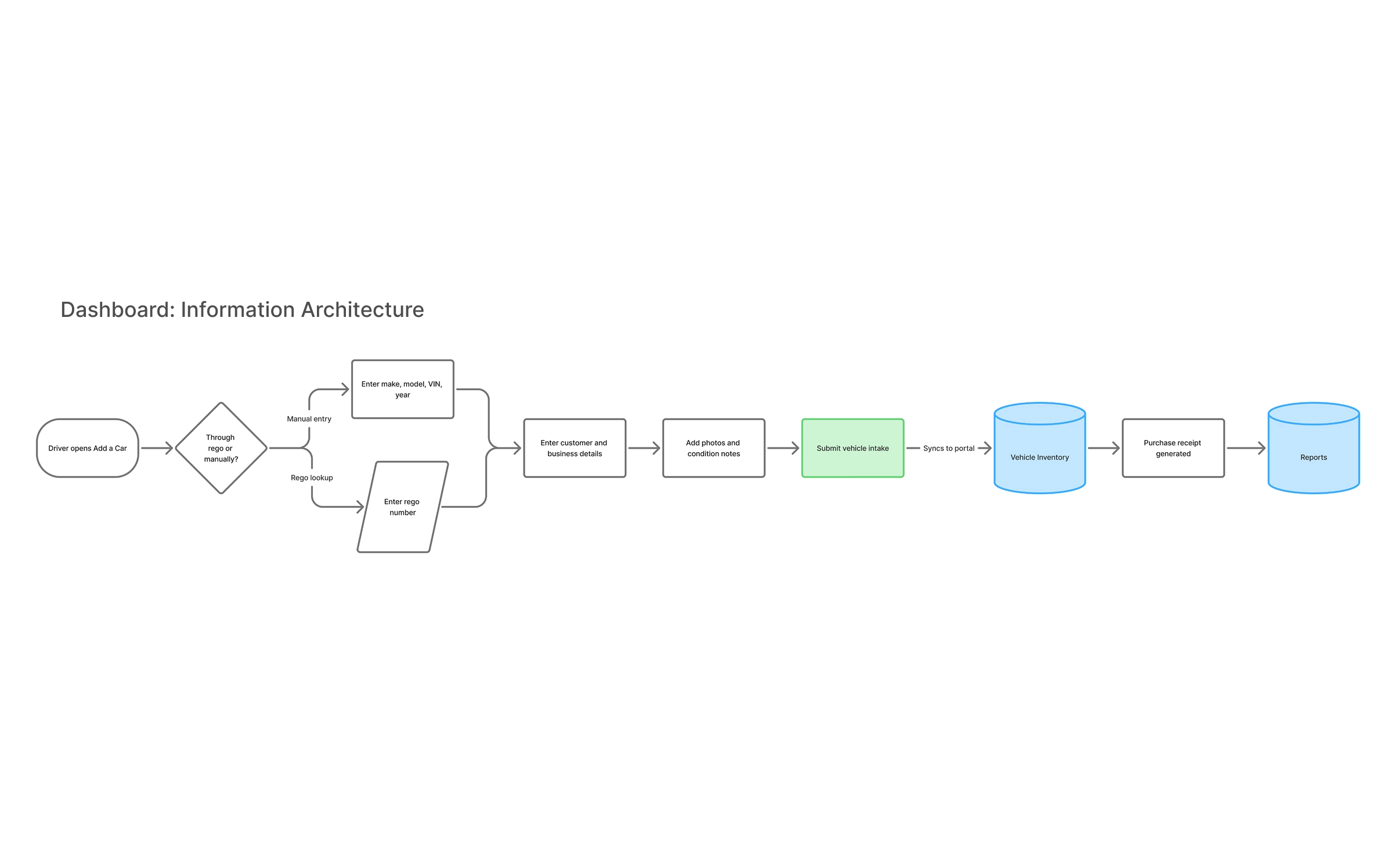
- Vehicle intake. How a car enters the system, by registration lookup or by typing details in.
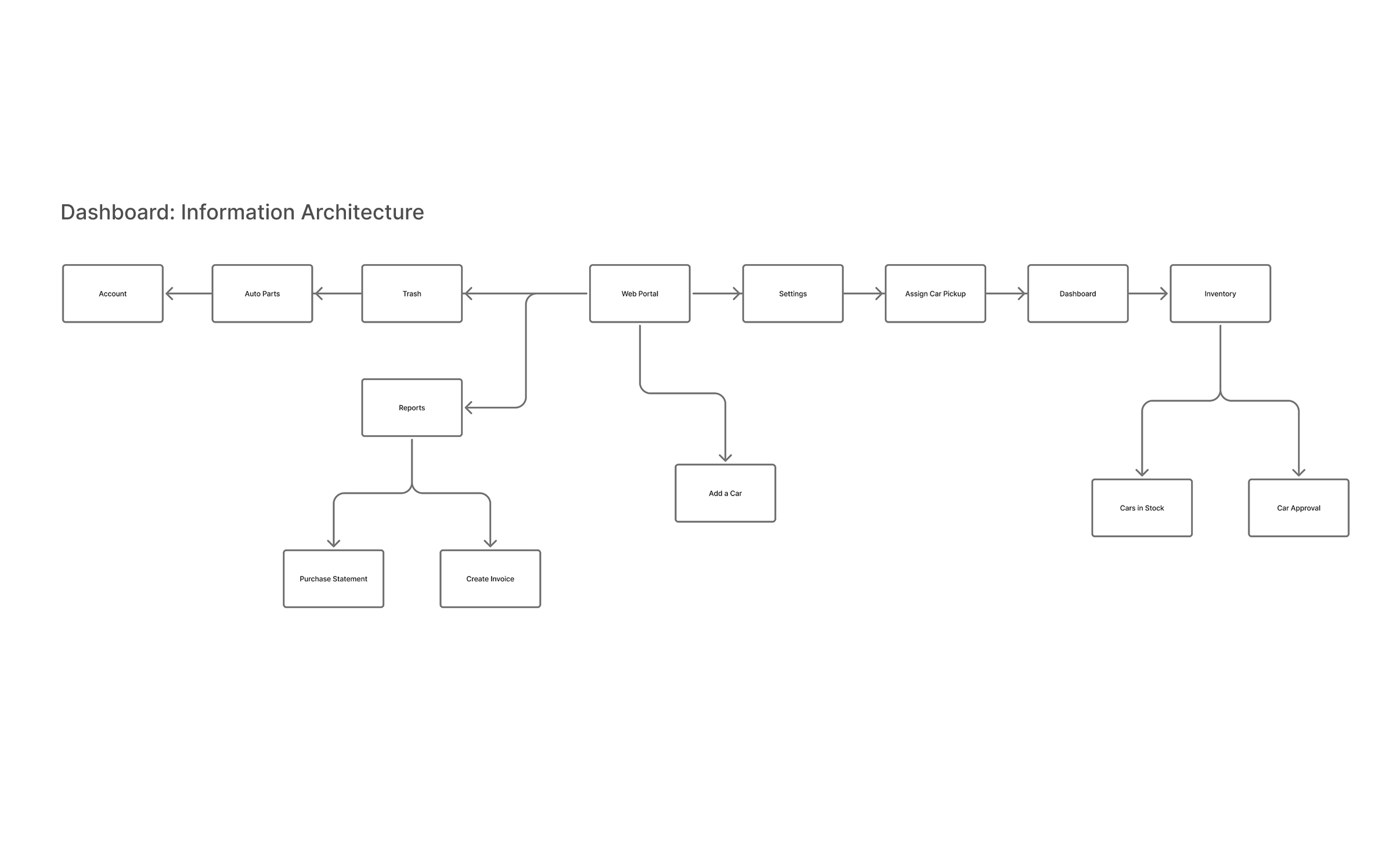
- Information architecture. Dashboard, Assign Car Pickup, Add a Car, Inventory (In Stock, Dispose, Sold), Account, Auto Parts, Create Invoice, Settings and Trash.
- Open questions I wrote down. How the dashboard and driver app stay in sync, what happens to drivers who go offline, how declines are handled, how far to trust vehicle data such as registration and VIN, and who can see and do what.
1 / 4
Key decisions
1. A sidebar built around the owner's daily jobs
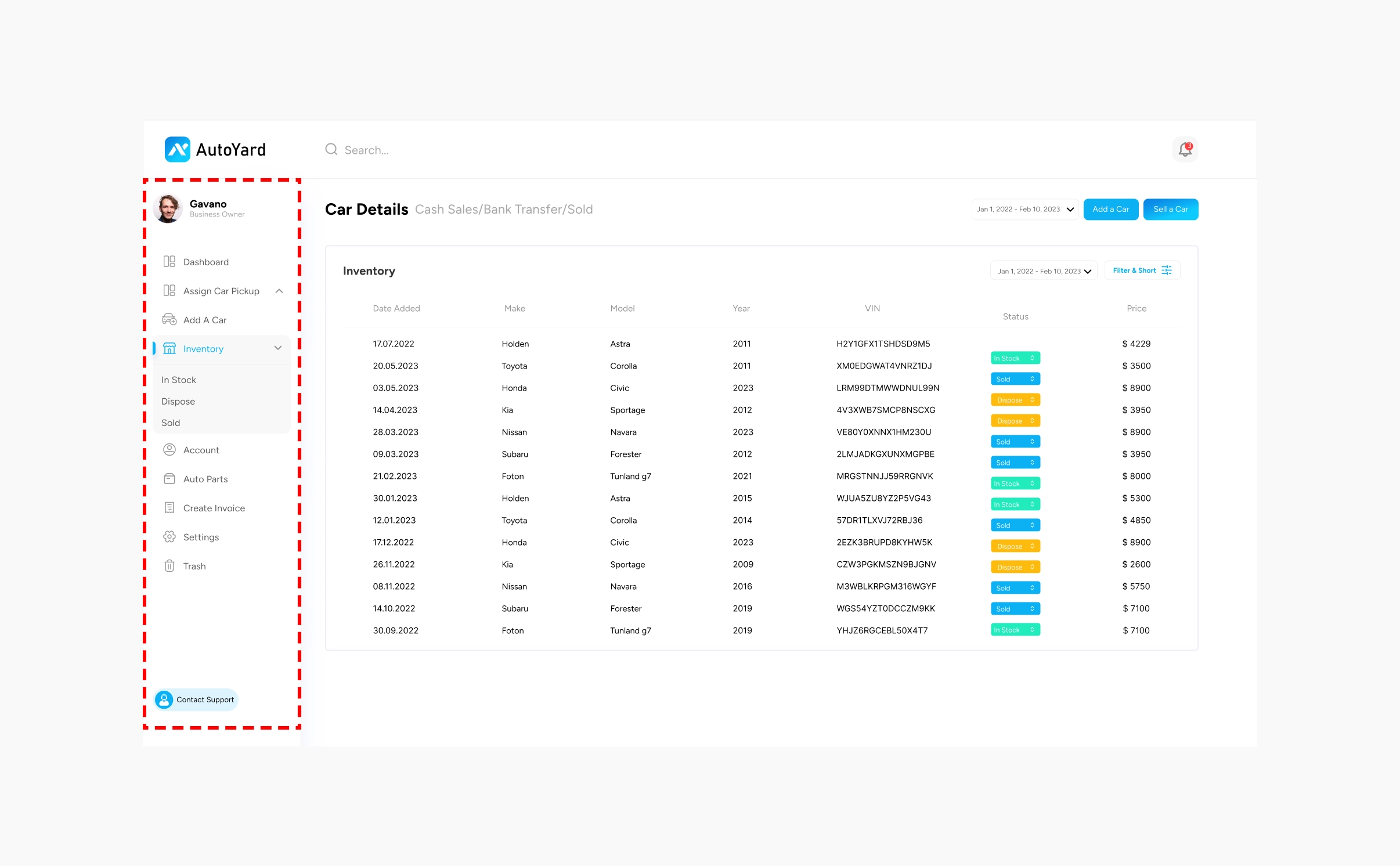
The sidebar leads with Dashboard, Assign Car Pickup, Add a Car and Inventory, and keeps Account, Auto Parts, Invoices, Settings and Trash below. Inventory opens into In Stock, Dispose and Sold, so the owner moves by what happened to the car.
I considered grouping by data type (Cars, Drivers, Customers). I chose job order because the owner thinks in 'a car came in, a car went out'.
2. One form to assign a pickup
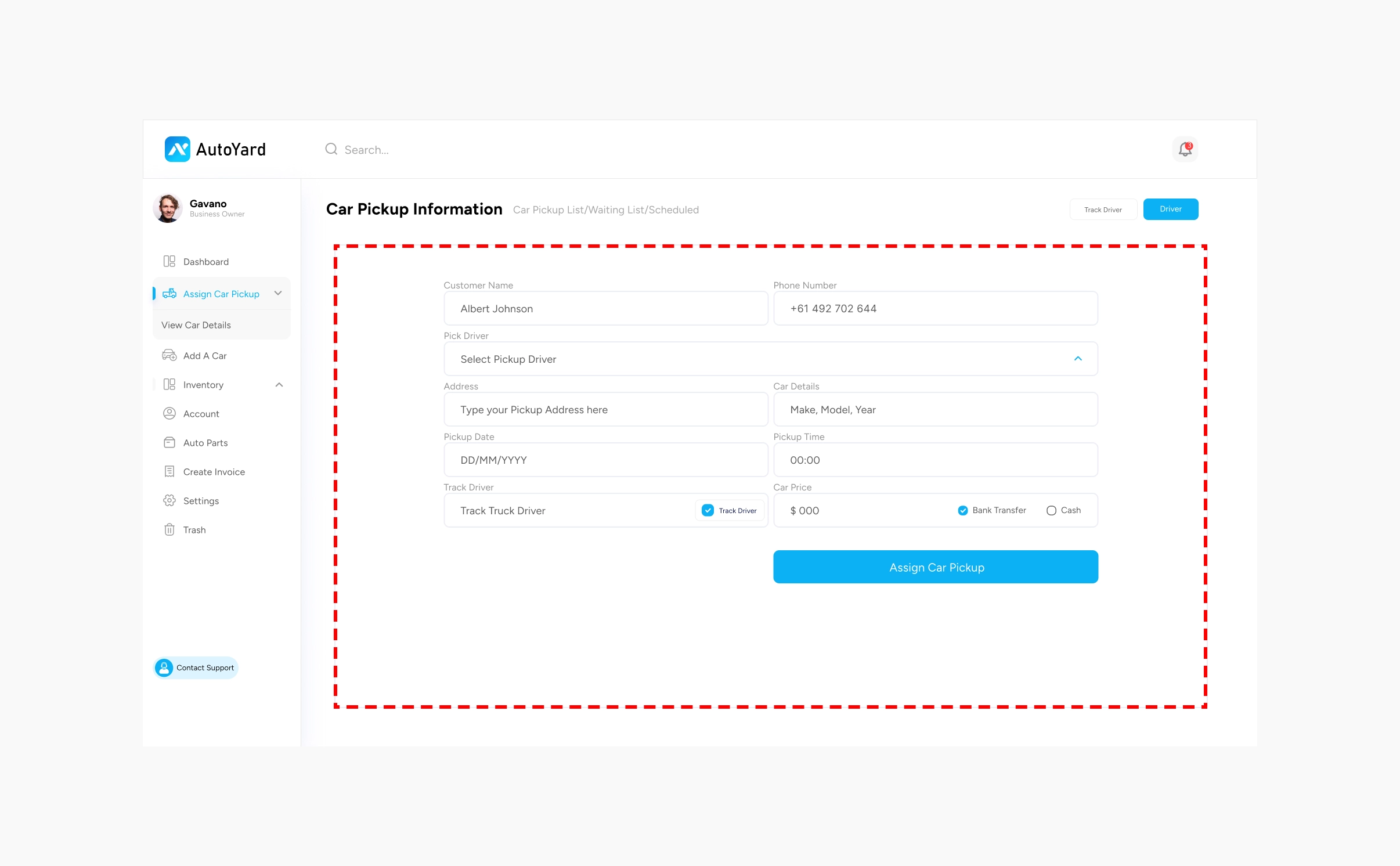
Customer, phone, driver, address, car details, date, time, price and payment type sit on one screen, with a single 'Assign Car Pickup' button. A 'Track Driver' option sits in the same form.
I considered a multi-step flow. I chose one screen because the dispatcher is often on the phone with the seller while filling it in, and steps would slow them down.
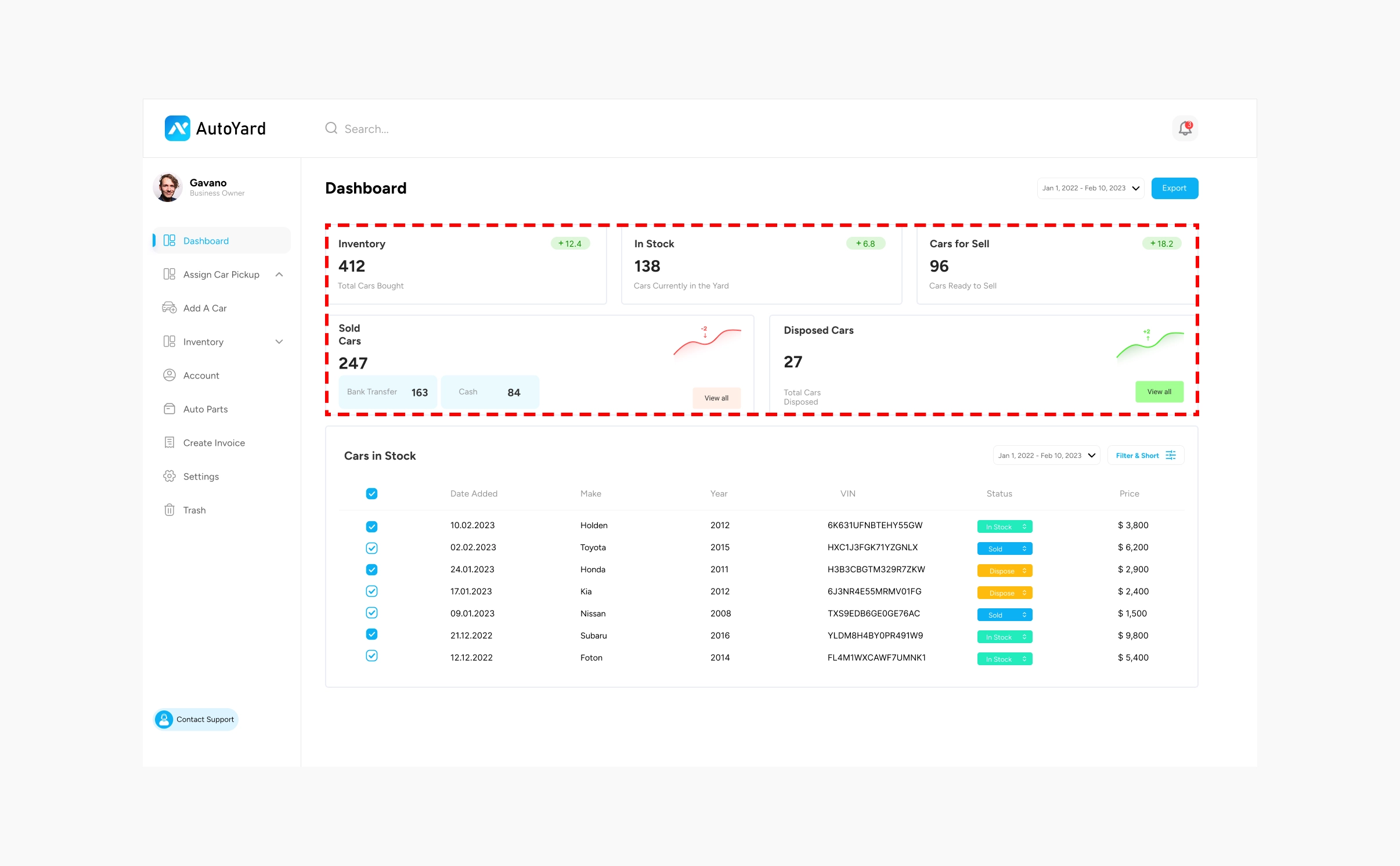
3. A dashboard that answers 'how is business' first
The top row shows Inventory, In Stock and Cars for Sell. Below it, Sold Cars shows a bank transfer versus cash split, and Disposed Cars sits beside it. The stock table comes last, filterable by date.
I considered opening on the stock table. I put the numbers first because an owner checks the totals before touching a single car.
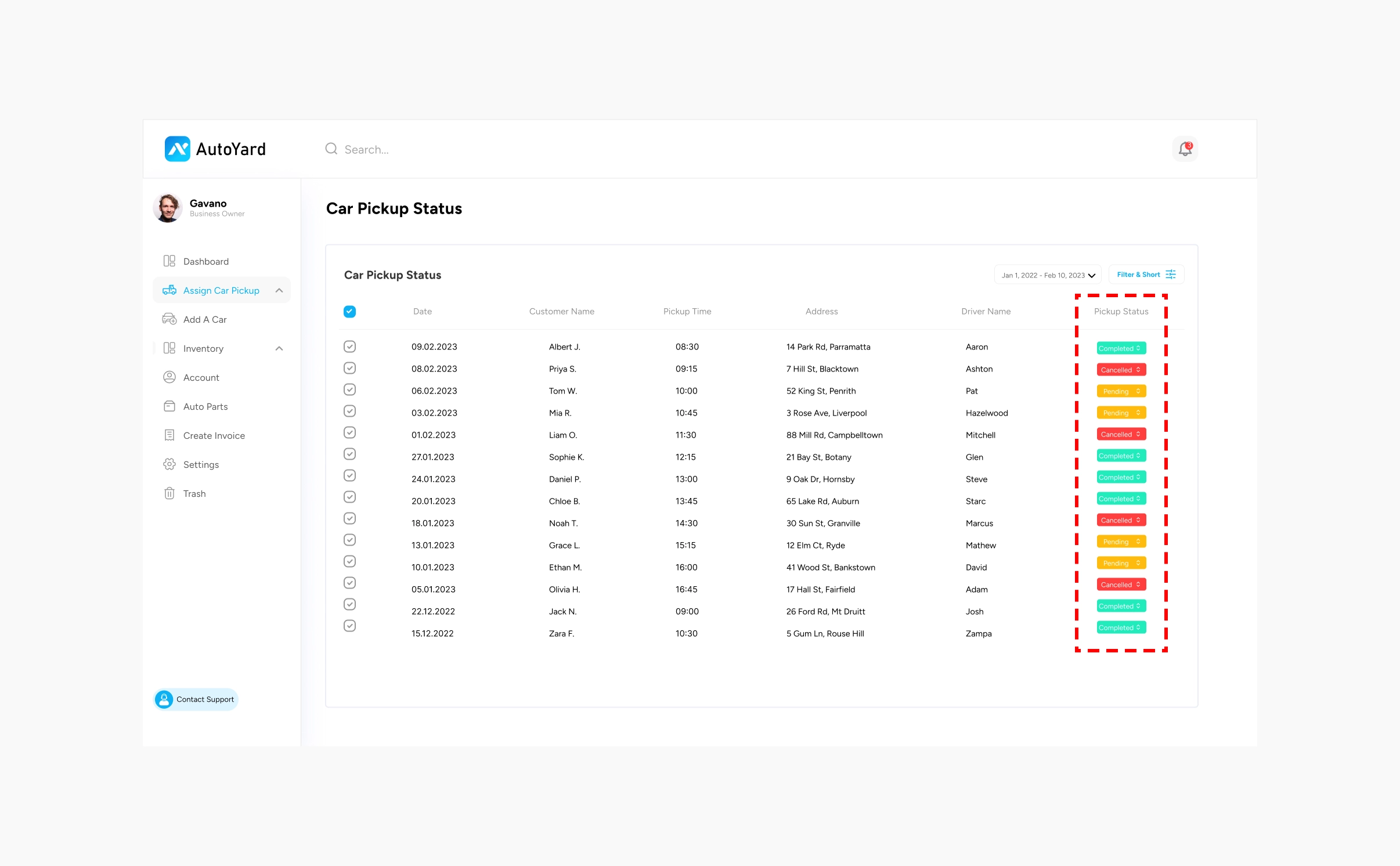
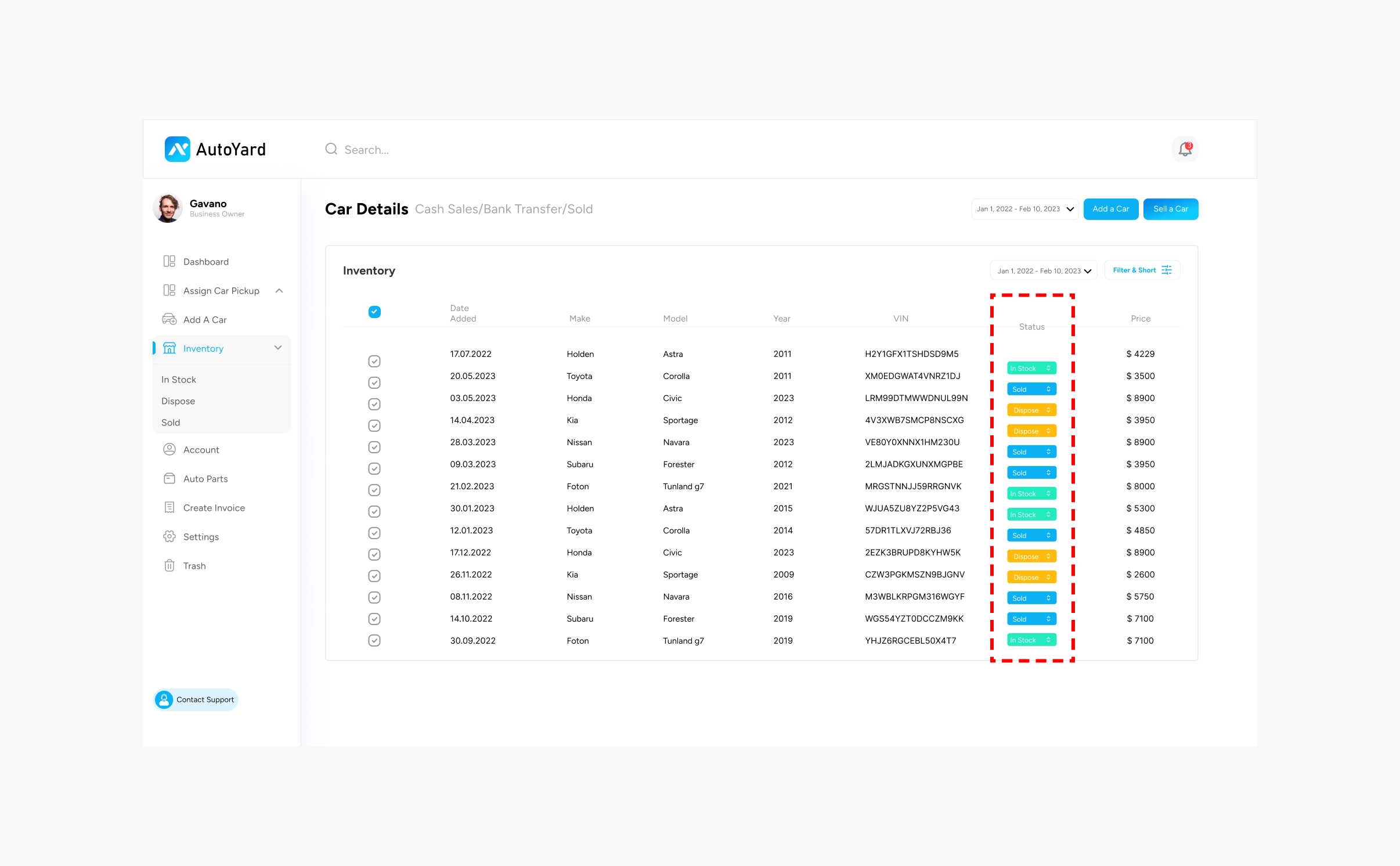
4. Colour-coded statuses you can change in place
Cars show In Stock, Sold or Dispose. Pickups show Completed, Pending or Cancelled. Colour carries the meaning, and the car status is a dropdown in the row.
I considered a separate edit screen for status. I chose in-row change because it is the most common action on the list.
1 / 2
Final solution and results
The solution
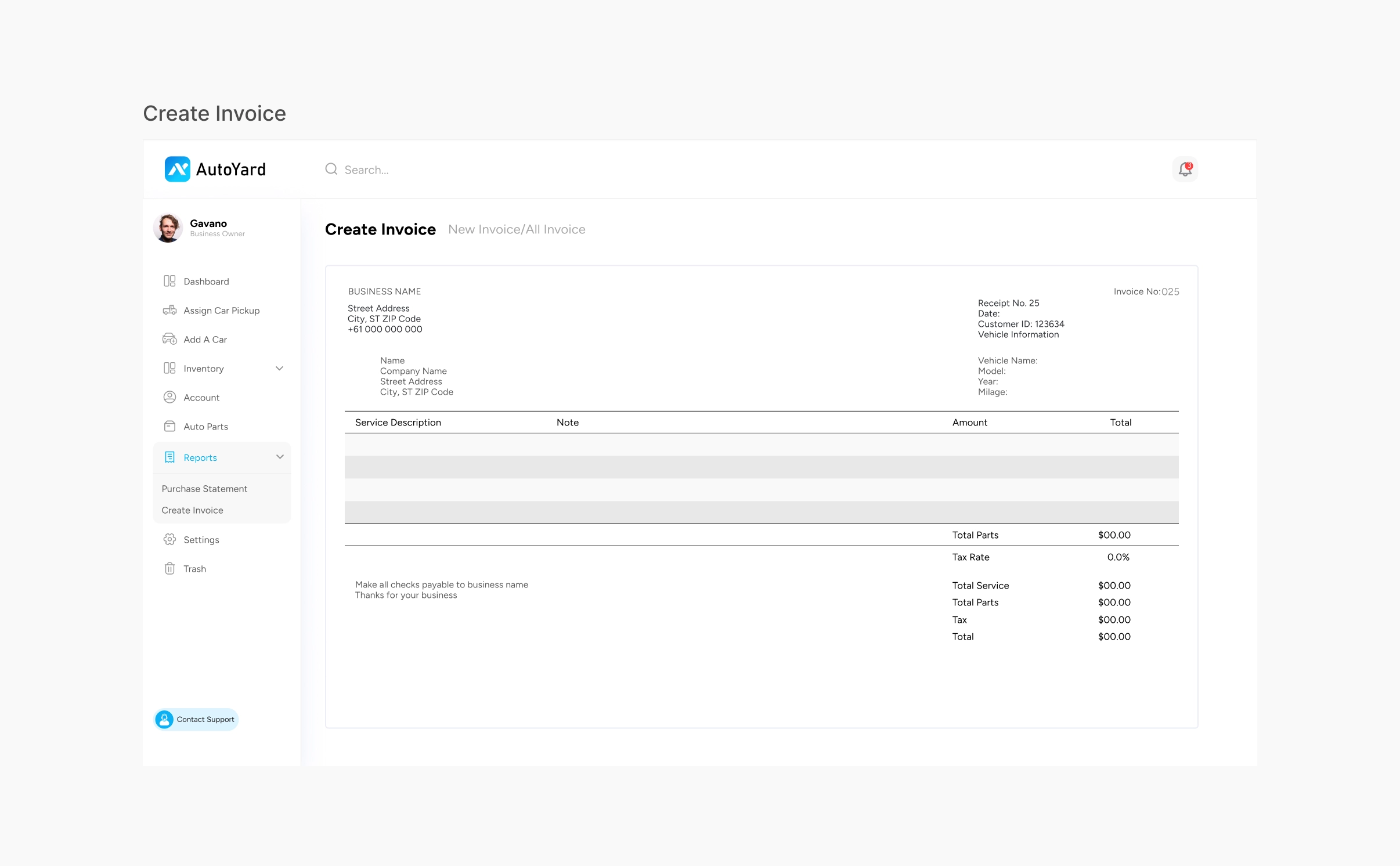
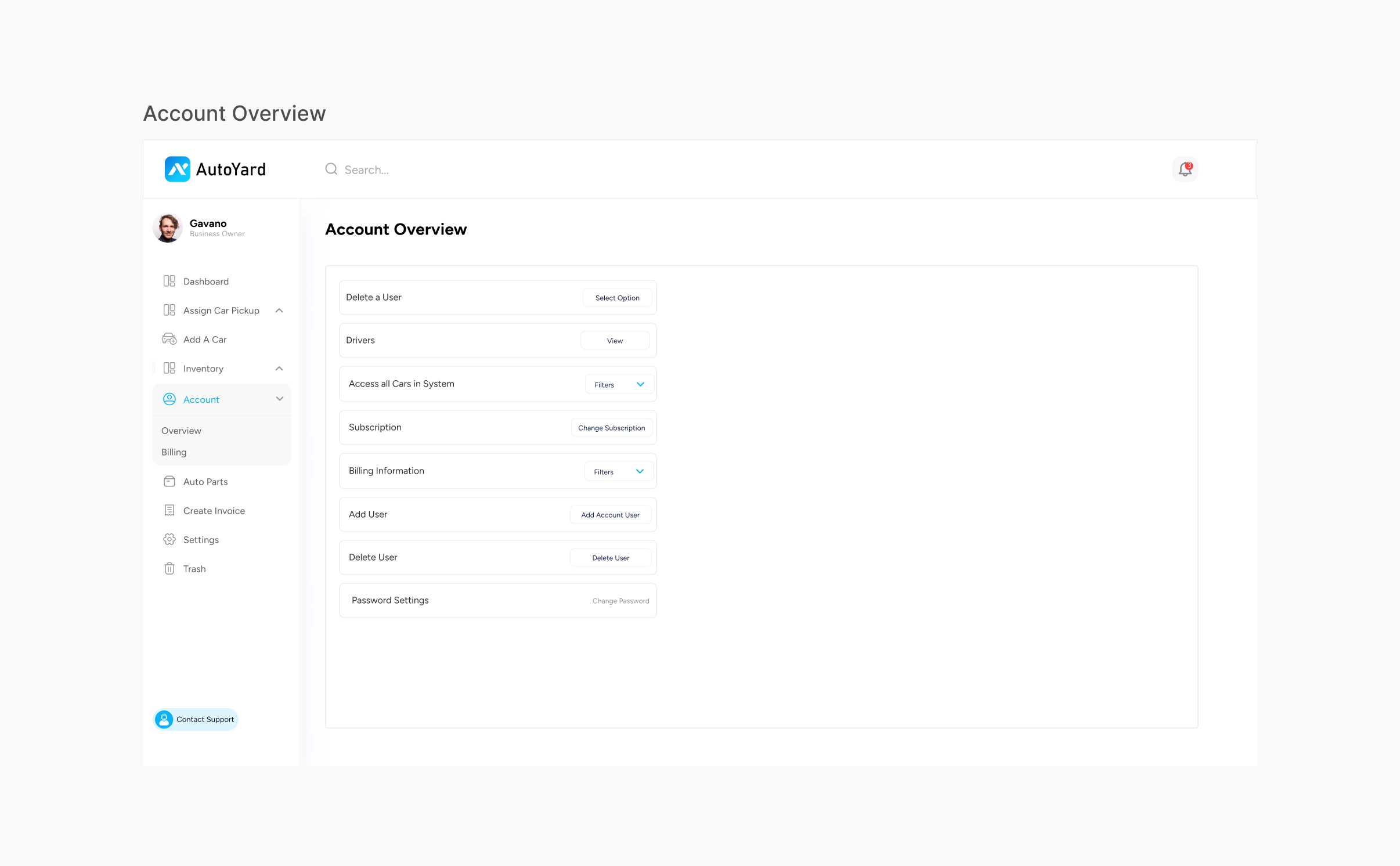
A web dashboard with six working areas: the Dashboard overview, Assign Car Pickup with a pickup status list, Add a Car, Inventory (In Stock, Dispose, Sold), Create Invoice, and Account (users, drivers, subscription, billing).
1 / 2
Results
- The portal launched about 2.5 months before this write-up and is used by 12+ cash-for-car and towing companies.
- 2,500+ towing jobs processed through the portal, with job tracking and dispatch coordination.
- Zero onboarding drop-offs reported: field teams adapted with minimal training.
Reflection and next steps
Designing for people who ran their business on phone calls taught me to keep every screen close to one real job: assign a pickup, check a status, log a car. For a dispatcher, status is the most important thing on screen, so I made it the most visible thing in every list. Being the only designer inside a client team also meant I had to make my reasoning clear to the project manager and the developers, so they could build what I designed without me in every conversation. The part I'm proudest of is that the dashboard is now used by real towing and cash-for-car companies, not only shown in a portfolio.
What I would do next
- Add a map view so the owner sees driver location next to the status list.
- Make the Create Invoice screen pull the car and customer details in, instead of typing them again.
- Merge the two Create Invoice entries in the sidebar into one place under Reports.