Truck GPS Navigation
Truck Navigation
The app combined truck navigation with weather, nearby places, radio, travel logs and other driving tools.
Role
Product Designer
Product
Android Mobile App
Industry
Logistics Technology / Fleet Navigation
Scope
Product audit, UX strategy, user flows, interface design and developer handoff
Overview
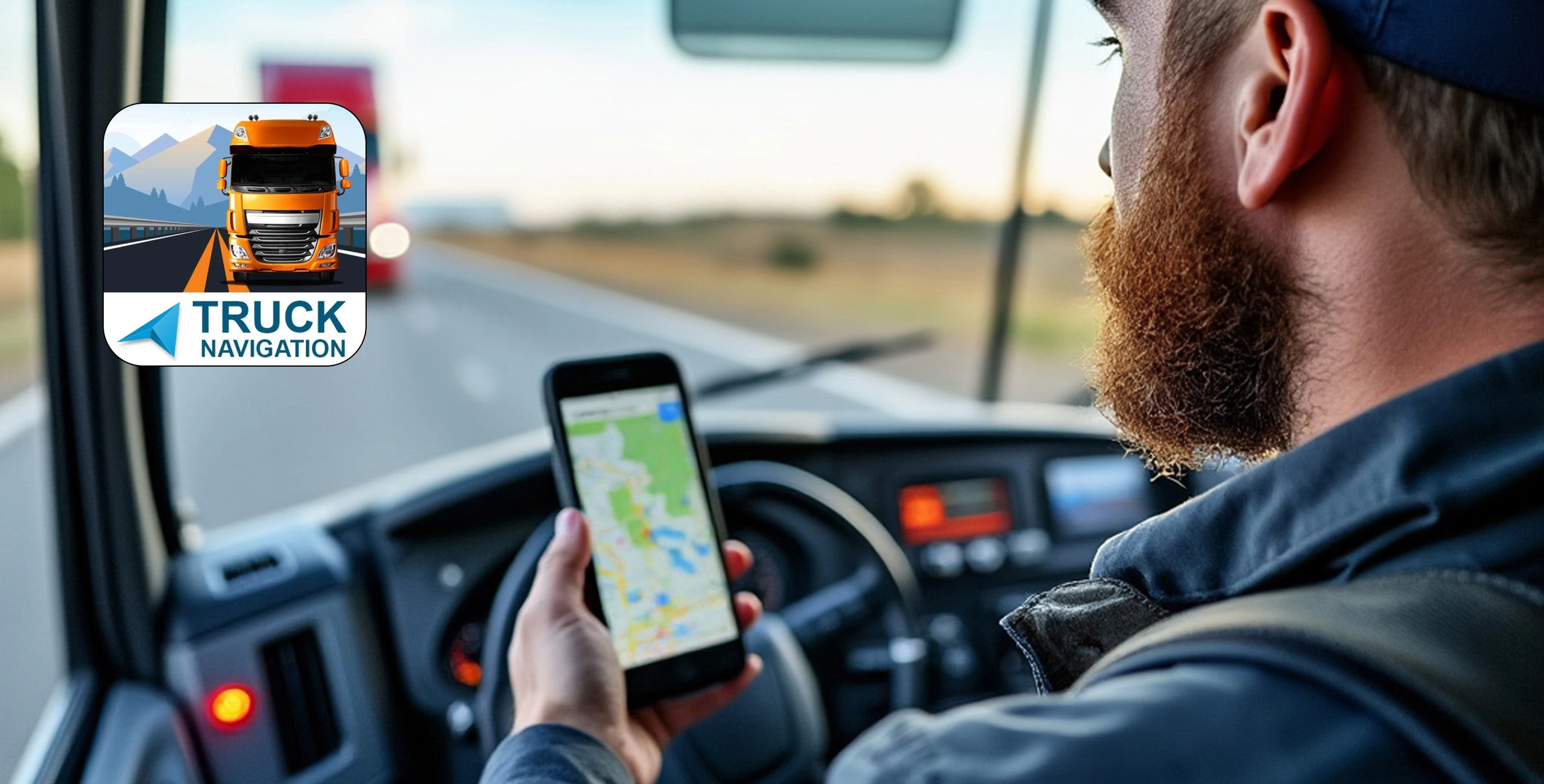
The app combined truck navigation with weather, nearby places, radio, travel logs and other driving tools.
The functionality was already there, but the home screen gave too many features similar importance. Route planning, the app's main task, was placed inside a general card and required more attention than it should.
I redesigned the experience around a clearer route-planning flow while keeping the supporting tools available from the dashboard.
The Problem
Truck navigation was difficult to identify as the main action.
The dashboard presented several large cards, icons and expandable options at once. Drivers had to scan the screen, open the navigation card and interpret smaller controls before starting a route.
Three interface problems stood out:
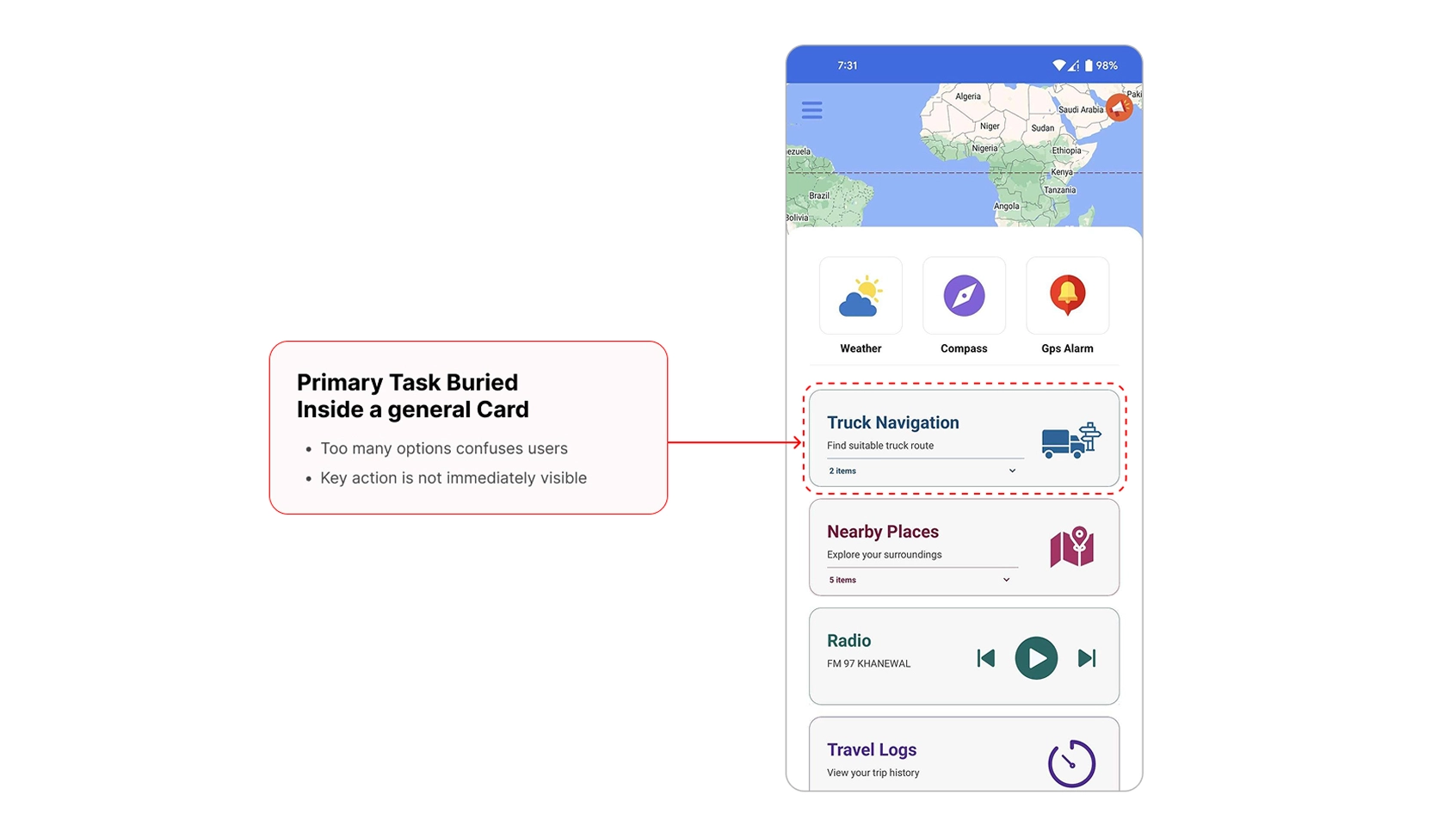
The primary task was buried
Truck Navigation appeared as one card among several features. Nothing clearly directed the driver towards starting a route.
The route action was ambiguous
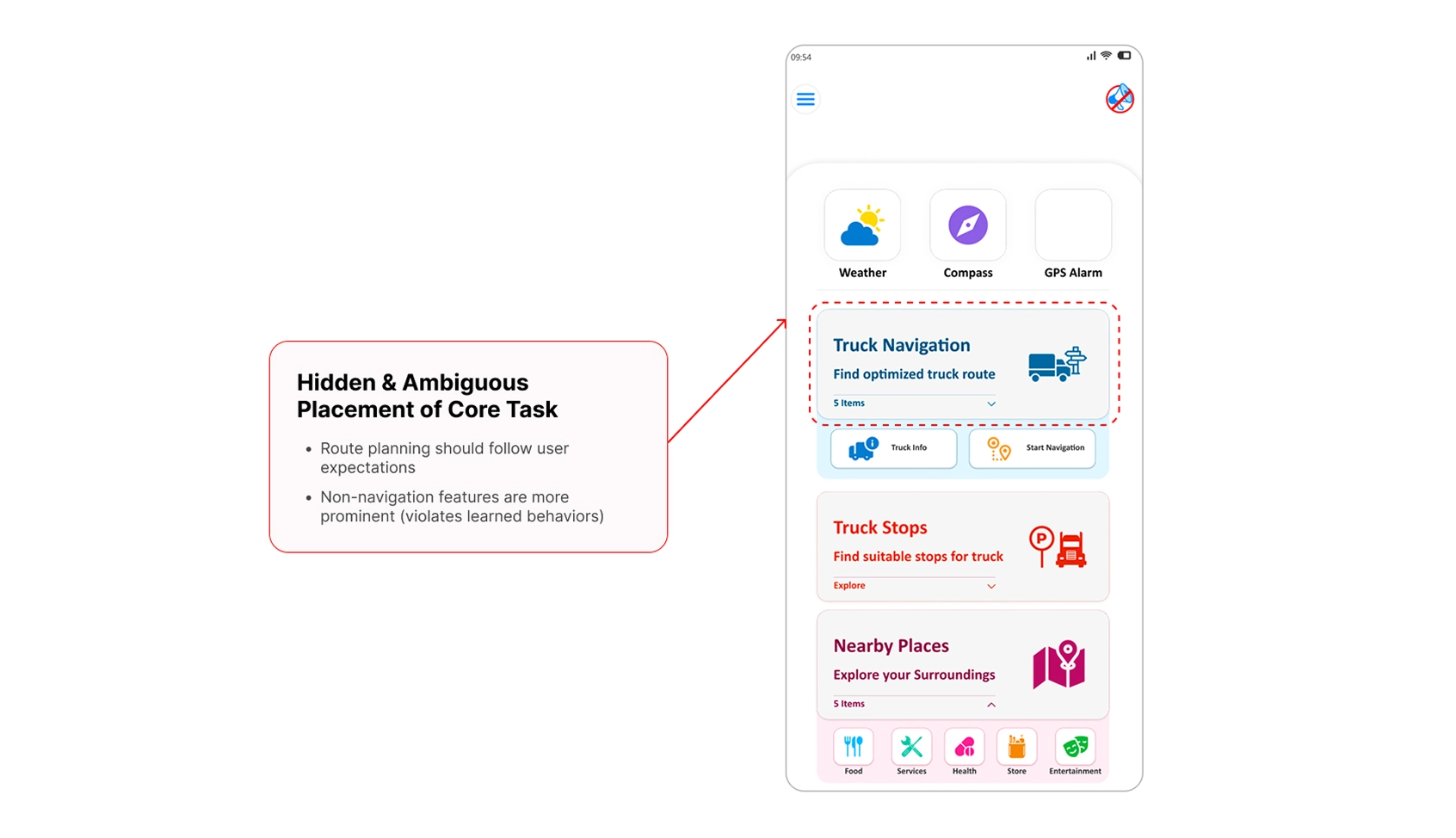
The card described truck navigation, but the starting action sat inside the expanded content. Supporting features were more visually prominent than the main journey.
Important controls were too small
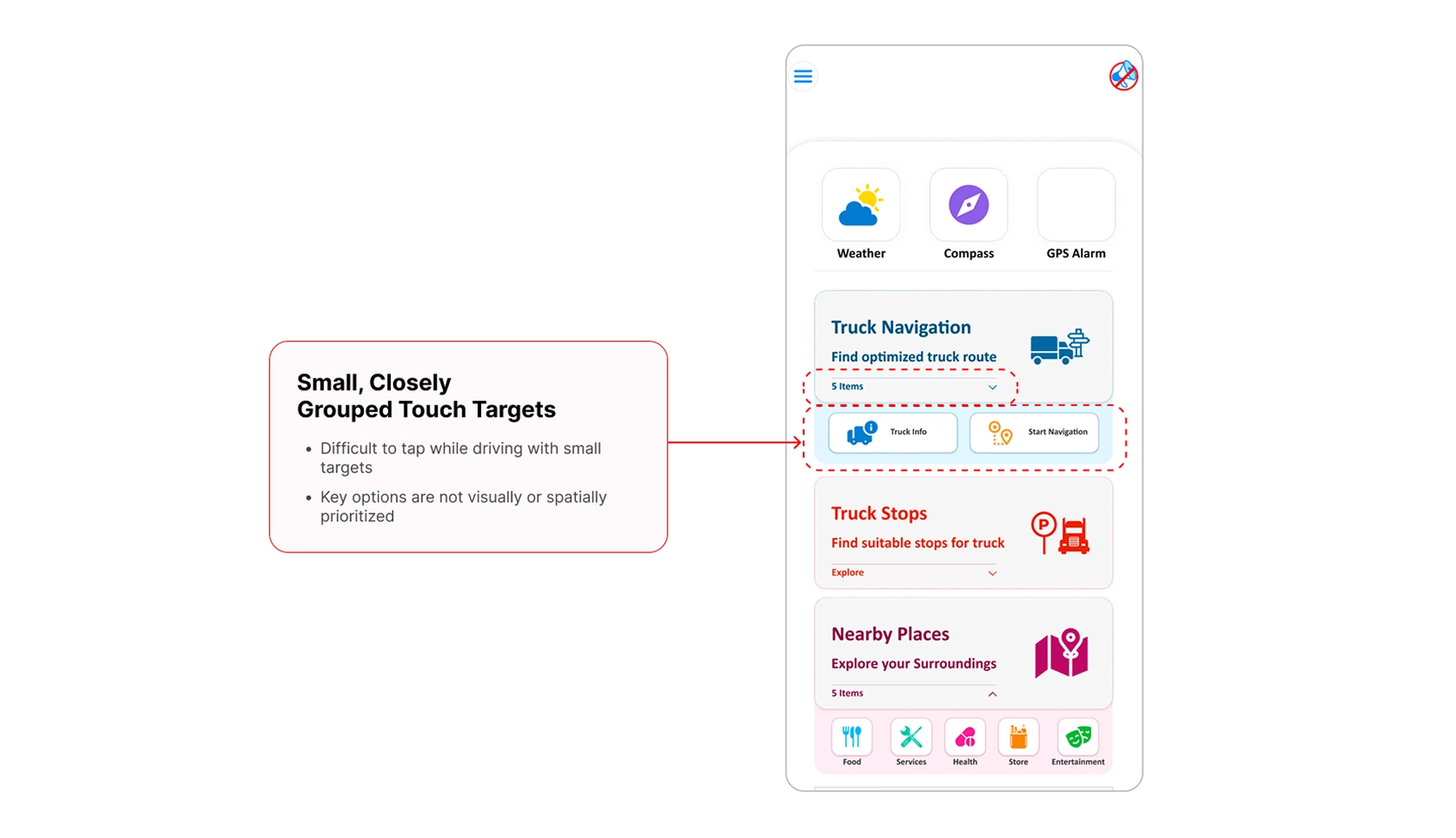
Truck Info and Start Navigation were placed close together as small actions. This made the main decision harder to recognise and select quickly.
Redesign Direction
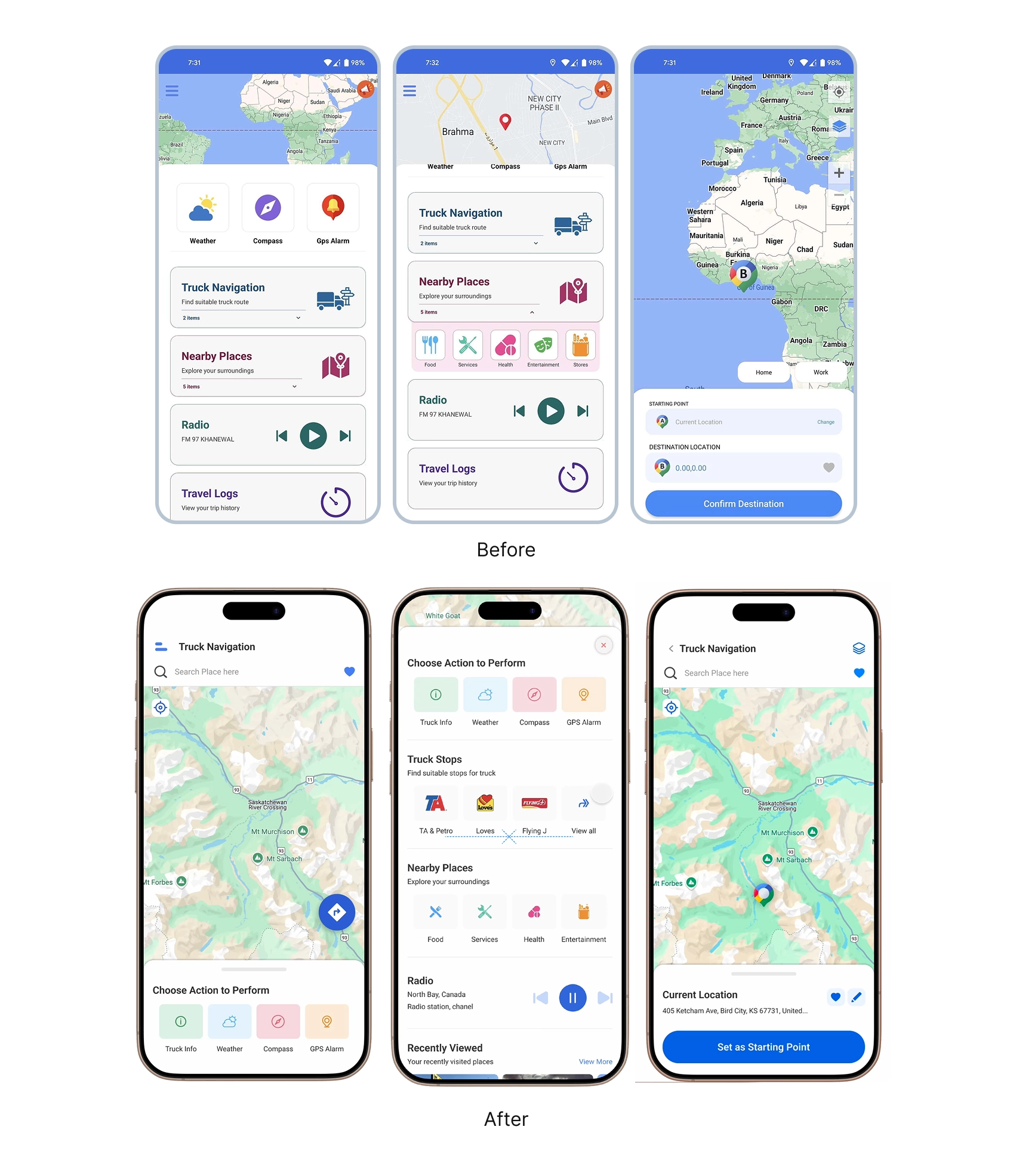
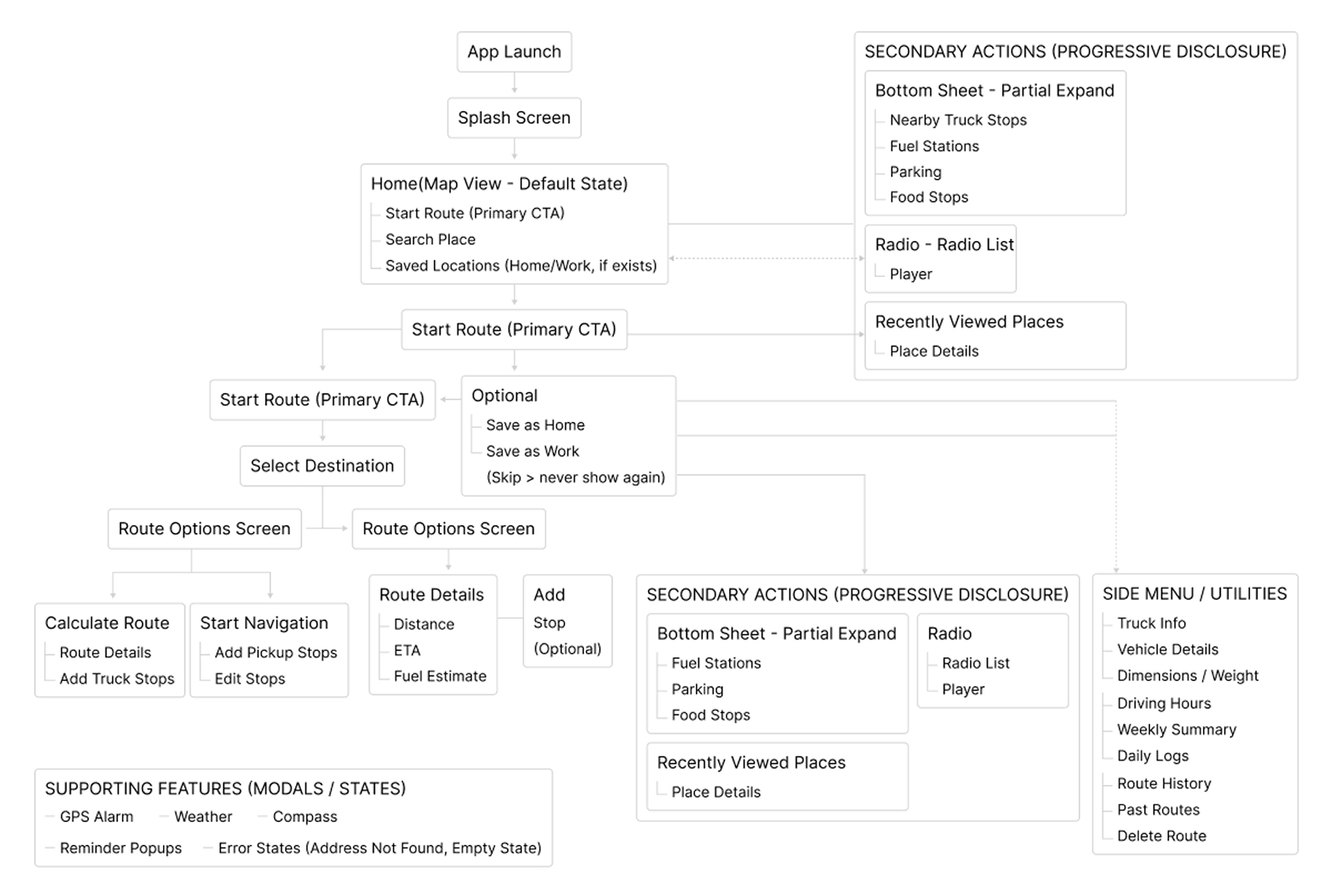
I reorganised the dashboard around three levels of importance:
- Route preparation: weather, compass and GPS alarm
- Primary task: truck information and route navigation
- Supporting tools: truck stops, nearby places, radio and travel history
The redesigned dashboard makes the navigation area easier to recognise and gives its main actions dedicated space. Supporting categories remain available, but they no longer compete with route planning.
Starting a Route
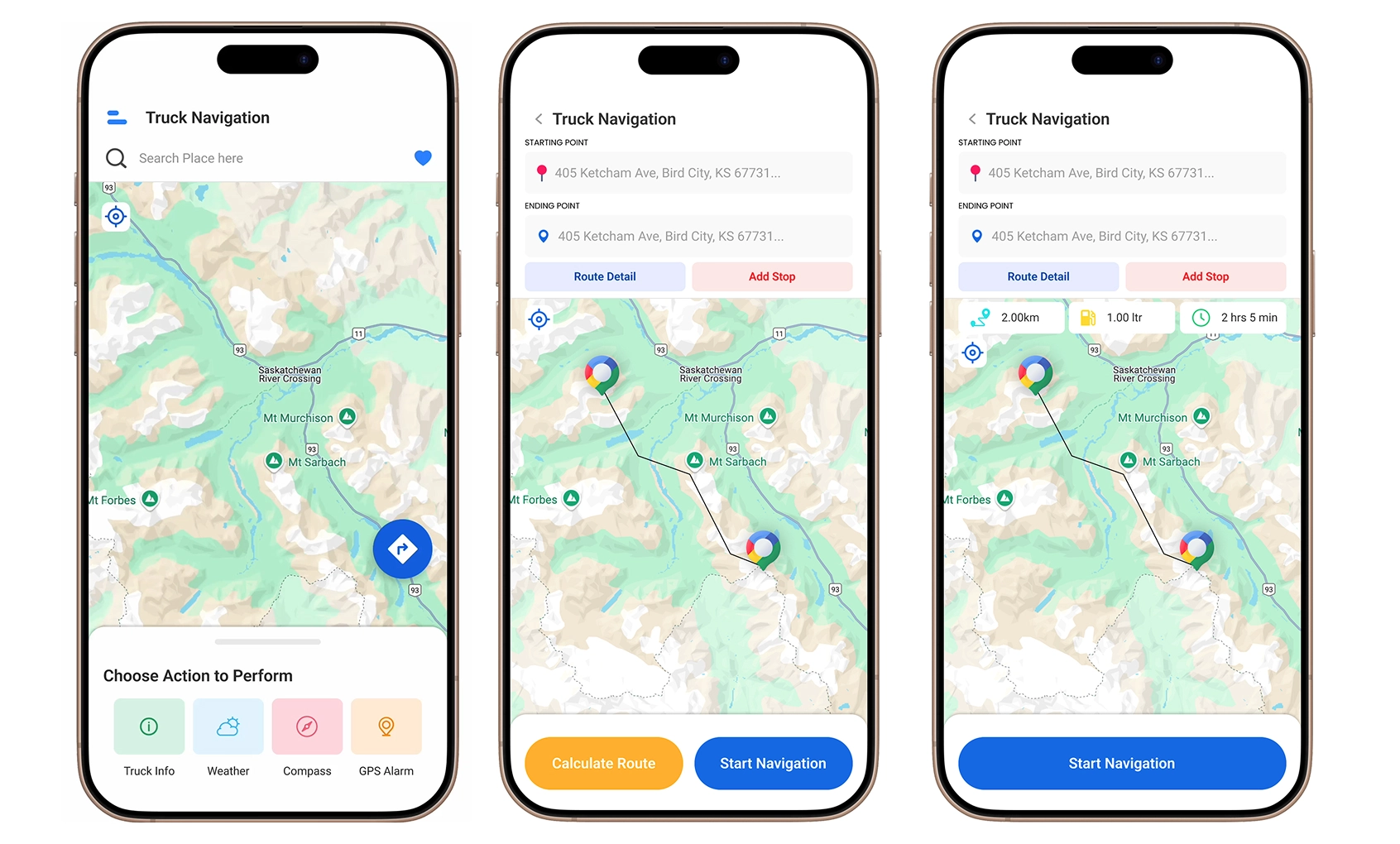
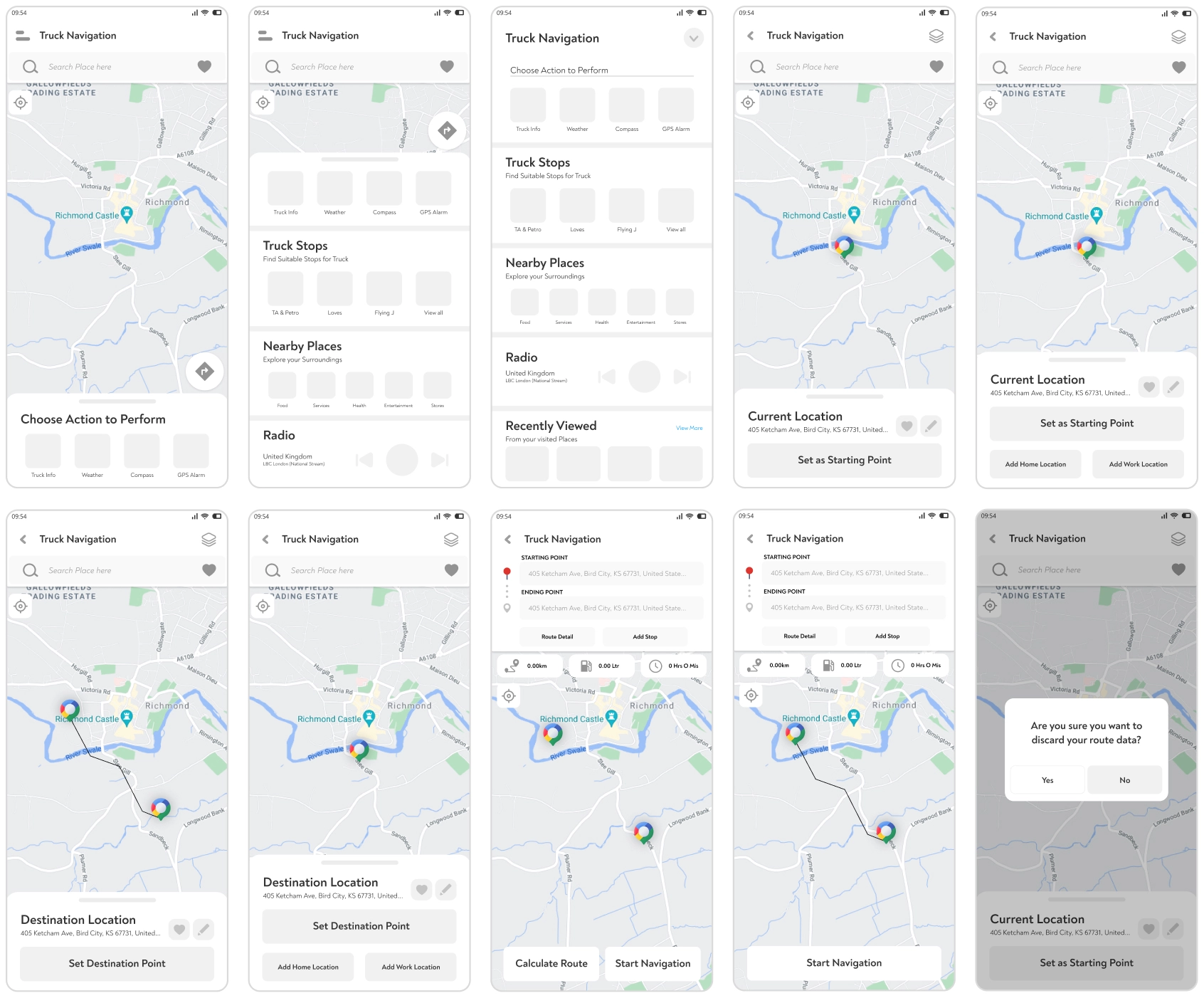
The redesigned flow guides the driver through a simple sequence:
Choose a starting point → Select a destination → Review the route → Start navigation
Drivers can select their current position, search for a location or choose a point from the map. The route summary then presents the information needed before driving, including distance, estimated time and fuel usage. Drivers can either review the calculated route or begin navigation directly.
Dashboard Interaction
The dashboard uses expandable sections to keep secondary information available without displaying everything at once.
Drivers can move between:
- Truck navigation
- Truck stops
- Nearby places
- Radio
- Recent activity
This keeps the default screen manageable while allowing the dashboard to support more than route planning.
Information Architecture
Wireframes
Outcome
Following the redesign period, Play Store installs increased from approximately 301,000 to 500,000.
The development team also reported a more consistent design handoff and fewer support questions related to route setup.
The install growth occurred during the broader product rollout, so I treat it as a post-redesign product result rather than attributing it entirely to the interface work.
Reflection
The product did not need more features. It needed a clearer order. Giving route planning a stronger starting point made the dashboard easier to understand without removing the tools drivers already used.